For brief callouts, first check that your microphone sounds clear on your platform in the game chat you use. Then make sure you can judge in-game sounds accurately. A wired headset saves battery power and avoids a wireless receiver, but you’ll need to manage the cable. A wireless headset keeps cables off your desk, but requires a free port for the receiver and needs charging.
Who is this guide for?
Team players who make brief callouts
If you want to give concise positional callouts while keeping track of in-game cues, check how clearly the microphone comes through in the game chat you actually use. An advertised surround sound profile alone doesn’t tell you how well you’ll be able to pinpoint sounds in your game.
Players with a cramped desk
If there’s little room between your keyboard, mouse and ports, you’ll need to weigh up cable management against using a wireless receiver. With wireless models, you’ll also need to allow for a free port and somewhere to charge the headset.
Players using multiple platforms
If you switch between PC and console, check the connections, voice chat support and exact model variant for each device. Manufacturers such as HyperX, Logitech G and SteelSeries specify platform requirements for certain connections or features.
What should you look for when buying?
First, check how clearly your voice comes through in the chat you use, then see how well you can pinpoint sounds in your own game. Finally, decide whether a cable or wireless receiver is a better fit for your desk and devices.
| Priority |
What to check when buying |
Who is this most important to? |
| Clear team callouts |
Test the microphone and mute function in your game chat; only consider filters if they work on the device you use. |
If I give brief directional callouts to my team, I need a clear microphone in the chat I use. Around 29% of consumers prioritise clear team callouts when choosing a headset. |
| Pinpointing in-game sounds |
Look for independent assessments of the specific model and try its sound profiles on your own platform. |
If I use in-game sounds to help with positioning, I want to be able to judge their direction in my game. Around 23% of consumers prioritise sound positioning. |
| Space and cable management |
For wireless headsets, check the required port and receiver placement; for wired models, consider where the cable can run. |
If cables get in the way on my small desk, a tidy connection matters to me. Around 18% of consumers prioritise space and cable management. |
| Comfort |
Check the fit and any potential pressure points during a permitted try-on; weight alone won’t tell you whether a headset is comfortable. |
If I want to stay comfortable throughout my usual gaming sessions, fit is key for me. Around 18% of consumers make wearing comfort their top buying priority. |
| Platform and chat compatibility |
Check the full model name, supported platform, connection and availability of the chat feature you want. |
If I want to use my headset with several devices, the connection and chat need to work with each one. Around 12% of consumers prioritise using a headset with different devices. |
Gaming headset buying pitfalls
-
Assuming surround sound means clear team chat
An advertised sound profile doesn’t prove that your callouts will come through clearly in game chat or that you’ll be able to pinpoint sounds reliably in your game.
Assess the microphone and sound positioning separately, and look for reviews that are relevant to your platform.
-
Forgetting to allow space for the receiver and charging a wireless headset
A wireless receiver takes up a port, and you’ll also need a way to charge the headset.
Check where your ports are and consider where the receiver and headset will fit on your small desk.
-
Assuming a range’s features work with every platform or variant
According to the manufacturer, the Logitech PRO X’s advanced features require a PC with G HUB. SteelSeries offers a separate Arctis Nova 5X variant for Xbox.
Check the full model name, connection and features available for your device.
Key brands to consider
Sony
According to Sony, the INZONE H9 II is designed for wireless gaming and comes with a USB-C receiver and noise cancelling.
- Sony lists the INZONE H9 II as weighing 260 g without the microphone and including a 2.4 GHz dongle.
- Assess microphone clarity on your platform separately from the surround sound specifications.
SteelSeries
According to the manufacturer, the Arctis Nova 5 Wireless combines a compact USB-C dongle with switchable Bluetooth.
- The on-headset controls can be handy when desk space is limited.
- For Xbox, the specific 5X variant is the one to look for. Descriptions of audio profiles aren’t independent proof of better sound positioning in your game.
HyperX
The wired Cloud III is worth considering if you want to compare different connection types without using a wireless receiver.
- HyperX lists 3.5 mm, USB-C and USB-A connections for the Cloud III, as well as a microphone mute indicator.
- You’ll still need to manage the cable on your desk. Treat advertised claims about voice clarity as distinct from independent test results.
Logitech G
According to the manufacturer, the wired PRO X offers microphone features for users who want to adjust their voice settings on PC.
- According to Logitech G, Blue VO!CE and DTS Headphone:X 2.0 are designed for use with a PC and G HUB.
- Don’t assume from the product name that these advanced features are also available on consoles.
Razer
The BlackShark V2 X USB is a wired USB-A headset for players who don’t need a wireless connection.
- Razer lists a weight of 240 g and a noise-cancelling microphone.
- According to Razer, the 7.1 surround sound advertised for this model is only available on the 64-bit version of Windows 10. The stated weight doesn’t guarantee a comfortable fit for you or clear calls.
Joybuy products for gaming and voice chat
This selection includes wired and wireless headsets that, according to their product descriptions, are designed for gaming or voice chat. Check that the microphone, connection and platform are compatible with your setup.
 No image available
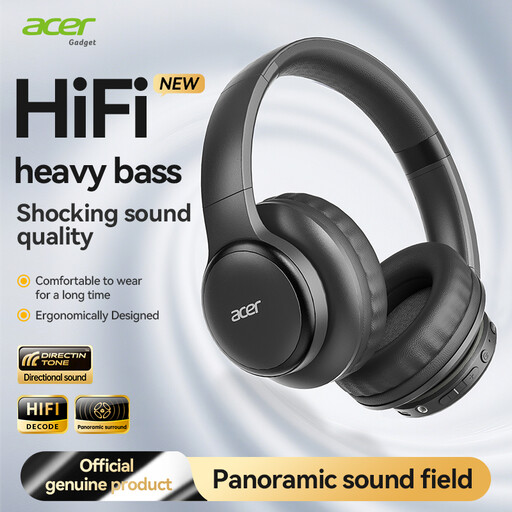
Acer OHR559 OWS Wireless Headphones
The product name lists gaming with low-latency mode and HD voice calls among its intended uses.
Bluetooth 5.3; ACS Spatial Audio; foldable design; Type-C charging port.
Check that the Bluetooth connection works with your gaming device and voice chat.
View at Joybuy
 No image available
AOC wired gaming headset for PS5, Xbox Series X|S, Xbox One and PC
The product description lists gaming and a microphone; the wired design doesn’t need a wireless receiver.
The product name lists PS5, Xbox Series X|S, Xbox One and PC as compatible platforms.
Check that the connection and chat features you want work with your device.
View at Joybuy
 No image available
HyperX Cloud Alpha Gaming Headset with In-Line Audio Control
The product name highlights gaming and in-line audio control, which may be useful when choosing a headset for brief team callouts.
Check that the connection and the microphone and chat features you want are compatible with your platform.
View at Joybuy
 No image available
ONIKUMA GT889 Gaming Headset
If you want to avoid a headset cable on your desk, the product description lists wireless operation as an option, as well as a wired mode.
2.4 GHz wireless and wired modes; 50 mm drivers; noise-cancelling microphone; surround sound.
Check that the receiver is compatible with a free port on your device.
View at Joybuy
 No image available
Logitech G G535 LIGHTSPEED Wireless Gaming Headset
This wireless gaming headset has a mute function on the microphone and could suit brief callouts, provided it works with your device.
Up to 33 hours of battery life according to the product name; USB-C charging; compatible with PS5, PS4 and PC.
For wireless use, allow for the receiver, a free port and the need to charge the headset.
View at Joybuy
Frequently asked questions
How do I set up a headset for brief team callouts?
First, choose the connection that suits your device, then select the headset microphone as the input in your game chat. Next, test the mute function and voice level with your team. According to the manufacturer, the Logitech PRO X’s advanced filters require a PC and G HUB.
Is Bluetooth the same as connecting through a gaming dongle?
No. Bluetooth and a USB-C dongle are different connection methods. SteelSeries describes both for the Arctis Nova 5 Wireless; check which modes your gaming device and voice chat support.
How can I protect my hearing during longer gaming sessions?
Avoid unnecessarily high volume and take regular breaks. The German Environment Agency warns that high sound levels and prolonged exposure can damage your hearing. Workplace safety limits aren’t blanket volume limits for gaming headsets at home.
What product details should I check for a wireless headset?
Look for clear information about the specific variant. As part of its market surveillance, the German Federal Network Agency checks matters including CE marking, product identification and accurate manufacturer details. A CE mark alone doesn’t replace checking the rest of the product information.


