Players who prioritise team chat
If you’re practising callouts and co-ordination, you’ll need a usable microphone, an easy-to-reach mute control, and suitable settings for game and chat audio.


Choose your headset based first on the device running the game and how game audio and the microphone connect – the big screen alone doesn’t determine compatibility. If you play some distance from the screen, compare a 3.5 mm cable to your controller with a wireless connection specifically suited to your console. Then check the microphone, game and chat audio, and fit. Tests may reveal different limitations depending on the model and platform.
If you’re practising callouts and co-ordination, you’ll need a usable microphone, an easy-to-reach mute control, and suitable settings for game and chat audio.
If you sit further away from the big screen, consider whether a cable to your controller will do, or whether a wireless model made for your specific console is a better fit.
For longer sessions, choose a fit that suits how long you usually wear a headset. With wireless models, you’ll also need to factor in charging.
First, decide which device runs the game and how the headset and microphone connect. Then check voice clarity, game and chat audio, and fit.
| What matters | What to look for when buying | Who is it important to? |
|---|---|---|
| Clear team chat | Check the microphone connection and mute control. Once connected, test your voice in your own chat. | When I’m making callouts during practice, my team needs to understand me, and I want to be able to mute the microphone quickly. Around 31% of consumers give clear team chat top priority. |
| Connection when sitting away from the screen | Check the gaming device, the full model variant, and how both game audio and the microphone connect. | When I sit further from the big screen, I want to know whether a cable to my controller will do, or whether I need a compatible wireless connection. Around 31% of consumers prioritise a suitable connection and freedom of movement. |
| Comfort over longer periods | Check the fit with glasses and over a realistic wearing period. If it’s wireless, remember to factor in charging. | For longer practice sessions, I need a fit that suits how long I wear my headset. Around 25% of consumers prioritise comfort throughout their practice session. |
| In-game cues and volume | Balance game and chat audio on your own device. The WHO recommends keeping the volume low and taking regular listening breaks. | I want to hear in-game cues alongside team chat without constantly turning the volume up. Around 13% of consumers prioritise audible in-game cues and volume control. |
Xbox Series X|S doesn’t support connecting a headset directly over Bluetooth, as Xbox Support explains. Wireless and USB connections can also vary between console models.
Check the full model variant and confirm that its wired or wireless connection works with your console.
Depending on the model, you may need a different connection method or another headset.
COMPUTER BILD praised the surround sound on the Sony INZONE H9 II it tested, but criticised its microphone sound on PS5. So a verdict on audio quality won’t necessarily tell you how clear your callouts will be on your own platform.
Check the microphone specifications for the exact model and platform, then test your voice once connected.
Audeze lists the original Maxwell as a discontinued legacy product and Maxwell 2 as a separate model. Test results for an older Xbox or PlayStation variant don’t confirm the successor’s features.
Check the full model generation and console variant before deciding what to buy.
The INZONE H9 II is a wireless model with noise cancelling and a microphone. The key thing is whether its connection works with your gaming device.
The Nova range includes variants for different platforms. SteelSeries specifically identifies the Nova 5X as the Xbox variant.
The Maxwell is available in separate Xbox and PlayStation variants, so the exact version matters when choosing one.
The wired MMX 300 PRO could be a good option if you need a suitable 3.5 mm connection and replaceable parts.
According to HyperX, the wired Cloud III has 3.5 mm, USB-C and USB-A connections, and is compatible with PC and consoles.
This selection features wireless gaming headsets for team practice. Before buying, check that the stated connection and platform support work with your specific gaming device.
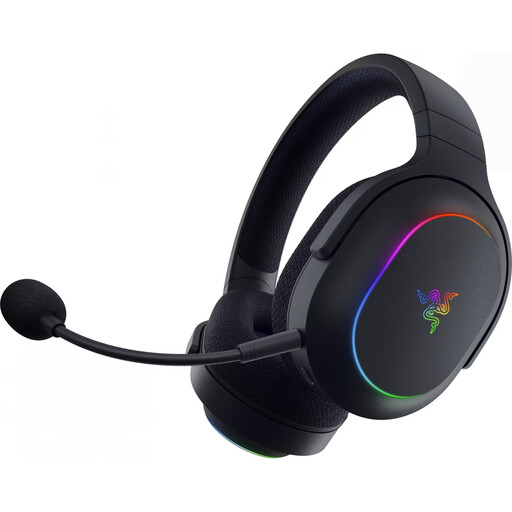 No image available
A wireless option if you’re looking for a gaming headset for team practice and the listed platform suits your setup.
The product title lists SmartSwitch with 2.4 GHz wireless and Bluetooth 5.3, 40 mm drivers, up to 70 hours of battery life, a weight of 285 g, and compatibility with PC, PS4, PS5 and Switch.
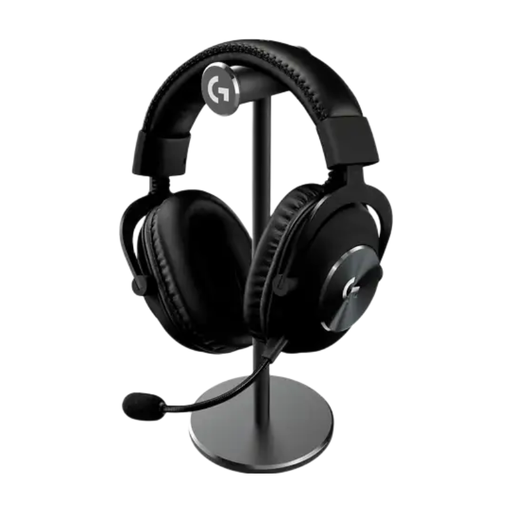 No image available
A wireless design could suit you if you want freedom of movement during practice. Check that its connection works with your gaming device.
The product title identifies this as a wireless gaming headset. Before choosing it, check that the specific connection supports both game audio and the microphone on your system.
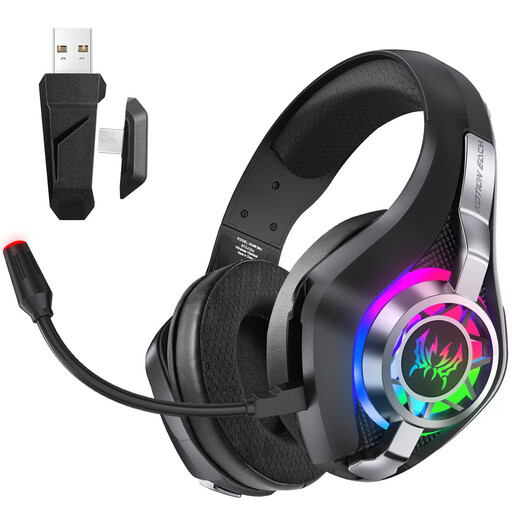 No image available
This option could suit you if you’re looking for a wireless gaming headset for one of the platforms listed in the title.
The product title lists 2.4 GHz wireless and PC, PS5 and PS4. Check whether the specific model’s connection also supports the microphone input you need.
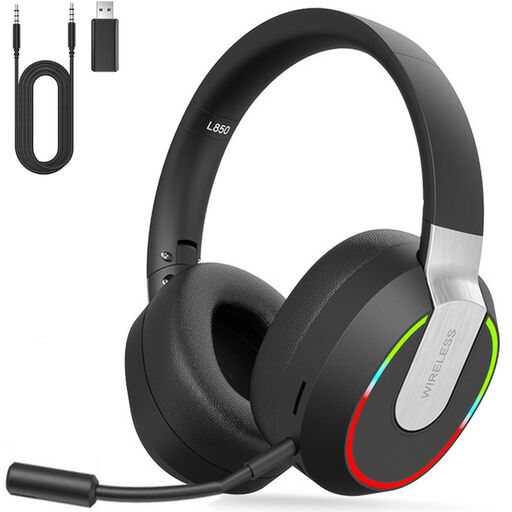 No image available
This could be a good choice if you’re looking for a wireless headset for team practice and use one of the devices listed in the title.
The product title lists 2.4 GHz wireless and PC, PS4, PS5, Mac and Switch. Before buying, check which connection you need for game audio and the microphone on your device.
Go by the device running the game, and check game audio and microphone input on that device. PlayStation explains audio output to a TV and headset separately for PS5, while Xbox Support confirms that the Xbox Stereo Headset receives game and chat audio through the controller. So an audio connection to the TV alone doesn’t guarantee that team chat will work.
No, not using only a Bluetooth connection to Xbox Series X|S. Instead, check that the specific model is confirmed to support Xbox wireless connectivity, or use a suitable wired connection. Xbox Support advises checking the compatibility information provided by other headset manufacturers.
Under “Settings > Sound”, you can select the output device. You can also adjust the microphone input device and level through the Control Centre. Other options depend on the headset and configuration.
Check that the fit suits how long you usually wear your headset and, if it matters to you, whether the ear pads or cable on the specific model can be replaced. beyerdynamic lists these as replaceable parts for the MMX 300 PRO. The WHO recommends keeping the volume low and taking regular listening breaks. This is general hearing protection advice, not a claim about a particular headset.