
Lieferung heute & morgen

Qualitätsgarantie

Willkommens-Angebote freischalten: KOSTENLOSE Lieferung | Bis zu 80 % RABATT | Kostenlose 30-Tage-JoyPlus-Testphase
App herunterladen
A gaming headset with microphone should deliver clear voice transmission in multiplayer games, feel comfortable to wear and suit your platform. However, many products advertise large drivers, surround sound or eye-catching RGB lighting. These features alone say little about whether a headset is genuinely suitable for everyday use.
Typical purchasing problems arise from three points:
For consoles, a 3.5 mm jack gaming headset is often practical because it can be connected directly to the controller. This applies, for example, to a gaming headset for PS5, a PS4 headset with microphone or many Nintendo Switch models. With Xbox consoles, you should also check whether the controller has a suitable 3.5 mm socket.
There are two common options for PCs:
A wired gaming headset does not need charging and avoids the wireless connection delays that can occur with radio transmission. However, the cable length must suit the distance from your seat, and the cable should not be pulled taut.
The microphone design is crucial for a multiplayer gaming headset. A directional microphone primarily picks up sounds from the area in front of your mouth. This can reduce background noise, but it is not a substitute for active noise cancellation.
The following features are particularly practical:
Read descriptions such as “Noise Cancelling” carefully. The Razer BlackShark V2 X is described as offering passive noise reduction through its closed ear cups. Technically, this is different from active noise cancellation using electronic signal processing.
An over-ear gaming headset completely surrounds the ears and can limit external noise thanks to its closed design. For longer gaming sessions, an adjustable headband, sufficiently large ear cups and soft padding are important.
Specific manufacturer details can provide useful guidance:
A lightweight gaming headset is not necessarily more comfortable for every user. What matters is whether the ear cups offer enough space and whether the clamping pressure suits the shape of your head. Replaceable cushions can extend the product’s useful life, while faux leather should be cleaned regularly with frequent use. A soft, dry cloth is suitable for care.
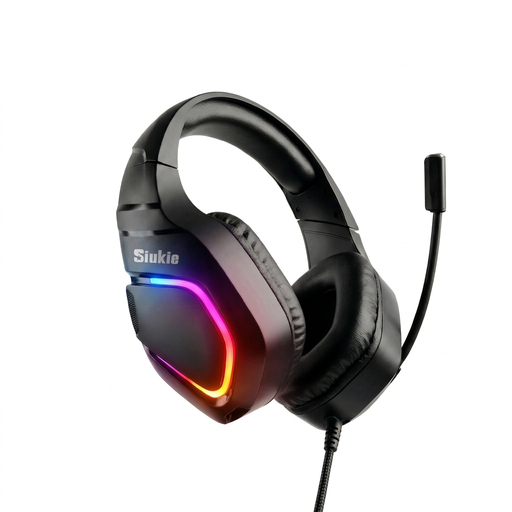
Why this product suits the profile: The combination of USB and 3.5 mm connections is appealing to users who want to switch between PC and console. The over-ear design is suitable for typical gaming sessions.
The connection details make it clear that both USB and 3.5 mm are supported. Nevertheless, you should check your device’s socket before ordering.
Wired connection, over-ear design and USB and 3.5 mm connections according to the product description.
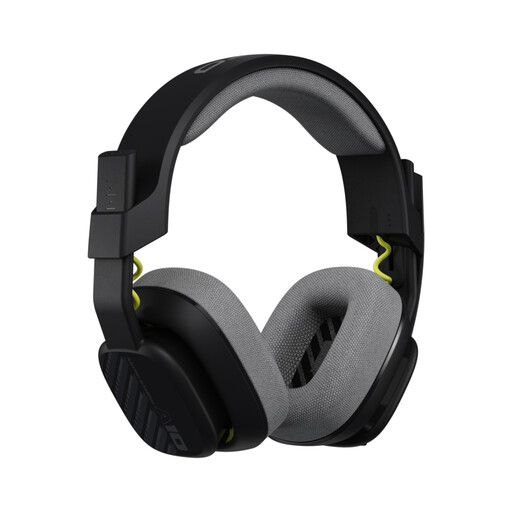
Why this product suits the profile: The 32 mm drivers, directional 6.0 mm microphone and 3.5 mm connection appeal to users who prioritise specific technical details and robust construction.
The product data specifies 240 g, a detachable cable and replaceable ear and headband pads. This makes it easier to plan for the replacement of wear parts.
Flip-to-mute microphone, 20–20,000 Hz frequency range and compatibility with PS5, PS4, Nintendo Switch, PC and Xbox according to the manufacturer’s information.
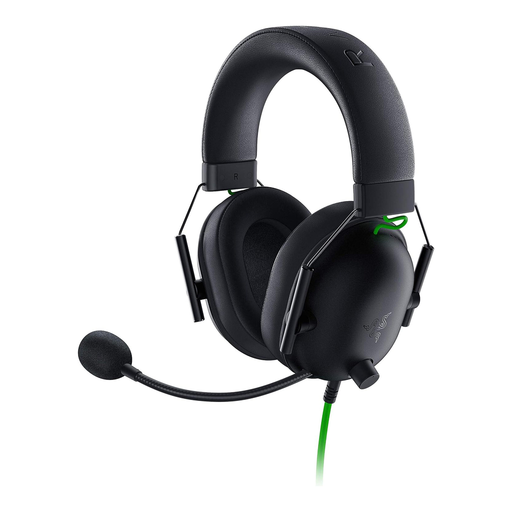
Why this product suits the profile: With 50 mm drivers, a weight of 240 g and a 3.5 mm jack, this model is aimed at players looking for a lightweight headset for PC, Mac and several consoles.
The noise reduction is described as passive. This gives buyers a clear technical explanation rather than suggesting active noise cancellation.
Flexible cardioid microphone, 50 mm drivers and optional 7.1 surround sound feature under Windows 10 64-bit according to the product data.
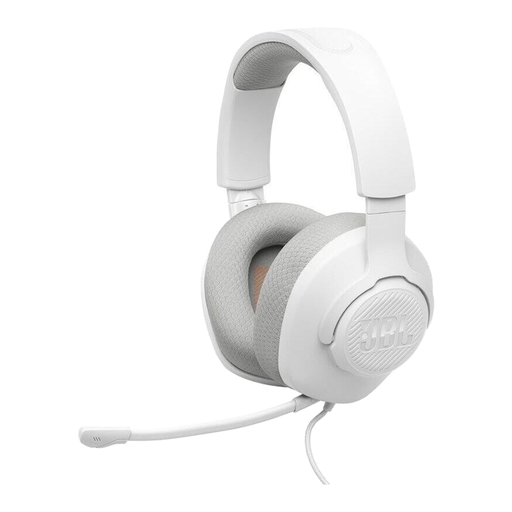
Why this product suits the profile: This wired model uses a 3.5 mm jack and, according to the product information, is listed for PC, PlayStation, Xbox, Nintendo Switch, Mac and mobile devices.
The microphone is detachable and has a mute function. Before buying, make sure the 1.2 m cable is suitable for the distance from your seat.
40 mm drivers, a weight of 220 g, detachable directional microphone boom and volume control on the headset according to the manufacturer’s data.
We have put together a complete, regularly updated list of products that fully meet these strict selection criteria and the safety regulations applicable in the EU.
Yes, provided the headset has a suitable 3.5 mm plug, it can usually be connected to the PS5 controller. Before buying, check the plug standard, microphone support and cable length.
Its lifespan depends primarily on the cable, connection, cushions and frequency of daily use. A detachable cable or replaceable cushions can make maintenance easier. The headset should be stored in a dry place, and you should disconnect it by holding the plug rather than pulling the cable.
A passive wired headset normally does not need charging or battery replacement. As a result, the headset itself does not incur running costs through power consumption. With a USB model, you only need a free, compatible USB port on the computer.