First, choose a connection that suits your gaming platform and how far you sit from the screen. Then compare how clearly the specific model reproduces in-game cues and team chat. A cable plugged into your controller means you won’t need to charge the headset, while a compatible wireless connection can give you more freedom to move. PlayStation Support also explains how to customise audio settings on PS5, and Xbox Support describes how to connect the Xbox Wireless Headset directly to your console.
Which headset suits which player?
Players learning maps with team chat
If you want to get to grips with routes, subtle in-game cues and multiplayer call-outs, consider your game and platform audio settings as well as your headset. PlayStation Support explains how to customise audio settings on PS5.
Couch gamers playing on a console
If you sit further away from the screen, consider whether a cable plugged into your controller will reach, or whether a compatible receiver or direct console connection would work better. Xbox Support explains how to connect the Xbox Wireless Headset directly to Xbox Series X|S and Xbox One.
Players who enjoy longer sessions
For several rounds of play, comfort, clear chat and your listening habits matter alongside battery life. The World Health Organization notes that both volume and listening time affect the risks associated with loud sounds.
What to look for when buying
| What matters to you |
What to check before buying |
Who it matters most to |
| In-game cues and direction |
Compare familiar in-game situations using stereo and any available spatial audio settings at a similar volume. On PS5, you can create a personal 3D audio profile for headphones. |
If I want to get better at reading routes and subtle directional cues while learning a map, I compare the settings in the game itself. Around 29% of consumers put clear directional cues first. |
| Connection to your gaming platform |
Check the exact model variant, gaming device, connection type and microphone function. Make sure your device or controller has the connection you need. |
If I want to avoid audio or microphone features not working as expected with my console or PC, I check the exact connection. Platform compatibility is a priority for around 29% of consumers. |
| Team chat and muting |
Check the microphone position and mute function; test the input level on your gaming device with a short voice recording. |
If I want to communicate reliably while learning routes, I look for clear speech and an easy-to-reach mute button. Around 18% of consumers put team chat ahead of extra sound features. |
| Comfort and volume |
If possible, try the headset yourself to assess the clamping force and ear cushions. Take listening breaks and keep the volume at a sensible level. |
If I play several rounds, I want a comfortable fit and to avoid listening at unnecessarily high volumes. This is the top buying priority for around 12% of consumers. |
| Freedom to move around your screen |
Check the cable routing and your seating distance, as well as the available ports and the specific wireless connection supported. |
If I play from further away from a big screen, I want to be able to move without a cable to the controller getting in the way. Around 12% of consumers prioritise a wireless connection that suits their setup. |
Common misconceptions when buying a headset
-
Bluetooth doesn’t automatically mean wireless console connectivity
A headset’s connection to mobile devices isn’t necessarily the same as its wireless connection to a console. Xbox Support says the Xbox Wireless Headset connects directly to Xbox Series X|S and Xbox One; other models may use their own USB receiver.
Before buying, check the full model variant, your console and the stated wireless connection. Don’t rely on the word “Bluetooth” alone.
-
A surround sound label doesn’t guarantee better map awareness
A product label doesn’t prove how you’ll perceive a particular game’s audio cues with your platform and audio settings. On PS5, you can set up 3D audio profiles for headphones and compare them with stereo.
Compare familiar in-game situations using the settings you actually plan to use, and keep the volume as similar as possible.
-
Battery life and weight alone don’t tell you how comfortable a headset will be for longer sessions
Manufacturer battery-life figures don’t replace trying the fit and considering your charging habits. The World Health Organization notes that listening at high volumes for long periods increases the risk of hearing damage.
If possible, try the headset and its ear cushions for yourself. Plan charging and listening breaks, and keep the volume at a sensible level.
Notable brands and product ranges
HyperX
The wired Cloud III is worth considering if a compatible port on your gaming device or controller is more practical than a wireless connection.
- HyperX lists 3.5 mm, USB-C and USB-A connections for this model, along with a microphone featuring a mute indicator.
- These details apply to the wired Cloud III and don’t confirm that wireless variants have the same features. Its sound tuning alone doesn’t prove better in-game positioning.
SteelSeries
The Arctis Nova 7X Wireless is an option to consider if you want to check out a USB-C receiver described as supporting several gaming platforms, as well as Bluetooth audio.
- SteelSeries lists Xbox, PlayStation and PC support for the 7X variant, along with simultaneous Bluetooth audio.
- The manufacturer’s claims about hearing footsteps more clearly aren’t based on independent testing. The 7X variant’s platform support can’t automatically be assumed to apply to other Nova models.
PlayStation
The PULSE Elite is a PS5-focused option with a PlayStation Link adapter, if this platform’s audio settings matter to you.
- PlayStation lists PS5, PC and Mac as compatible with the included adapter, and gives a battery life of up to 30 hours.
- Claims about sound and latency benefits come from the manufacturer. The listed adapter connections don’t confirm Xbox support.
Xbox
The Xbox Wireless Headset is worth considering if you want to connect wirelessly and directly to Xbox Series X|S or Xbox One.
- Xbox Support explains how to connect directly to the console and customise chat settings.
- Xbox Support says the model doesn’t have a 3.5 mm port. Its Bluetooth connection to mobile devices isn’t the same as Bluetooth pairing with an Xbox console.
beyerdynamic
The MMX 150 wireless is an option to consider if you want to compare the fit, detachable microphone and available replacement ear pads.
- beyerdynamic lists Xbox for a wired connection; the manufacturer names other platforms for Bluetooth.
- The available connection methods vary by platform. This doesn’t confirm a Bluetooth connection to Xbox.
Sony INZONE
The INZONE H9 II is a separate Sony gaming range to consider if you find noise in the room distracting.
- Sony lists noise cancelling, an ambient sound mode and a boom microphone for the H9 II. Its stated weight is 260 g without the microphone.
- These manufacturer claims don’t guarantee a comfortable fit for you or more precise positioning when learning maps.
Joybuy products for wired and wireless gaming
This selection includes wired headsets for compatible controllers and wireless models with different connection options. Before deciding, check that the specific model connects to your gaming platform.
 No image available
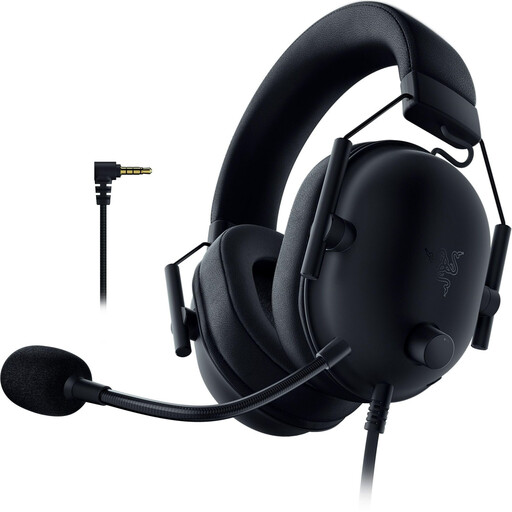
Razer BlackShark V2 X (PlayStation Licensed)
For a wired connection to a compatible gaming device or controller, the product description lists a 3.5 mm port and a flexible microphone.
The description says an additional adapter is required for Xbox.
View at Joybuy
 No image available
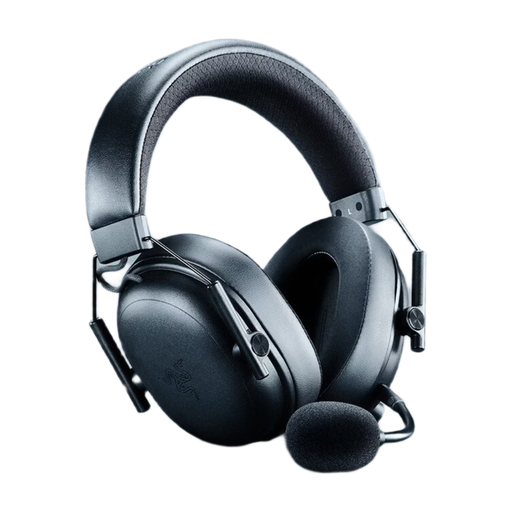
Razer BlackShark V3 Wireless
If you want to choose between wireless and wired use, the product description lists 2.4 GHz wireless, Bluetooth 5.3 and USB wired connectivity.
It also lists a detachable microphone, a game/chat balance control, a weight of 270 g and a stated battery life of up to 70 hours.
View at Joybuy
 No image available
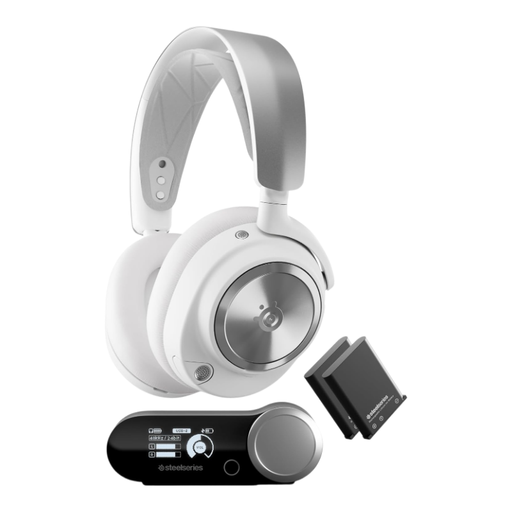
SteelSeries Arctis Nova Pro Wireless (White)
For wireless game audio with a detachable microphone, the product description lists a wireless base station and Bluetooth.
Before buying, check which connection works with your specific gaming platform.
View at Joybuy
 No image available
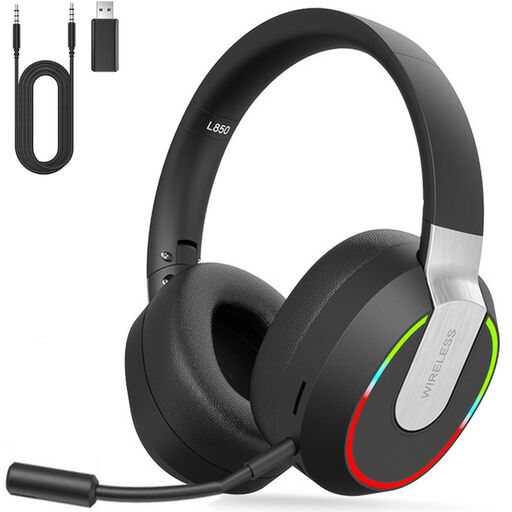
2.4 GHz Wireless Gaming Headset (PC, PS4, PS5, Mac, Switch)
If you want to compare different connection types, the product description lists 2.4 GHz wireless, Bluetooth, a 3.5 mm port and a USB dongle.
Compatible devices listed include PC, PS4, PS5, Mac and Switch. Check which connection works with your device.
View at Joybuy
 No image available
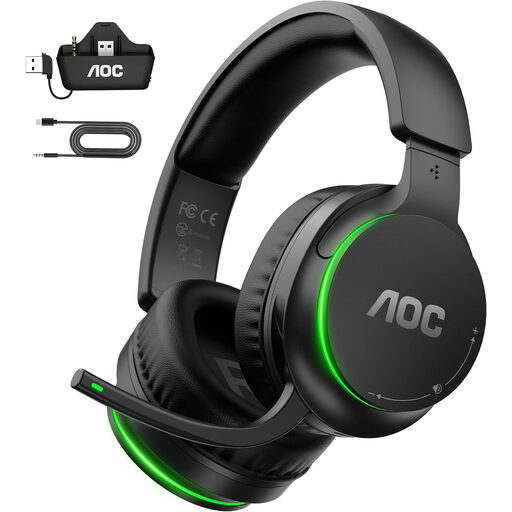
AOC Wireless Gaming Headset for Xbox Series X|S & Xbox One, PS5, PC, Switch
For connectivity, the description lists a USB-A adapter for PC, PS5, Mac or Switch, and a direct connection to the controller for Xbox.
Flip the microphone up to mute it; the stated battery life is up to 75 hours.
View at Joybuy
Frequently asked questions
Do I need a headset advertised as having 7.1 sound to learn maps on a big screen?
No, not just because of that feature. Compare directional cues in the game itself; on PS5, you can adjust stereo, 3D audio and headphone profiles. The best way to see whether a setting works for you is to try it with familiar in-game situations and listen for yourself.
How do I set up audio and the microphone on PS5?
Under “Settings > Sound”, choose your output device and adjust the headphone output. In the Control Centre, you can select the microphone as your input device, mute it and adjust the input level.
How should I manage volume and ear cushions during long gaming sessions?
Keep the volume at a sensible level and take listening breaks. According to the World Health Organization, both volume and listening time affect the risks associated with loud sounds. If the ear cushions wear out, check whether replacements are available for your specific model.
What are my rights in Germany if my headset is faulty or I change my mind after buying it online?
If a product is faulty, your statutory rights against the seller are separate from any voluntary guarantee; the first step may be to ask the seller to repair or replace it. For online purchases made by consumers, you generally have a 14-day right to cancel from the day you receive the goods. You must notify the seller. The Verbraucherzentrale (German consumer advice centre) notes that exceptions may apply and that the circumstances of the contract matter.
How can I check that a wireless headset meets the requirements for Germany?
Radio equipment placed on the market in the EU is covered by the Radio Equipment Directive. The Bundesnetzagentur explains CE marking and the obligations of the economic operators involved. Check the specific product for the relevant markings and required accompanying documents. CE marking isn’t an independent endorsement of sound quality or personal comfort.


