What to look for when choosing one
First, check that the microphone and connection work with your gaming device. Then consider fit, noise isolation and whether a cable or greater freedom to move around suits your setup better.
| What matters when buying |
What to look for |
Who it matters most to |
| Voice chat and mute function |
Microphone position and mute controls; check your chat settings if needed. |
If I use co-op chat regularly, I want to be able to mute the microphone quickly. Around 36% of consumers prioritise clear voice chat and an easy-to-reach mute control. |
| Connection and device compatibility |
Check the model variant, the right socket or any adapter you may need, and audio input and output. |
If I switch between PC and console, the connection needs to work with whichever device I’m using. Around 29% of consumers put compatibility with their gaming device first. |
| Fit and listening volume |
Check the adjustability, padding and fit during longer sessions; set the volume carefully. |
During longer gaming sessions, I want the headset to fit well and let me control the volume. Around 21% of consumers prioritise fit and listening comfort. |
| Simple setup |
Check the cables you need, whether it needs charging and which features you’ll actually use. |
If I mostly play in one place, I want a straightforward setup that suits my chat needs. Around 14% of consumers prioritise ease of use. |
Gaming headsets at Joybuy
This selection includes wired headsets for a fixed gaming setup, as well as an option that supports both wireless and wired use. Check that the connection and chat controls work with your specific gaming device.
 No image available
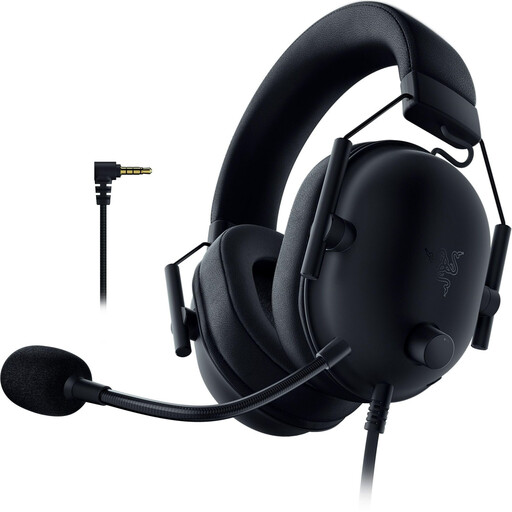
Razer BlackShark V2 X PlayStation Licensed, wired, black
For co-op chat in a fixed gaming setup, if the 3.5 mm connection works with your device. The product description lists a bendable cardioid microphone, closed-back earcups, memory foam cushions and a volume dial; an adapter is specified for Xbox.
View at Joybuy
 No image available
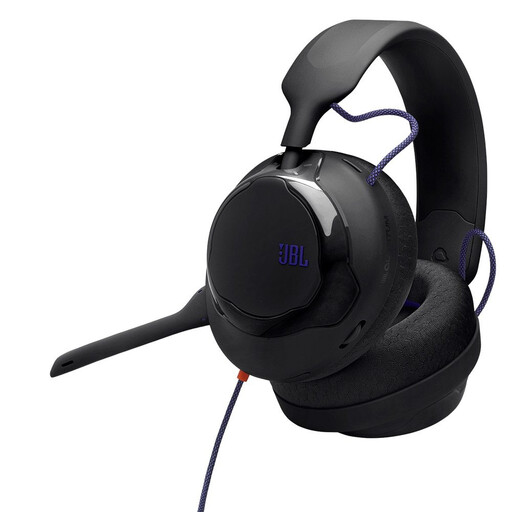
JBL Quantum 120, wired over-ear gaming headset, black
A wired option for voice chat, provided your device has a compatible connection. Listed features include a detachable cardioid microphone, a 3.5 mm connection, a silicone headband, fabric ear cushions and a weight of 257 g.
View at Joybuy
 No image available
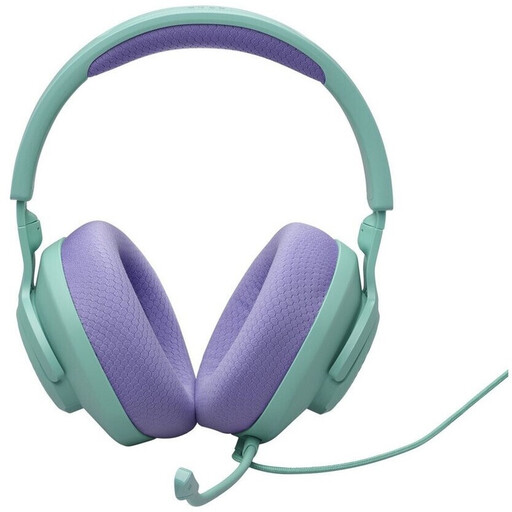
JBL Quantum 100 M2, wired, cyan
For co-op sessions in a fixed gaming setup if you want a microphone with a mute function. The product description lists a detachable microphone, a mute function, a 3.5 mm connection, memory foam cushions and an adjustable headband.
View at Joybuy
 No image available
ONIKUMA GT889 gaming headset, 2.4 GHz wireless and wired modes
For players who want to switch between wireless and wired use, provided the connection works with their device. Listed features include a detachable microphone, physical mute control, an adjustable headband and breathable ear cushions; check which connections your devices support.
View at Joybuy
 No image available
Logitech G PRO X gaming headset, black, USB
For voice chat on PC if you want to use the USB features described. According to the product description, the detachable microphone and Blue VO!CE are intended for PC use via USB; a 3.5 mm connection is listed for consoles and mobile devices instead. The cushions are described as memory foam with a faux leather or fabric covering.
View at Joybuy
Frequently asked questions about gaming headsets for co-op chats
Can I use a 3.5 mm headset for chat with an Xbox controller?
According to Xbox Support, you can if the Xbox Wireless Controller you’re using has a 3.5 mm socket and the headset is compatible. Then check the volume, chat mix and mic monitoring in the audio settings.
How do I connect a PlayStation wireless headset to the PS5?
For compatible wireless headsets listed by PlayStation, first charge the headset, plug in the USB adapter and switch the headset on. For models from other manufacturers, check their connection instructions; this guidance doesn’t confirm that every Bluetooth headset is compatible.
How loud should I listen during longer co-op sessions?
The World Health Organization recommends limiting both volume and listening time, and taking breaks. Its example of an average of 80 dB for up to 40 hours per week is a guide to sound exposure, not a percentage you can read from the headset’s volume control.
What are my rights if a headset is faulty or bought online in Germany?
According to consumer information from the European Union, purchases from a professional seller generally come with at least two years of legal protection against faulty goods, which you can claim from the seller. For an online distance purchase, you generally have a 14-day right to cancel from the date of delivery; check for possible exceptions and any return costs that apply to your purchase. A voluntary manufacturer’s warranty does not replace your statutory rights.


