Joybuy products for voice chat and gaming
This selection includes wired 3.5 mm and USB headsets, as well as wireless models for voice chat and gaming while working from home. Check the connection and microphone controls for the specific gaming device you use.
 No image available
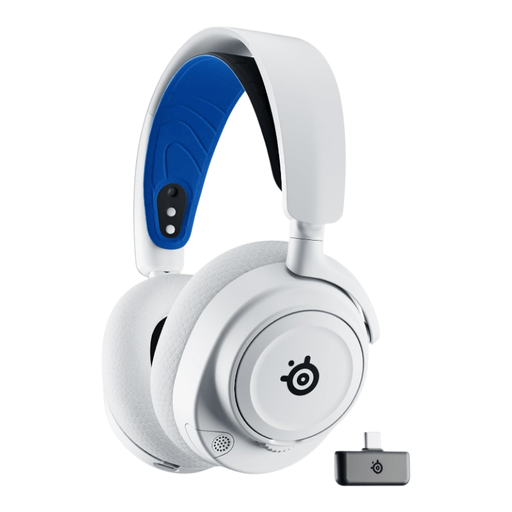
SteelSeries Arctis Nova 7P, White
Its wireless connection options may suit you if a cable gets in the way while you’re explaining things at your desk.
Listed features include 2.4 GHz wireless, Bluetooth and a USB-C dongle. The model has a retractable microphone and adjustable earcups; USB-C charging is required for wireless use. Check which connection option is right for your device.
Joybuy
 No image available
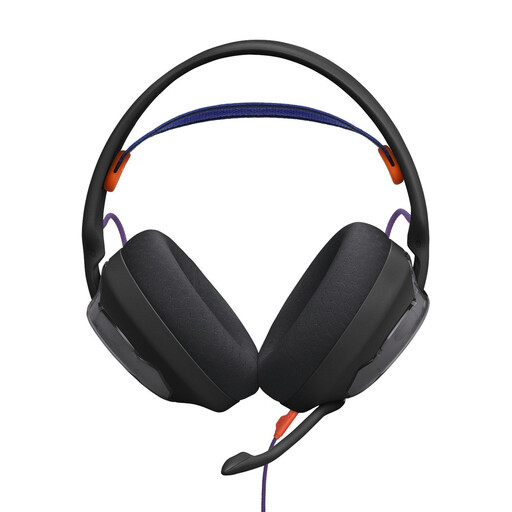
JBL Quantum 250
This wired model may be worth considering if your gaming device has a compatible 3.5 mm connection and you’re looking for a microphone for voice chat.
Listed features include a 3.5 mm connection, a detachable boom microphone and breathable ear cushions.
Joybuy
 No image available
JBL Quantum 400
The flip-up mute feature described may be useful if you want to mute the microphone quickly when pausing voice chat.
Listed connections include USB-C and 3.5 mm, along with controls for the microphone and game/chat balance. According to the product description, JBL QuantumSURROUND is only available on PC.
Joybuy
 No image available
HyperX Cloud Alpha
The in-line microphone mute described may suit you if you want to control voice chat from the cable.
Listed features include a 3.5 mm connection, in-line controls and a detachable microphone. The description also mentions memory foam ear cushions and an adjustable headband.
Joybuy
 No image available
ONIKUMA GT889
The listed wireless and wired options may be useful if you want to move around your home-working space or choose between connection types.
Listed features include 2.4 GHz wireless, Bluetooth and wired use, as well as a detachable microphone with a physical mute. Charging is required for wireless use; check that the connection is compatible with your device.
Joybuy
Frequently asked questions
How should I set up the headset before coaching someone for the first time?
Connect it using the method intended for your device, select the correct microphone as the input device, then test the recording and mute. Logitech describes the G335 as having a 3.5 mm connection and a microphone that mutes when flipped up; according to SteelSeries, you use the separate button on the Arctis Nova 1.
Is retracting the microphone enough to mute the SteelSeries Arctis Nova 1?
No. According to SteelSeries, the microphone can still pick up sound when retracted; use the physical button on the headset to mute it.
How can I keep an eye on the volume during longer gaming sessions?
The World Health Organization recommends setting your device volume to no more than 60% of the maximum. This is general guidance, not a measurement of the headsets mentioned here.
What are my rights when buying online in Germany if the headset doesn’t fit or is faulty?
According to the consumer advice centre, consumers generally have a 14-day right to cancel an online purchase, and you need to notify the seller that you’re cancelling. A fault is a separate matter: your statutory rights are against the seller, while a guarantee is voluntary. For ordinary claims relating to defects, § 438 BGB generally provides for a limitation period of two years from delivery; the specific terms and exceptions relating to the purchase still apply.
Can an old or faulty headset go in household waste?
No. The Federal Ministry for the Environment states that waste electrical and electronic equipment must be taken to authorised collection points or retailers required to accept returns; retailers’ take-back obligations are subject to certain conditions.


