Commentators who prioritise voice quality
If you want to remain clear over the game audio while commentating, look for a microphone you can position easily, an accessible mute control and a test recording made with the usual sounds in your room.


Choose a headset with a microphone and connections that work with the device you actually play on, then check your voice track with a test recording in your room. A wired headset saves you having to charge it, but limits your movement; a wireless one needs a compatible receiver and a charged battery. Closed-back ear cups or ANC may make a difference to what you hear, but they don’t prove that your voice will be recorded without room noise.
If you want to remain clear over the game audio while commentating, look for a microphone you can position easily, an accessible mute control and a test recording made with the usual sounds in your room.
If other people or room noise distract you, check separately what you can hear through the ear cups and what actually ends up in your microphone recording.
If you use several gaming devices or want to move away from your desk, check which connections are supported, whether the microphone works and, for a wireless headset, whether the receiver is compatible.
First, check how your voice sounds in the environment where you’ll actually be using the headset. Then consider the fit and how it connects to your device.
| Consideration | What to check before buying | Who will find it especially important |
|---|---|---|
| Clear voice | Microphone position and mute control; make a test recording with game audio and room noise. | If I’m commentating live, my voice needs to remain clear over the game audio; around 26% of consumers would put voice clarity first. |
| Room noise | Check ear-cup isolation and microphone pick-up separately. OBS Project notes that noise suppression isn’t always effective with loud background noise and can distort your voice. | If noise in a shared room distracts me while listening and could also end up in my recording, it’s important to check both separately; around 21% of consumers would prioritise noise control. |
| Comfort | Check the headband adjustment, padding and fit; the stated weight is no substitute for trying it on. | If I’m commentating for an entire match, I want the headset to stay comfortable over time; around 16% of consumers would consider comfort first. |
| Connection and freedom of movement | Check that the connection and microphone work with your specific device; for wireless models, check the receiver too. | If I switch between devices or want to move away from my desk, the connection needs to suit my setup; around 16% of consumers would prioritise connection and freedom of movement. |
| Total cost | Compare the connections you already have and what’s included; check any potential return costs before buying online. | If I’m buying within my budget, I only want to pay for features and accessories I actually need; around 21% of consumers would put total cost first. |
ANC and passive isolation mainly affect what you hear. You’ll need to check separately whether your voice recording is free from room noise.
Make a test recording with the sounds you actually hear while commentating, rather than choosing a headset based on ANC alone.
Connections and receivers vary between models. Without a compatible connection, audio playback or the microphone may not work as you expect with the device you plan to use.
Check the exact version, what’s included and whether your device supports both audio and the microphone. You may need additional accessories if the connections don’t match.
An additional guarantee is a voluntary offer and is separate from your statutory rights if goods are faulty.
Your Europe, the EU’s consumer portal, distinguishes these rights from voluntary commercial guarantees. Check the cover and exclusions of any additional guarantee separately.
The wired Cloud III is worth considering if you switch between devices and can use one of its supported connections.
The BlackShark V2 X is worth considering if you’re looking for closed-back ear cups and an adjustable microphone boom.
The wired Arctis Nova 3 is an option if you use USB-C with a supported device and want to adjust your microphone settings on a PC.
The INZONE H9 II is a wireless option if you want ANC for listening and a compatible USB-C wireless receiver.
The MMX 300 PRO is a worthwhile alternative if you want to check the microphone recording and fit particularly carefully.
The options below include wired and wireless headsets for match commentary. For each model, check that the connections and microphone work with your gaming device.
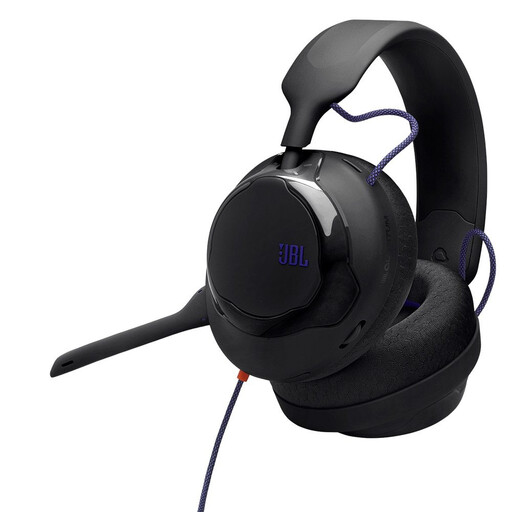 No image available
A wired option for commentating at your desk; check that your device supports the 3.5 mm connection and microphone.
Features listed in the product offer include a detachable directional microphone with noise reduction and 50 mm drivers. Test the recording with the usual sounds in your room.
 No image available
This model is worth considering if you want to switch between wireless and wired use; the receiver needs to be compatible with your device.
The product name lists 2.4 GHz wireless connectivity, wired use, a detachable microphone, 50 mm drivers and an adjustable headband. According to the description, the USB receiver is used for 2.4 GHz wireless connectivity.
 No image available
A wireless option for switching between devices; check the connection options on each gaming device and remember to charge the headset.
The product name lists SmartSwitch Dual Wireless, a noise-cancelling microphone, 50 mm drivers and USB-C. According to the description, the headset needs to be charged for wireless use.
 No image available
If you’re commentating on a PC, the detachable microphone and listed voice filters are worth considering; check which features are available on your device.
The description lists Blue VO!CE filters and a mute button. According to the description, Blue VO!CE and advanced software features require a PC and G HUB; 3.5 mm operation is intended for consoles and mobile devices.
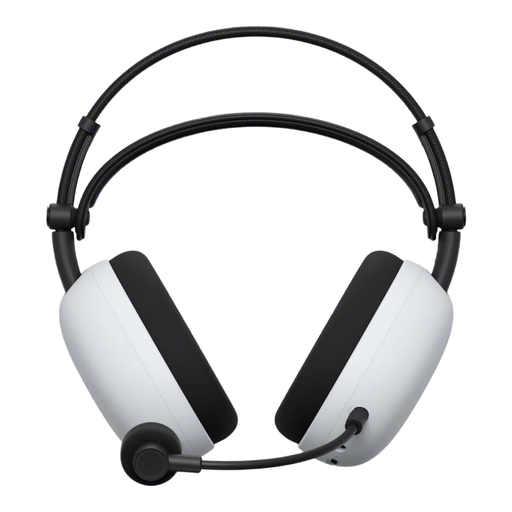 No image available
A wireless option if you want to move around while commentating; check that the USB-C receiver works with your device and charge the battery.
The description lists a 2.4 GHz USB-C adapter, Bluetooth and a wired 3.5 mm mode. ANC and Ambient Sound mode affect what you hear; test the microphone recording separately.
Record a short section on the device you’ll actually use, including game audio and the usual sounds in your room. Listen back and check the microphone position, levels and mute control. OBS Project notes that stronger noise suppression can also distort your voice.
According to OBS Project, a noise gate can mute background noise during pauses in speech, but it isn’t a reliable way to block voices that can be heard at the same time as your own. Check the result in a recording.
In the EU, goods bought from a trader come with a statutory minimum guarantee period of two years from receipt if they’re faulty. Separately, for a typical online distance purchase, you generally have 14 days from delivery to withdraw from the contract. Your Europe, the EU’s consumer portal, notes that you may have to pay return costs in certain circumstances; also check whether an exception applies. A voluntary guarantee doesn’t replace your statutory rights.
The Bundesnetzagentur (Federal Network Agency) includes CE marking, manufacturer details, a German-language instruction manual and a declaration of conformity among the points it checks when monitoring the market. Check these details for the specific model on offer; a product description alone doesn’t confirm that it complies.
Buying a headset doesn’t give you permission to publish a recording. Whether you can record and broadcast other people’s voices or a match’s video and audio depends on the specific content, the people involved and the usage rights. The Federal Commissioner for Data Protection and Freedom of Information describes consent as one possible legal basis for processing personal data, not blanket permission for every scenario.