What to look for when buying
For online arena matches at a compact desk, positional accuracy, cable management, voice chat, fit and device connectivity could each be your main priority.
| Buying priority |
What to check |
Who it matters most to |
| Positional accuracy and in-game sound |
Read tests of the specific model and gaming device; assess sound tuning and positional accuracy separately. |
If I want to pick out important sounds in fast-paced matches, I look for specific tests of positional accuracy. Around 26% of consumers in this usage scenario put it first. |
| Clear desk space |
For wireless models, check the receiver and USB connection; for wired models, plan your cable route. |
If you need freedom of movement at a cramped desk, you may want to avoid a cable getting in the way. Around 21% of consumers prioritise a clear desk. |
| Clear voice chat |
Look for microphone tests on your platform and check the mute function. |
If I want to be understood in team chat, microphone performance on my own gaming device matters. Around 21% of consumers put voice chat first. |
| Comfort during long sessions |
Try the fit and adjustability yourself if possible; check model tests for weight. |
If you play for longer, you’ll want a headset that feels comfortable on your head. Around 16% of consumers name comfort as their main priority. |
| Compatibility |
Check your gaming device, connections, receiver, full model variant and the chat features you need. |
If I want to be sure the connection and features are right for my gaming device, I check the exact variant. Around 16% of consumers prioritise compatibility. |
Joybuy products
The wireless gaming headsets below suit shoppers looking to reduce the number of audio cables at a compact desk. Before buying, check the listed platform and connection for each one.
 No image available
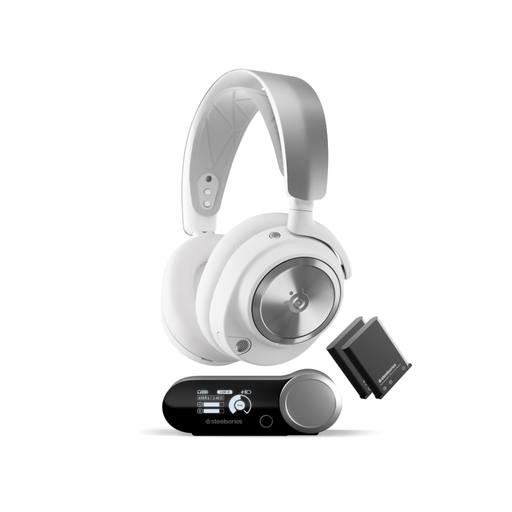
SteelSeries Arctis Nova Pro Wireless, PC and PlayStation, white
The wireless version is an option if you want to keep the audio cable out of your way.
The title lists a base station, 2.4 GHz and Bluetooth, as well as swappable batteries. The listed platforms are PC and PlayStation.
View at Joybuy
 No image available
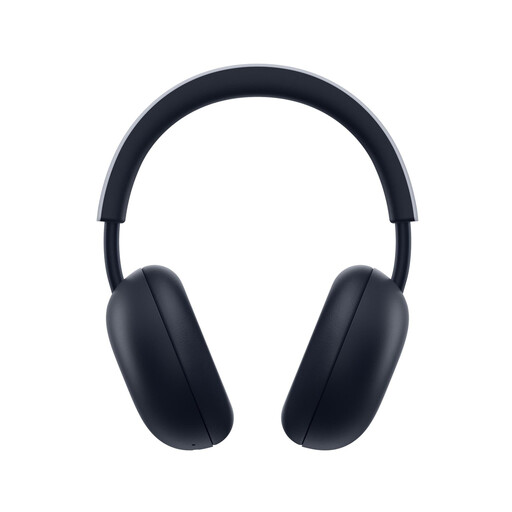
PlayStation PULSE Wireless Headset, white, PS5 and PS4
This model is a wireless option for shoppers with a compatible PlayStation console.
A PlayStation Link USB adapter is listed for game audio. The title also mentions Bluetooth, up to 30 hours of battery life and flat-folding earcups.
View at Joybuy
 No image available
JBL Quantum 360P over-ear wireless, white
The wireless version could suit you if you don’t want to use an audio cable at your desk and you play on one of the listed platforms.
The title lists PlayStation, PC, Mac and Switch, as well as Bluetooth 5 and up to 22 hours of battery life. A boom microphone and the ability to play while charging are also listed.
View at Joybuy
 No image available
ONIKUMA GT889, 2.4 GHz wireless and wired modes
According to the product details, this model has a 2.4 GHz USB dongle for wireless gaming at your desk.
Bluetooth and wired connections are also listed. Other features include a detachable microphone, a mute button and up to 60 hours of playback. The listed platforms include PS4, PS5, Switch, Windows and macOS.
View at Joybuy
 No image available
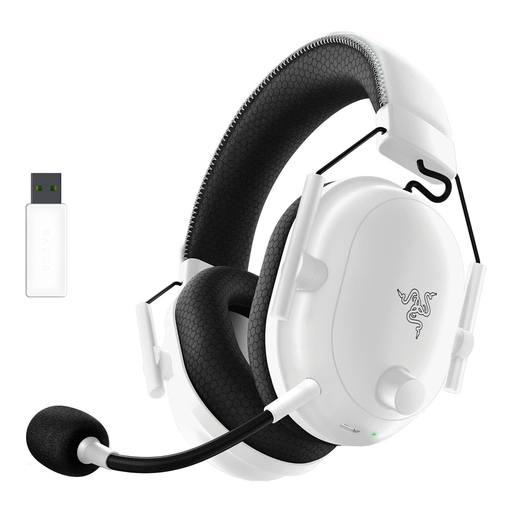
Razer BlackShark V2 Pro (2023), wireless, white
This wireless version could be a good choice if you’re looking for a gaming headset without an audio cable at your compact desk.
The title lists a detachable microphone, memory foam ear cushions and up to 70 hours of battery life. The product description also lists audio profiles for FPS games.
View at Joybuy
Frequently asked questions
Is Bluetooth alone enough for fast-paced arena matches?
Check which connection the specific headset is designed to use for gaming and whether it’s compatible with your device. SteelSeries describes 2.4 GHz as the gaming connection for the Arctis Nova 5; Bluetooth is a second connection you can switch to, and it isn’t active at the same time.
What should I set up first after connecting my headset?
Select the correct input and output devices on your gaming device, then check the microphone and mute function before your match. HyperX says the Cloud III has a mute button on the earcup; controls may differ on other models.
How should I manage the volume during long gaming sessions?
Keep the volume at a moderate level and take listening breaks. The World Health Organization explains that sound levels, listening time and how often you’re exposed can all affect your hearing. Its example of 80 dB for up to 40 hours a week is health advice, not a measured level for any particular gaming headset.
Who should I contact if a headset I bought in Germany is faulty?
Your statutory warranty rights are against the seller; a voluntary guarantee doesn’t replace them. If a product is faulty, you can initially seek a repair or replacement. The European Commission explains that the seller is liable for covered defects that become apparent within two years.
Can I return a headset bought online if I don’t like the fit?
In Germany, online purchases generally come with a right to cancel, usually within 14 days of receiving the goods. Exceptions and the terms of your particular purchase should be checked; you must notify the other party to the contract that you wish to cancel.


