Squad players who give lots of call-outs
If you’re constantly coordinating with your team, look for a microphone that’s easy to use and controls that let you adjust game and chat audio to suit you.


Choose your gaming headset based first on the platform you use and how it connects for game audio and microphone input: a cable connected to a controller, a PS5 wireless adapter and an Xbox wireless headset are not automatically interchangeable. Then check the microphone controls, game/chat balance and fit. Wireless gaming gives you more freedom to move, but requires the right wireless technology and regular charging.
If you’re constantly coordinating with your team, look for a microphone that’s easy to use and controls that let you adjust game and chat audio to suit you.
You play on the big screen and want to go wireless. Check that the specific headset version and its wireless connection work with each of your consoles.
Look for a comfortable fit, easy-to-reach mute controls and, for wireless models, battery life that suits your gaming sessions.
First decide whether you want a wired or wireless headset, and check which connections your platform supports. Then you can focus on whether the microphone, game audio and comfort are right for your matches.
A good choice if: you’re close enough to your controller and can use a compatible 3.5 mm connection.
The trade-off: You won’t need a headset battery, but the cable will limit your movement.
A good choice if: you want to play wirelessly from the sofa, with game audio and squad chat through a compatible headset.
The trade-off: Sony says the PS5 does not support Bluetooth audio directly. Check the adapter, microphone connection and battery life for the specific model.
A good choice if: you mainly play on Xbox and want to adjust game and chat volume on your headset.
The trade-off: Microsoft quotes up to 20 hours of battery life for the Xbox Wireless Headset. Bluetooth connectivity to mobile devices or a PC does not automatically mean it’s compatible with PS5.
A good choice if: you switch between Xbox, PlayStation and PC, and the exact model version supports your devices.
The trade-off: SteelSeries says the Arctis Nova 7X connects to consoles using the included USB-C dongle. Check the wireless connection for each platform individually.
| Buying criterion | What to check | Who it matters most to |
|---|---|---|
| Team chat | Microphone and mute controls; game/chat balance, if supported by your model and platform. | If I give lots of call-outs in my squad, I want to control the microphone reliably and balance game and chat audio to suit me. Around 33% of consumers put team communication first. |
| Connection and freedom to move | Check the platform, full model version, controller connection and, where needed, the wireless adapter required. | If I sit further away from my controller, I want to be able to move around and still use game audio and the microphone through the right connection. For around 27% of consumers, connection and freedom to move come first. |
| Game sounds and awareness | Check the balance in the game you play and take account of platform requirements for advertised audio features. | If quiet in-game cues matter to my decisions, I want to hear them without losing track of team chat. Around 20% of consumers prioritise game sounds and awareness. |
| Comfort during long matches | Check the fit with glasses, ear cushions and controls. For wireless models, check how they charge and the battery life of the specific model. | During long gaming sessions, I want to wear a headset without an uncomfortable fit or a flat battery becoming a problem. For around 20% of consumers, long-term comfort comes first. |
Sony says the PS5 does not support Bluetooth audio directly. Wireless headsets may require a specific adapter to connect to a console.
Check the exact headset and console model to see how game audio and the microphone connect, and whether the required adapter is included.
The Xbox and PlayStation versions of the Audeze Maxwell are listed separately in COMPUTER BILD’s best-of list. Turtle Beach also notes that platform compatibility depends on the model.
Before buying, check the full model name, platform version and wireless adapter required.
Sony and SteelSeries require compatible platforms or supported games for their spatial audio features. That doesn’t mean you’ll be able to locate opponents more easily in every game.
Check the feature requirements and see how well game audio balances with team chat in the game you play.
Sony offers wireless options geared towards PS5, such as PULSE Elite, as well as the separate INZONE H9 II range. Check the features and connection options for each model.
The Arctis Nova 7X is a wireless option worth considering if you switch between Xbox, PlayStation and PC.
The Xbox Wireless Headset is designed for players who mainly use an Xbox console and want a direct connection.
The wired MMX 300 PRO is an option if you have a compatible 3.5 mm console connection.
The Stealth 600 Gen 3 range is a wireless option for longer sessions, but you’ll need to choose the right platform version.
This selection includes wired 3.5 mm headsets and wireless models for PS5, Xbox and other listed platforms. Before buying, check the connection you need and make sure your devices are fully compatible.
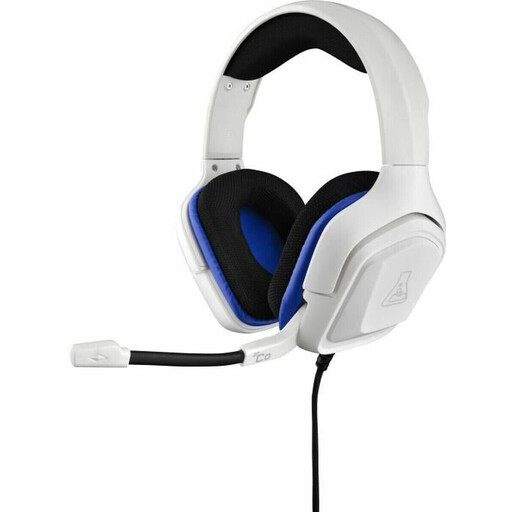 No image available
A wired option if you have a compatible 3.5 mm controller connection within reach; the cable limits your freedom to move.
Described as a wired model with a 3.5 mm jack and a white finish.
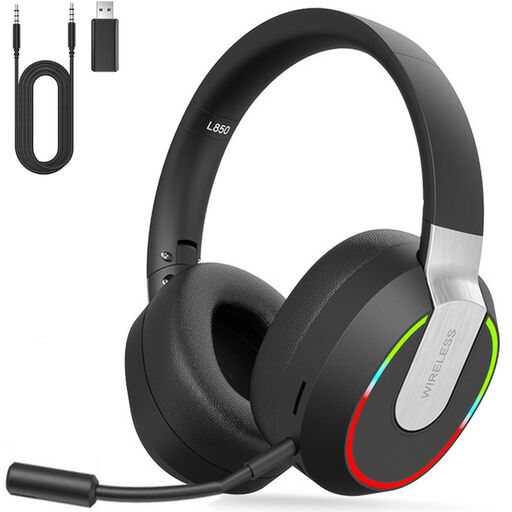 No image available
A wireless option for the platforms listed in the product name. Before buying, check the USB wireless connection required and how the microphone will work with your setup.
Described as a 2.4 GHz wireless headset for PC, PS4, PS5, Mac and Switch.
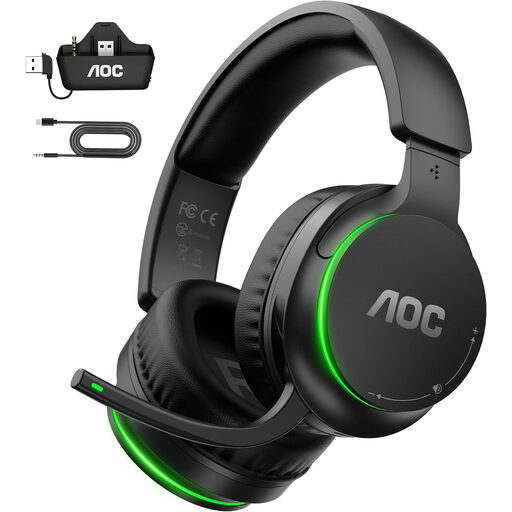 No image available
A wireless option for players using one of the platforms listed in the product name. Check the required connection for each device.
The product name lists Xbox Series X|S, Xbox One, PS5, PC and Switch as compatible platforms.
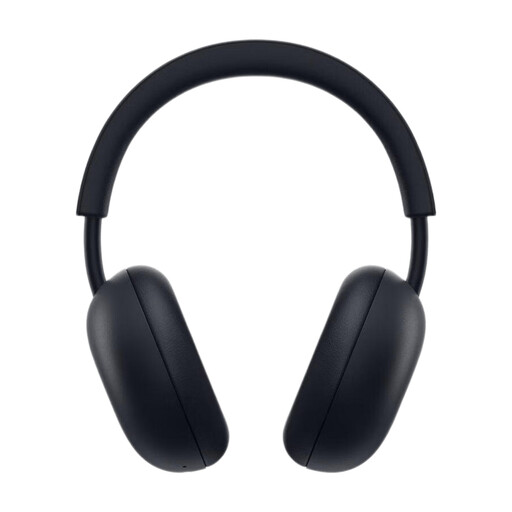 No image available
A wireless option for PS5 players who want to adjust game and chat balance on the headset. Check which adapter is needed for your chosen connection.
The product name lists PlayStation Link, Bluetooth, 3D Audio, a noise-cancelling microphone and up to 30 hours of battery life.
 No image available
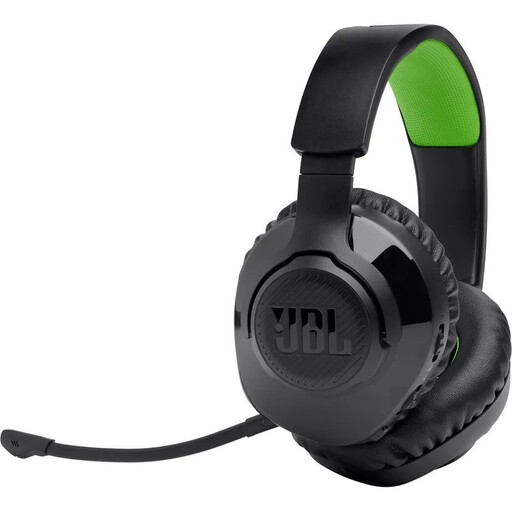
A wireless option for Xbox gaming sessions with team chat. Check the connection and microphone setup with your console.
The product name lists digital 2.4 GHz wireless and Bluetooth, and the black and green colour option.
No. Sony says the PS5 does not support Bluetooth audio directly. Instead, check for a USB wireless system designed for PS5 or, if your headset supports it, use the DualSense controller’s 3.5 mm connection. Sony does not guarantee that third-party Bluetooth adapters will work.
Connect the headset using the connection specified for your platform. Before the match, check your device and game settings to make sure the microphone and game audio are routed to the device you want. Test a call-out with your team and adjust any game/chat controls so both remain clear. These controls are available on some models, such as the Xbox Wireless Headset, but not all.
Plan when to charge it based on the battery life of the specific model, and keep its wireless adapter safe. SteelSeries says the Nova 7X connects using the matching dongle; beyerdynamic lists replaceable ear pads, a headband and a cable for the wired MMX 300 PRO. Spare parts vary by model.
According to the Verbraucherzentrale, online purchases in Germany generally come with a 14-day right to cancel, starting from the date the contract is made or the ordered goods are received; you must notify the seller that you wish to cancel. Also check delivery and returns policies, as well as any costs for a replacement adapter or ear pads. Microsoft notes that some Xbox chat features may require a separate subscription on supported consoles.
Section 19 of the FuAG requires radio equipment to carry CE marking before it is placed on the market. The Bundesnetzagentur recommends checking that the marking is present and correct; a product listing alone does not prove that an individual headset complies.