Team players who give lots of callouts
If you often communicate with your team, look for clear voice chat and a mute control that’s easy to reach – whether you’re switching between a game and everyday tasks in your home office.


For regular team matches, first look for clear voice transmission and an easy-to-reach mute control, then consider positional audio and comfort during longer sessions. A wired headset means no charging or wireless receiver, but you’ll need to manage the cable at your desk. A wireless model keeps your workspace clear, but requires a compatible connection and regular charging. Connectivity options and test results apply to the specific model, not automatically to every product from a brand.
If you often communicate with your team, look for clear voice chat and a mute control that’s easy to reach – whether you’re switching between a game and everyday tasks in your home office.
If you want to pinpoint where in-game sounds are coming from, listening tests for the specific model can help you choose. A promoted surround sound feature alone won’t tell you whether the tuning suits your needs.
For longer sessions, fit and adjustability matter. Also consider whether a cable at your workspace would bother you more than charging a wireless headset and finding space for its receiver.
Start by checking the microphone and mute control, then consider fit and gaming audio. Finally, decide which connections and type of connectivity best suit your desk setup.
| Criterion | What to check before buying | Who is this especially important for? |
|---|---|---|
| Team chat and mute control | Check the microphone position, along with the mute button and indicator on the specific model. | If I give frequent callouts during a match, I want to speak clearly and mute the microphone quickly when needed. Around 29% of consumers put clear team chat first. |
| Positional audio in games | Look at listening tests for the specific model and the available sound settings; don’t treat surround sound claims alone as proof of accurate positioning. | If I need to tell directions and individual in-game sounds apart, the audio should work for me in familiar gaming scenarios. Around 29% of consumers prioritise positional audio in games. |
| Comfort during long sessions | Try the fit and adjustment range for as long as possible; check whether replacement ear cushions are available if needed. | If I wear my headset for several matches in a row, I pay particular attention to whether it feels comfortable. Around 21% of consumers name fit as their top buying priority. |
| A cable-free desk | For wireless models, check that you have a suitable free port for the receiver and consider the charging requirements. | If a cable gets in the way of my work or mouse space, wireless could suit me – as long as charging and the receiver fit into my routine. Around 14% of consumers put a cable-free setup first. |
| Devices and audio sources | Check the model variant, connection and the microphone and audio features you need for each device you plan to use. | If I switch between a gaming device and other audio sources, the connections and features need to suit my setup. Around 7% of consumers prioritise switching between devices or sources. |
Connectivity options and supported devices can vary between versions of the same headset.
Before buying, check the full model name, your gaming device and the type of connection you need together.
A promoted sound feature alone doesn’t show whether you’ll be able to distinguish sounds in your game as you’d like. The audio tuning may also differ from your preferences.
Look at tests of the specific model and, if possible, compare familiar gaming scenarios at a moderate volume.
Noise cancelling can affect how you hear sounds around you, while microphone transmission needs to be assessed separately. COMPUTER BILD criticised the microphone sound of the Sony INZONE H9 II when used with PS5.
Check separately what you hear through the headset and how your voice is transmitted on the device you plan to use.
The Cloud III and Cloud III Wireless are different versions, so their connectivity and device compatibility should be checked separately.
The wired MMX 300 PRO may appeal to buyers who want to factor in replaceable wear parts.
The INZONE H9 II is a wireless model with noise cancelling; assess its audio and microphone performance separately.
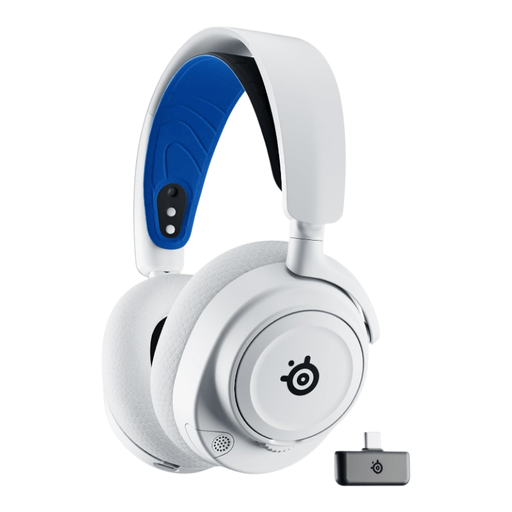
The Arctis Nova 7 Wireless Gen 2 is worth considering if you want to use a dongle for game audio and your phone for audio at the same time.
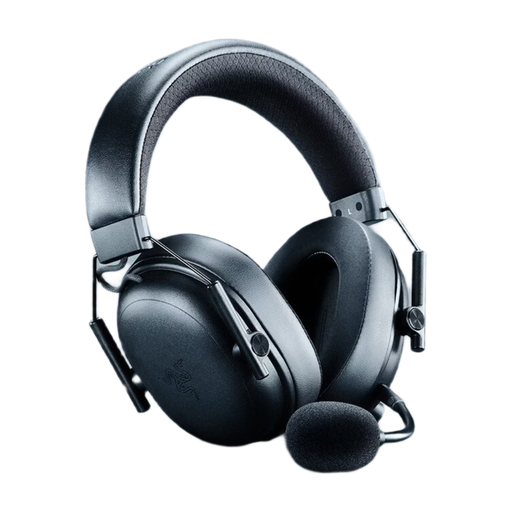
The BlackShark V3 Pro is a wireless esports model with active noise cancellation.
The selection includes wireless models with USB receivers, some with additional Bluetooth audio, as well as wired headsets for compatible connections.
 No image available
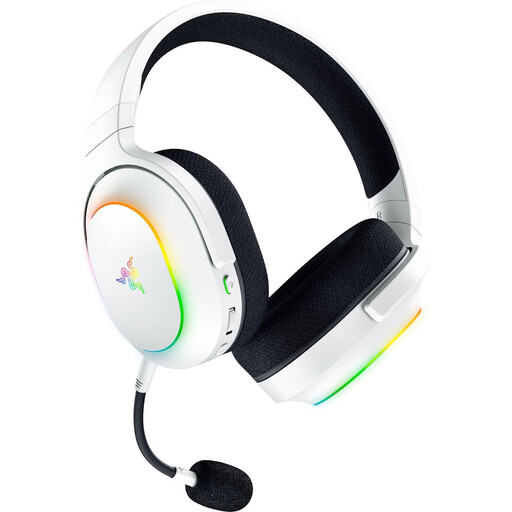
An option if you’re looking for wireless game audio and controls for the microphone and game chat.
Connections: 2.4 GHz, Bluetooth and USB. A detachable microphone is included, with a mute function and game/chat balance control. The USB-C dongle is for the 2.4 GHz gaming connection; the headset needs charging.
According to the product description, THX Spatial Audio requires Windows 11 version 23H2 or later.
 No image available
A good fit if you want wireless game audio alongside Bluetooth audio.
SmartSwitch with 2.4 GHz and Bluetooth 5.3; detachable cardioid microphone. The description also lists 3.5 mm.
Battery life is stated as up to 70 hours, and the headset weighs 285 g. A 2.4 GHz dongle is used for the wireless gaming connection; the headset needs charging.
 No image available
An option if you want to use wireless game audio and Bluetooth audio at the same time.
The description lists simultaneous 2.4 GHz game audio and Bluetooth audio, a retractable ClearCast microphone, and spatial audio for PS5 Tempest 3D Audio.
A USB-C dongle is used for the 2.4 GHz connection; the headset needs charging.
 No image available
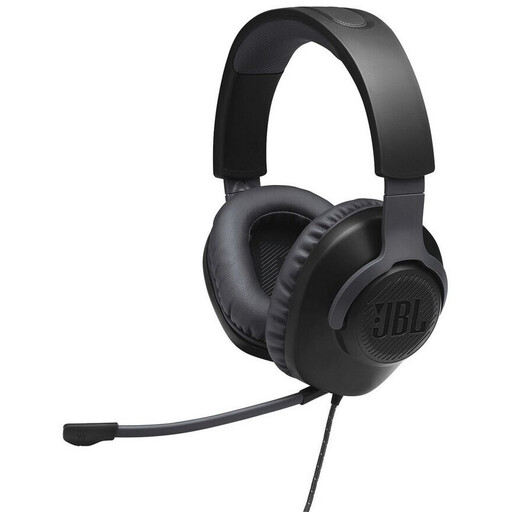
A wired option if your gaming device has a compatible 3.5 mm connection.
3.5 mm connection, on-ear volume control and a detachable microphone with mute function. The description also lists memory foam ear cushions.
 No image available
A wired option if you prefer microphone controls on the cable and have a compatible 3.5 mm connection.
The description lists a detachable noise-cancelling microphone, in-line controls with microphone mute and memory foam ear cushions.
According to the description, a splitter is provided for separate audio and microphone jacks on a PC.
Choose the output device and microphone you want in both the game and the calling app, then make a short test recording. Check the mute function too. With a wireless model, make sure the receiver for that specific model is connected. Having several connection options doesn’t, by itself, confirm that every device and app combination will work.
Keep the volume moderate rather than turning sounds up for extended periods. The German Environment Agency warns that sound can affect or permanently damage your hearing, depending on its volume and duration; this doesn’t establish a specific safe gaming volume.
Statutory consumer rights are different from a guarantee, which is voluntary. If there’s a fault, you can contact the seller first; any additional guarantee terms depend on the specific offer. The Verbraucherzentrale explains this distinction for Germany.
The Bundesnetzagentur checks wireless and other electronic products within its remit for things such as correct CE marking, traceability, manufacturer details, German-language instructions and a declaration of conformity. These are official inspection criteria; a CE mark shown in a product listing alone doesn’t prove that a specific offer has been checked.