Players focused on audio cues
When you’re practising your moves, you want to pick up on and make sense of short sounds in your game. Try the sound tuning for yourself rather than relying solely on advertised surround-sound features.


First, choose a headset with a connection that works with your gaming device, then test game sounds and microphone capture with your own game and setup. Wired models save you having to charge a battery, while wireless models keep the audio cable off your desk but require a compatible receiver and a charged battery. Whether closed-back or open-back ear cups are right for you also depends on whether you want to block out room noise or remain aware of your surroundings.
When you’re practising your moves, you want to pick up on and make sense of short sounds in your game. Try the sound tuning for yourself rather than relying solely on advertised surround-sound features.
For longer sessions, fit, padding and a volume level that suits you all matter. Extra features are less important if the headset feels uncomfortable for the amount of time you usually wear it.
If you use the same desk for gaming and calls, or with several devices, check the connection, microphone mute and, for wireless models, the specific connection mode.
First, check the connection to your gaming device, then assess the sound, microphone and fit in your usual home-office setup.
| What matters | What to check before buying | Who should consider this? |
|---|---|---|
| Making sense of game sounds | Try familiar scenes from your game at a moderate volume and using the connection mode you’ll actually use. Surround-sound claims don’t prove that you’ll perform better. | If I want to pick up on short cues clearly in my own game, I test the sound tuning with familiar scenes. Around 33% of consumers place the greatest importance on making sense of game sounds. |
| Fit and listening strain | Check for pressure points over the length of time you usually wear a headset, and keep the volume as low as possible. The WHO notes that volume and listening time both matter. | For longer practice sessions, I want a headset that suits the shape of my head, and I’m careful to keep the volume low. Around 27% of consumers put comfort during extended use first. |
| Team chat | Make a test recording at your usual desk and check the microphone position, mute function and selected input in your chat app. | If I want to give call-outs while practising, what matters to me is how my voice sounds in the room I actually use. Around 20% of consumers prioritise team chat. |
| Connectivity and freedom of movement | Check that the connection or wireless receiver works with your gaming device and supports the microphone. If you use several audio sources, check that the combination you want works with the exact model. | If I switch between devices or want to keep the audio cable off my desk, I check the connection for each one. Around 20% of consumers prioritise connection flexibility. |
A feature name doesn’t tell you how clearly you’ll hear cues in your game. Some features may also only work with a specific operating system.
Try the sound in your own game and check the requirements for the exact model before making a surround-sound feature your reason to buy.
The design affects what you hear, but it doesn’t automatically tell you which background sounds the microphone will pick up. COMPUTER BILD notes that the open-back MMX 330 PRO lets in audible external noise and has a microphone that is sensitive to background sounds.
Test a voice recording at your usual desk, especially if other people talk nearby.
For example, the wired HyperX Cloud III Wired is different from the separate Cloud III Wireless. The Xbox and PlayStation versions of the Audeze Maxwell are also listed separately.
Compare the full model name, compatible device, connection, microphone features and what’s included before you decide.
The BlackShark V2 X is a closed-back, wired option for a dedicated practice space.
The Cloud III Wired is for buyers who want to choose between the wired connection types listed by the manufacturer.
The Arctis Nova 7 Wireless Gen 2 is a wireless option for a desk where you also want to use Bluetooth audio.
The MMX range includes the open-back MMX 330 PRO and the closed-back, wired MMX 300 PRO.
The INZONE H9 II is a wireless option if you want to consider an ambient sound mode as well as game audio.
This selection includes wired, closed-back headsets with a 3,5-mm connection, as well as wireless models with a USB receiver and, in some cases, Bluetooth.
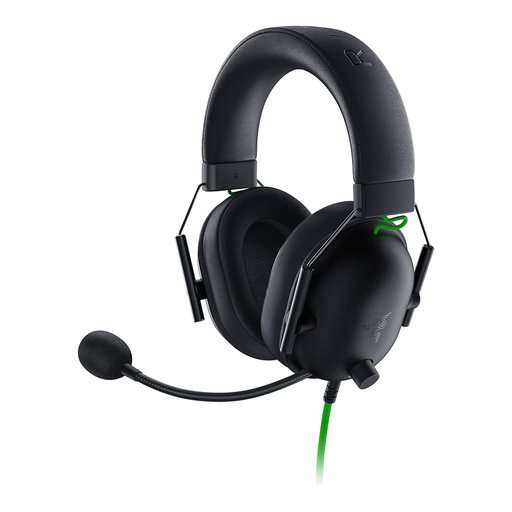 No image available
Suited to a dedicated practice space with a compatible 3,5-mm connection.
Closed-back ear cups, 240 g weight and memory foam padding. The product description also lists a flexible microphone boom, volume control and microphone mute.
According to the description, a Y-splitter is required for the microphone function on PCs with separate audio and microphone sockets.
 No image available
A wired option if your gaming device has a compatible 3,5-mm connection.
Closed-back design, 336 g weight, memory foam padding and a detachable microphone. The product description lists dual-chamber drivers and compatibility with PC and consoles.
Check compatibility with your specific device and make sure the fit suits you.
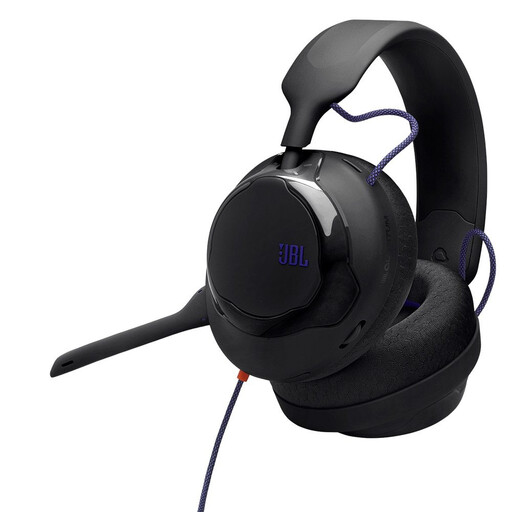 No image available
Suited to a setup that calls for a 3,5-mm connection and detachable microphone.
The product specifications list 50-mm drivers, a 3,5-m cable and a detachable cardioid microphone. JBL Quantum Spatial Sound, a silicone headband and fabric ear cushions are also listed.
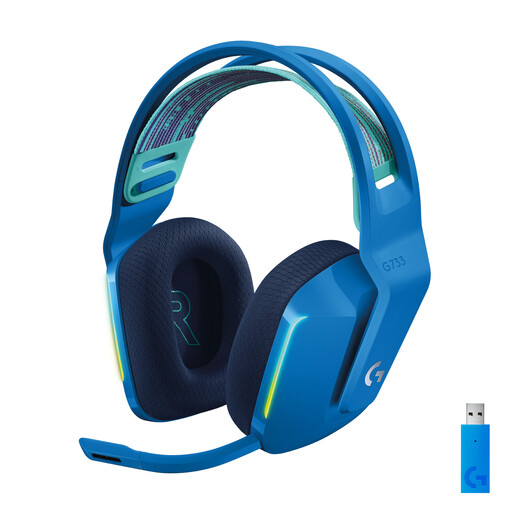 No image available
A wireless option if you want to keep the audio cable off your desk and can use a USB-A receiver.
The product specifications list LIGHTSPEED wireless, a USB-A receiver, a detachable microphone and a weight of around 278 g. The stated battery life is up to 29 hours.
The USB-A receiver is required for the wireless connection described, and the headset needs to be charged.
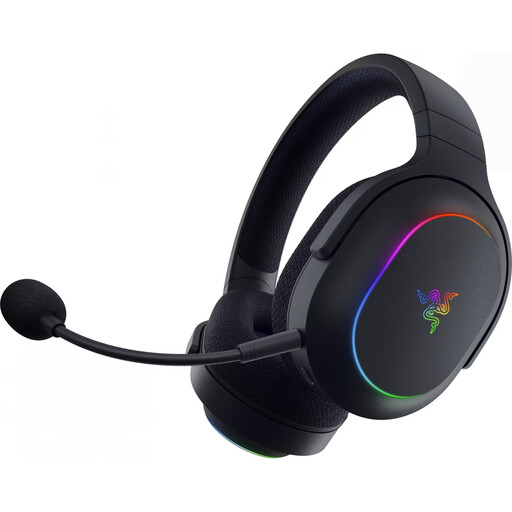 No image available
Suited to a wireless setup if you want to switch between 2,4-GHz wireless and Bluetooth.
The product specifications list a USB-C wireless receiver, Bluetooth 5.3, a weight of 285 g and an integrated microphone with mute. The stated battery life is up to 70 hours.
According to the description, the USB-C receiver is required for wireless gaming; the headset needs to be charged.
No, you don’t need to treat this feature as a must-have. First, check how clearly you can hear familiar cues in your own game. According to the manufacturer, Razer’s 7.1 feature on the BlackShark V2 X is only available for Windows 11; that doesn’t prove you’ll gain a competitive advantage.
Connect the exact model to your gaming device using a compatible connection, then select it for playback and microphone input in your device and chat settings. Check both with game audio and a test recording; for wireless models, make sure the receiver specified for the connection is also accounted for.
Keep the volume as low as possible and take your total listening time into account. The WHO gives the example of up to 40 hours per week at an average of 80 dB, and four hours at 90 dB. These figures don’t describe the volume your headset actually produces at your ear.
In Germany, the seller is your point of contact for your statutory consumer rights if your headset is faulty; this is separate from any manufacturer’s warranty. In its article dated 28 September 2026, Verbraucherzentrale explains that if a product is faulty, you can first ask for it to be put right through a repair or replacement.
For its market surveillance, the Bundesnetzagentur lists criteria including the CE mark, product identification, manufacturer details, German-language instructions with any necessary warnings, and the declaration of conformity. Check this information for the specific product; a statement on a shop page alone doesn’t prove that it complies.