Live commentators on PC
You want your voice to come through clearly while keeping an eye on the game audio as you commentate. A test recording and a properly configured audio mixer can help you assess the finished mix.


For match commentary from a fixed PC setup, a wired headset with the right microphone connection is a sensible starting point. The key is to check your voice and game audio in a test recording. Wireless is worth considering if you need freedom to move, but you’ll need a suitable platform, a compatible dongle and a clear monitoring setup. Manufacturer claims about microphone quality are no substitute for listening to a recording of your own voice in your own room.
You want your voice to come through clearly while keeping an eye on the game audio as you commentate. A test recording and a properly configured audio mixer can help you assess the finished mix.
If you wear a headset for a whole match or longer, fit, padding and an easy-to-reach mute button all matter. The best way to tell if it fits well is to try it on.
If you use several computers or consoles, check the connections and support for the exact model version. If you want to move around while speaking, you should also check the wireless connection and dongle.
First decide what matters most for your commentary, then check the recording setup, monitoring and fit with your own equipment.
| What matters | What to check before buying | Who will find this especially important? |
|---|---|---|
| Clear voice audio | Microphone position and mute function; listen to a test recording with both a normal and a louder section of commentary. | When I commentate live, I want my voice to remain clear in the finished stream, so the recording in my own room matters. Around 29 % of consumers put speech clarity first. |
| Monitoring and audio mixing | Check which device you’ll use to hear yourself; test the microphone and game audio separately, and listen out for echo. | I want to control the game audio and voice in the mix without missing echo or unbalanced levels. Around 23 % of consumers prioritise monitoring and audio mixing. |
| Comfort | Check the fit during a typical commentary session; if needed, see what replacement parts are available for that exact model. | If I’m commentating on a whole match with a headset, I want it to stay comfortable over a longer period. Around 18 % of consumers put comfort first. |
| Connection and freedom to move | Check the available connections against your platform version; for wireless, check that you have the right dongle and that your device is supported. | I switch between devices or want to move around while speaking, so I need a connection that works with my setup. Around 18 % of consumers prioritise connection compatibility and freedom to move. |
| Longevity and ongoing costs | Check what’s included and which replacement parts are available; if it’s wireless, factor charging into how you’ll use it. | If I want to use my headset for longer, I look for replaceable wear parts and consider the effort involved in maintaining it. Around 12 % of consumers prioritise longevity and ongoing costs. |
A microphone claim won’t tell you how your voice will sound with the match audio in your own room.
Record a quiet and a loud match scene, then listen back with the game audio included.
Supported devices can vary by model and platform version. ComputerBase says the Logitech G522 connects via dongle to PC, Mac and PlayStation 5, but does not support Xbox.
Check the full model name, platform version, connections and included accessories against your setup.
Technical specifications can’t reliably tell you whether a headset will stay comfortable for the length of your usual commentary session.
Try it on if possible, and check which replacement parts are available for the specific model.
According to HyperX, the wired Cloud III offers several connection options and a boom microphone.
The closed-back, wired MMX 300 PRO is an option for an analogue connection.
The G522 Lightspeed is a wireless option for certain PC, Mac and PlayStation 5 setups.
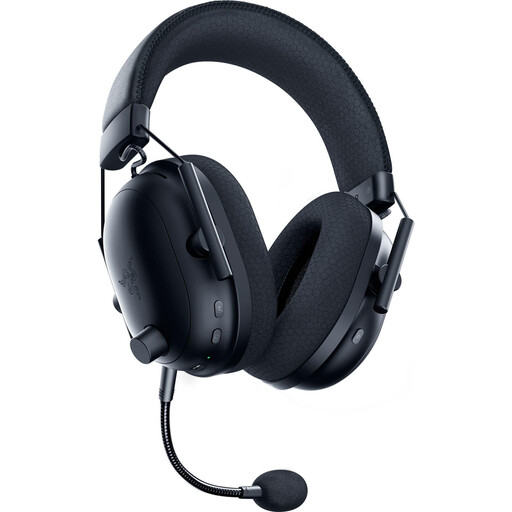
The BlackShark V2 Pro is a wireless option where the exact generation and platform version matter.
The Maxwell 2 is a wireless option for those who want to consider the game audio as well as their voice.
This selection includes wired models for a fixed commentary position, as well as wireless headsets if you want to move around while speaking. For each model, check that the microphone, connection and monitoring work with your recording setup.
 No image available
For a fixed commentary position if you want a detachable microphone and a 3.5 mm connection.
Detachable cable and memory foam ear cushions.
 No image available
A wireless option if you want to move around while commentating and use a physical microphone mute button.
The description lists 2.4 GHz wireless with a USB dongle, Bluetooth and wired use, as well as a detachable microphone. Battery life is stated as up to 60 hours.
 No image available
For switching between devices, if you can check that the wireless connection options listed work with your setup.
The description lists Dual Wireless, built-in microphones and USB-C charging. Battery life is stated as up to 40 hours.
 No image available
A wireless option with a detachable microphone, provided the platform version and dongle work with your recording device.
The description lists 2.4 GHz wireless, Bluetooth 5.2 and USB-C charging. Battery life is stated as up to 70 hours; the ear cushions are described as memory foam.
 No image available
For a fixed position if a USB or 3.5 mm connection and an adjustable boom microphone suit your setup.
The description lists stereo audio, memory protein ear cushions and an adjustable headband.
If you use OBS, select your microphone as an audio source, watch the levels and set up monitoring in the advanced audio properties. Listen back to a test recording too, as the level meter and perceived volume don’t always match.
First, check in OBS whether the same input or output source is being captured both globally and directly in the scene; OBS says this can cause an echo. Then check your setup’s monitoring settings.
Follow your headset’s care instructions and check the ear cushions and cable for wear. beyerdynamic lists ear cushions, headband pads and cables as replacement parts for the MMX 300 PRO; this doesn’t automatically apply to other models.
For a consumer purchase in Germany, the retailer is responsible for statutory warranty claims. The Verbraucherzentrale generally gives consumers two years of warranty rights for goods they’ve bought; this is separate from any voluntary manufacturer’s guarantee.
Electrical waste must not go in your household rubbish. The Federal Ministry for the Environment directs people to their local authority or electrical waste collection points; if you have a wireless headset, also check the guidance on its battery.