For clear team communication from your home-working setup, prioritise the microphone, mute function and a voice test over surround sound or ANC. A wired headset is a good choice if you want to work at a fixed desk without recharging, provided your device’s connection supports both audio and the microphone. Wireless suits you if freedom of movement matters more and the receiver, platform and charging requirements are right. A headset alone cannot prove that your team communication will improve.
Who could benefit from using a gaming headset to practise?
Players who regularly give team call-outs
If you practise short call-outs before playing together, test your voice and the mute function in the chat app you actually use. Discord’s support information says its microphone test is available on desktop and in a browser.
Frequent users at a home-working setup
If you wear your headset for longer practice or gaming sessions, pay attention to the fit and ear cushions. With wireless models, you’ll also need to factor in charging.
Players using more than one device
If you switch between a PC and console, check the connection and microphone functionality of the specific model variant for each device you plan to use. HyperX and beyerdynamic list different connection and compatibility details for different models.
What should you look for when choosing one?
First, check that your voice comes through clearly in the chat you use. Then make sure the fit, device connection and cable or battery requirements suit your workspace.
| Priority |
What to check before buying |
Who is it important to? |
| Clear call-outs |
Check the microphone position and mute function. Listen to a recording of your voice with the usual background noise in your room. Discord’s support information says its microphone test is available on desktop and in a browser. |
When I practise short call-outs before team games, I want to know how my voice sounds in the chat I actually use. Around 33% of consumers prioritise clear speech. |
| Comfort during longer sessions |
Assess the fit and cushions over a typical session. With wireless models, factor in charging too. |
If I wear my headset for a long time, I want it to feel comfortable, not just look good on paper. Around 27% of consumers put long-term comfort first. |
| Audio and microphone compatibility with your device |
Check the full model name, connection and microphone functionality for every device you plan to use. HyperX lists 3.5 mm, USB-C and USB-A for the wired Cloud III; beyerdynamic distinguishes between cable and Bluetooth compatibility for the MMX 150 wireless. |
If I use a PC and console, I want to avoid losing audio or voice chat on either device. Around 20% of consumers prioritise device compatibility. |
| Freedom to move without a cable |
Check the wireless connection, the receiver you’ll need and the charging requirements for the exact model. SteelSeries describes switching between 2.4 GHz and Bluetooth; this doesn’t confirm that both sources can play at the same time. |
If a cable gets in my way at my desk, I want to move freely without forgetting about the battery or connection. Around 20% of consumers put going cable-free first. |
Which assumptions should you avoid?
-
‘Wireless’ doesn’t automatically mean it connects to every console
For the MMX 150 wireless, beyerdynamic lists Xbox as compatible with a cable connection, not Bluetooth. The type of connection can therefore make all the difference to platform compatibility.
Check whether the connection you want supports the microphone with the exact model and platform you’ll be using.
-
The Cloud III and Cloud III Wireless are different variants
HyperX lists 3.5 mm, USB-C and USB-A for the wired Cloud III. The Cloud III Wireless, by contrast, is a wireless model, so its connection and platform details aren’t interchangeable with those of the wired version.
Check the full model name and connections against the device you plan to use.
-
ANC doesn’t guarantee clear team call-outs
Noise cancelling for what you hear and how your voice is transmitted are two different things. In its test of the Sony INZONE H9 II with a PS5, COMPUTER BILD describes the microphone as thin and tinny. This assessment applies to that specific model and platform combination.
Try a short recording or voice chat on the platform you actually use.
Which brands are worth considering?
HyperX
The Cloud III variants mainly differ in their wired connections or 2.4 GHz wireless connectivity.
- For the wired Cloud III, HyperX lists 3.5 mm, USB-C and USB-A connections, as well as a mute indicator.
- The manufacturer’s battery life of up to 120 hours applies to the Cloud III Wireless, not the wired model.
beyerdynamic
The MMX 150 wireless is a closed-back headset with a detachable microphone and replacement ear cushions available.
- beyerdynamic lists up to 50 hours of battery life for this model.
- Compatibility varies by connection type: Xbox is listed for a cable connection, but not Bluetooth.
SteelSeries
The Arctis Nova 5 Wireless is one example of a model that lets you switch between a 2.4 GHz gaming connection and Bluetooth.
- SteelSeries describes switching at the touch of a button and gives 60 hours as its own battery-life estimate.
- Switching between wireless modes doesn’t mean both sources can play at the same time.
Razer
The wired BlackShark V2 X is an option for a fixed setup, with a microphone boom you can position as needed.
- Razer lists a flexible cardioid microphone and closed-back ear cups for this model.
- The manufacturer’s claims about noise isolation don’t prove how clearly your voice will come through in your own room.
Sony
The INZONE H9 II is aimed at buyers considering noise cancelling for their own listening, alongside a wireless headset.
- Sony lists a weight of 260 g without the microphone, a boom microphone and noise cancelling.
- Noise cancelling for the listener doesn’t prove that all room noise will be removed from the voice signal sent to others.
Gaming headsets at Joybuy
This selection includes wired and wireless gaming headsets for voice chat at your gaming or home-working setup.
 No image available
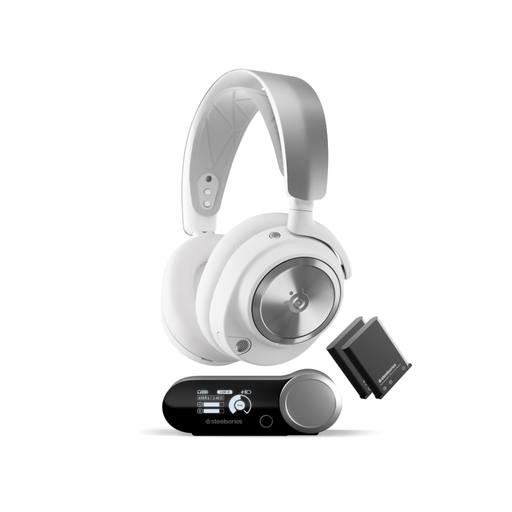
SteelSeries Arctis Nova Pro Wireless, PC and PlayStation, White
For wireless team chat on PC or PlayStation. The product description lists a wireless base station and a microphone pop filter.
Features active noise cancellation, 2.4 GHz and Bluetooth.
The description lists two interchangeable batteries and switching between a gaming system and a Bluetooth connection.
View at Joybuy
 No image available
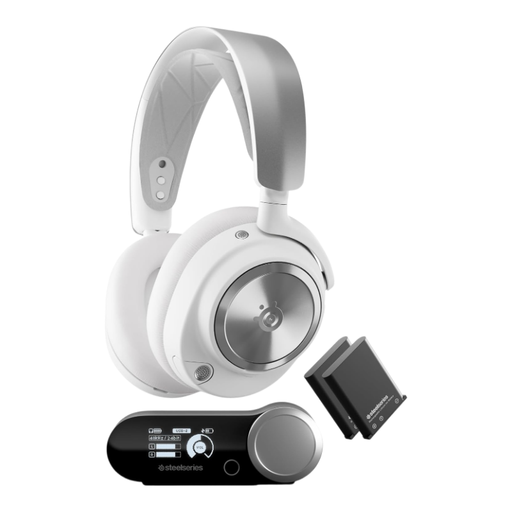
SteelSeries Arctis Nova Pro Wireless, 516 g, White
For wireless team chat. The product description lists a wireless base station and a detachable ClearCast microphone with noise cancellation.
Described as an over-ear headset with an adjustable headband.
The listed weight is 516 g.
View at Joybuy
 No image available
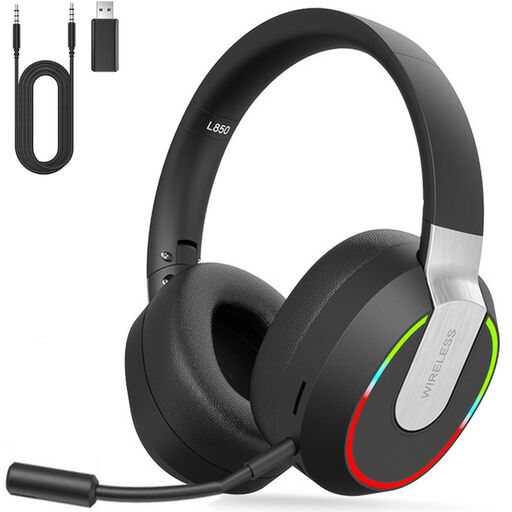
Wireless 2.4 GHz gaming headset for PC, PS4, PS5, Mac and Switch
For wireless voice chat on the listed devices. The product description lists a detachable microphone with noise cancellation.
Connections listed include 2.4 GHz wireless via USB dongle, Bluetooth and a 3.5 mm cable.
The description lists up to 9 hours of play time, plus an adjustable headband and soft ear cushions.
View at Joybuy
 No image available
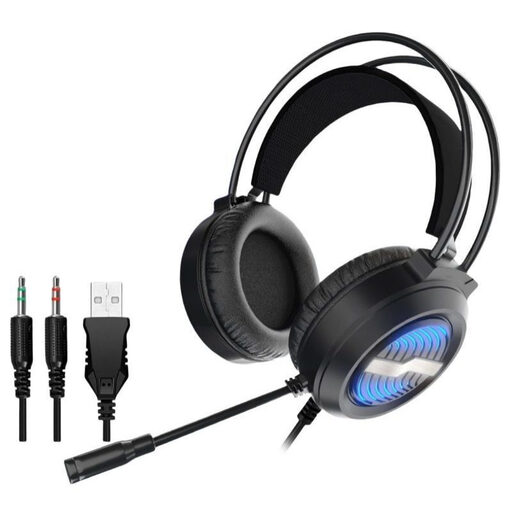
USB gaming headset with LED lighting, over-ear
For wired use at your gaming or home-working setup. The product description lists a detachable microphone with noise cancellation.
USB and two 3.5 mm audio connections are listed, along with compatibility with PC, laptop, PS4, PS5 and Switch.
The description lists over-ear cushions and an adjustable headband.
View at Joybuy
 No image available
AOC wired gaming headset for PS5, Xbox Series X|S, Xbox One and PC
For voice chat at a fixed setup. The product description lists a flexible microphone with background noise filtering.
A 3.5 mm connection and a microphone with 360-degree positioning are listed.
The listed weight is 207 g. The description also mentions an adjustable headband and soft ear cushions.
View at Joybuy
Frequently asked questions
How can I test the microphone before a team practice session?
If you use Discord on desktop or in a browser, select the right input and output devices under ‘Voice & Video’, then use the microphone test. Listen to a few short call-outs with the usual background noise in your room and check the mute function. The documented test isn’t available on every Discord platform.
Does ANC automatically block the sounds my team hears from me?
No. These are separate functions: Sony describes noise cancelling for listening and also lists features of the boom microphone. To check whether your call-outs come through clearly from your own setup, make a recording or try them in chat.
What should I bear in mind during longer practice sessions?
Check the fit and cushions for yourself, keep the battery in mind with wireless models and keep the volume moderate. The World Health Organization notes that both the volume and duration of sound exposure matter for hearing, and recommends taking listening breaks.
What are my rights when buying online from a trader?
Under the EU rules explained by Your Europe, consumers generally have a legal guarantee of at least two years from receiving goods. This is separate from a manufacturer’s guarantee. Online and other distance sales generally come with a 14-day right to cancel, subject to the terms and any applicable exceptions of the specific contract.


