What should you look for when choosing one?
First, check whether your game needs audio or voice input. Then compare fit, connectivity and the noise levels in your room.
The figures show the main consideration consumers prioritise when choosing a headset for interactive stories.
| Priority |
What to check before buying |
Who is it important to? |
| Narration and sound details |
If possible, listen to a familiar dialogue scene on your own device; check the volume controls and the game’s audio output. |
I want to hear narration and important sound details at a comfortable volume; around 28 % of consumers cite this as their main priority. |
| Comfort during long sessions |
Check the adjustability and padding; if possible, try the headset with the glasses you usually wear and for a realistic session length. |
If I play for longer, the headset should still be comfortable with my usual glasses; around 22 % of consumers prioritise comfort. |
| Connectivity and switching devices |
Check the exact model variant against your device; confirm the connection, included receiver and, if needed, microphone function. |
I want to connect the headset to my gaming devices without guesswork; around 22 % of consumers prioritise connectivity and device compatibility. |
| Noise in a shared room |
Check the design and fit; open earcups tend to let more sound through, while the level of isolation varies between closed-back models. |
If other people are in the room, I want to take disruptive noises and sound leaking from the headset into account; around 17 % of consumers prioritise isolation. |
| Microphone for voice input |
Check whether your game uses voice input; test the microphone, recording device and mute function on the device you’ll be using. |
I need a microphone if the game accepts spoken choices or I use voice chat; around 11 % of consumers prioritise microphone function. |
Joybuy products for this topic
The following Joybuy products include wired and wireless headsets for narration, device connectivity and different room set-ups. Before buying, check that the specific variant is compatible with your device and that the listing provides details of its labelling, manufacturer identification and German instructions for use.
 No image available
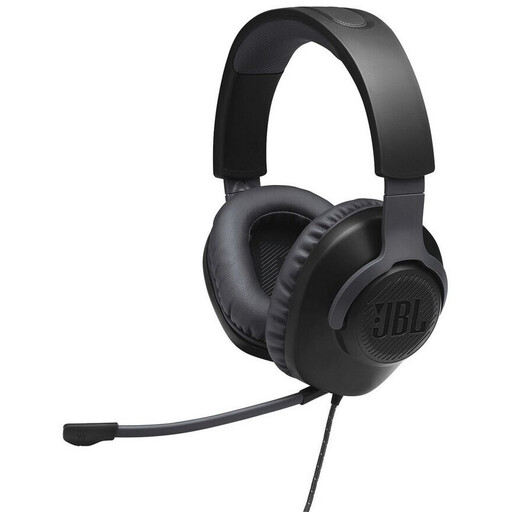
JBL Quantum 100
Could suit you if your device has a 3.5 mm connection and you’re looking for a wired over-ear headset with on-headset volume controls.
Closed-back design; memory foam ear cushions; stated weight: 216 g.
View at Joybuy
 No image available
ONIKUMA GT889
Could suit you if you want to switch between wireless, Bluetooth and wired connections; check that your device supports the supplied receiver.
2.4G wireless, Bluetooth and wired use; a 2.4G USB receiver is included according to the product details. Detachable microphone, control buttons and adjustable headband.
View at Joybuy
 No image available
Razer Barracuda
Could suit you if you want a wireless connection for your PC or console and Bluetooth for mobile devices; check compatibility with the exact version of your device.
HyperSpeed wireless for PC and console, plus Bluetooth for mobile devices according to the product description; USB-C charging and beamforming microphones. Stated battery life: up to 40 hours.
View at Joybuy
 No image available
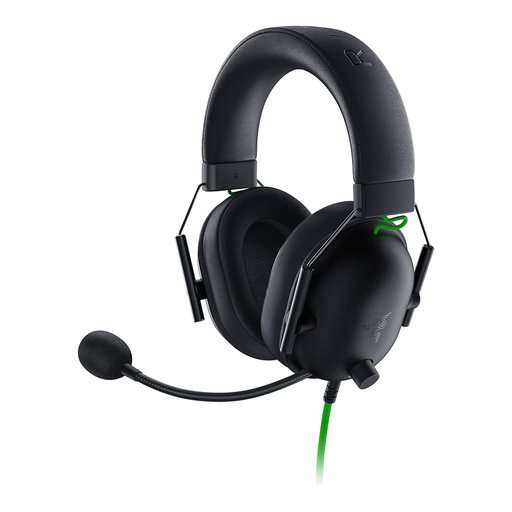
Razer BlackShark V2 X
Could suit you if you’re looking for a wired headset with closed-back earcups for a device with a 3.5 mm connection.
Passive isolation and memory foam ear cushions according to the product details; on-headset volume control and microphone mute button. Stated weight: 240 g.
View at Joybuy
 No image available
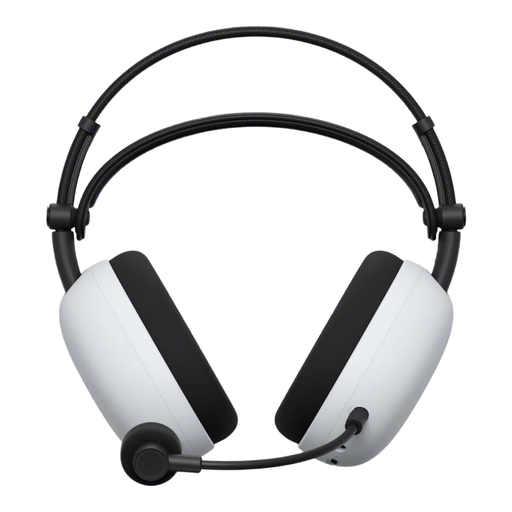
Sony INZONE H9 II
Could suit you if you want several connection options and ANC; check that the USB-C adapter and other connections are compatible with your devices.
2.4 GHz wireless via USB-C adapter, Bluetooth and 3.5 mm wired mode according to the product details; retractable microphone boom. Sony states a maximum battery life of 30 hours with noise cancelling switched off. Stated weight: 260 g without microphone.
View at Joybuy
Frequently asked questions
Do I definitely need a microphone for interactive fiction?
No, it depends on the game. According to its description, the audio IF application has a text mode and an audio mode with voice commands; that doesn’t mean other games require a microphone.
How do I set up a detected headset on a PS5?
On your PS5, select the output device under “Settings > Sound > Audio Output”. According to PlayStation, you can check the microphone input and level in the Control Centre’s microphone menu; the connection supported by your headset depends on the exact model variant.
What can help during long listening sessions?
The World Health Organization recommends limiting volume and listening time, and taking listening breaks. Its guideline to set your device volume to no more than 60 % of the maximum is general hearing advice, not a product-specific measurement or a legal purchase limit.
What should I look for in a headset sold in Germany?
The German Federal Network Agency lists requirements for retailers that include correct CE marking, clear device identification, manufacturer details and German instructions for use for non-commercial users. Radio equipment is also subject to the relevant requirements of radio equipment legislation; a CE mark alone is not an independent quality assessment.
How should I dispose of an old headset?
In Germany, old electrical equipment must not be put in household waste. The Federal Environment Agency lists recycling centres and suitable retail take-back points, among other options.


