Players learning to identify in-game sounds
If you listen to sections of a map repeatedly, you’ll want to compare footsteps, directions and other cues at a consistent, moderate volume, rather than relying solely on claims of surround sound.


First, decide whether your priority is pinpointing in-game sounds, clear team call-outs or switching between devices. Compare specific models at a consistent sound profile and moderate volume, check the microphone and connection on your gaming device, then consider whether an open design, noise isolation or wireless use is best for your room.
If you listen to sections of a map repeatedly, you’ll want to compare footsteps, directions and other cues at a consistent, moderate volume, rather than relying solely on claims of surround sound.
If you explain routes or positions in voice chat, a clear microphone, an easy-to-reach mute button and a connection that works with your gaming device are essential.
If you use the same desk for work and gaming, or switch between a PC and console, the connections, space required and fit should suit your routine. Consideration for others in the room may also influence your choice.
First, decide whether in-game sounds, team chat, long-wearing comfort, device connections or your room setup matter most to you. Then check the specific features and connection on your gaming device.
| Priority | What to check when buying | Who is this important to? |
|---|---|---|
| In-game sounds | Compare the same in-game situation using a consistent sound profile and moderate volume. | If I want to identify recurring sounds on a map, I keep the settings as consistent as possible each time. Around 29% of consumers put identifying in-game sounds first. |
| Team chat | Check the microphone, mute function and chat feature on the platform you actually use. | If I call out routes and positions to my team, I want to speak clearly and mute the microphone quickly when needed. Around 23% of consumers prioritise team chat. |
| Fit during longer sessions | Check the adjustment range and whether replacement ear cushions are available for the exact model. | If I practise longer sections of a map repeatedly, I want my headset to feel comfortable. With frequent use, I’m also interested in replaceable wear parts. Around 18% of consumers prioritise long-wearing comfort. |
| Connections | Check your devices against the full model variant and its specified connections. | If I switch between work and gaming devices, I want to be sure the connection I need works with both. Around 18% of consumers put having the right connection first. |
| Room and distractions | Consider whether you want to hear your surroundings and whether your game audio might disturb others in the room. | If I don’t want to disturb others while working from home, or need to hear them when they speak to me, I consider the headset design and my room when choosing. Around 12% of consumers prioritise consideration for others and distractions in the room. |
The right version and connection can vary depending on your device. Audeze explains that the PlayStation version of the original Maxwell does not work with Xbox via USB or low-latency wireless. For the SteelSeries Arctis Nova Elite, SteelSeries specifies that the GameHub’s USB 3 port is for Xbox.
Check the full model name, intended device, chat function, connection type and what’s included together.
Sony describes the INZONE H6 Air as an open-back, wired model. Whether this design suits a shared home office also depends on whether others need to work without disturbance.
Before buying, check that the design and connections of the specific model suit your room and gaming device.
A feature that reduces noise when you’re listening doesn’t automatically tell you how your voice will sound in team chat. Sony describes the listening and microphone features of the INZONE H9 II separately.
Check the microphone and chat function on the platform you actually use.
The Verbraucherzentrale distinguishes between your statutory rights against the seller and a voluntary warranty.
Keep your proof of purchase and the product description, and contact the seller if there’s a fault and you wish to exercise your statutory rights.
The INZONE H9 II and H6 Air offer different designs: wireless with noise cancelling, or wired and open-back.
The Arctis Nova Elite may suit people who want to connect multiple devices via the GameHub.
The closed-back, wired MMX 300 PRO is a model for a dedicated spot at your desk.
The wired Cloud III is an option if you need different connection types and an easy-to-reach mute button.
The original Maxwell shows why you should check the model version and connection type together when choosing a headset for a console.
The Joybuy products below include wired USB-A and wireless gaming headsets. Choose based on the connection, chat controls and sound profiles you actually want to use.
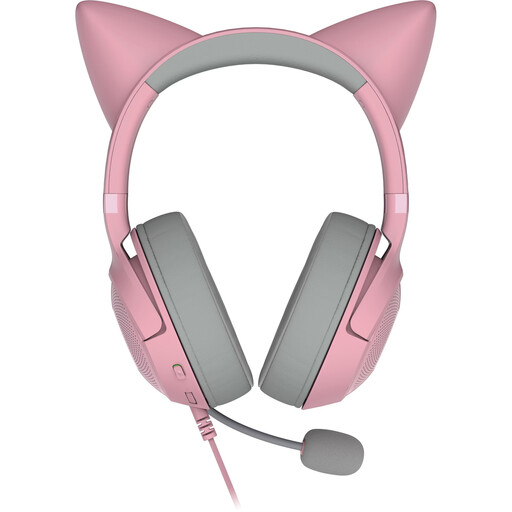 No image available
For PC gamers looking for a wired headset with a microphone and mute function.
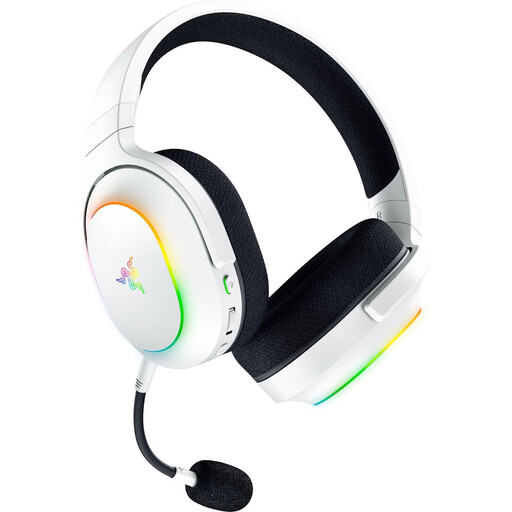 No image available
For gamers who want to switch between a gaming connection and Bluetooth audio, with a customisable sound profile.
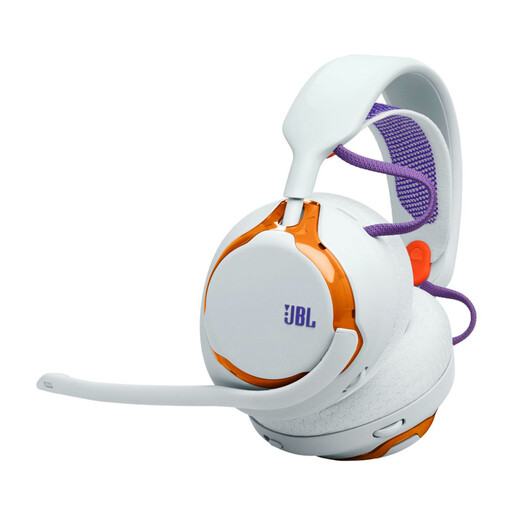 No image available
For gamers looking for wireless connections and customisable sound profiles for repeated listening comparisons.
 No image available
For team chat, with an easy-to-reach mute function and customisable sound profiles.
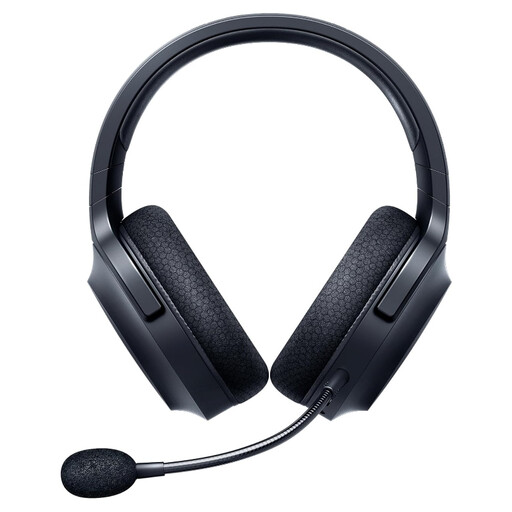 No image available
For gamers who want to switch between a 2.4 GHz gaming connection and Bluetooth, and use a detachable microphone.
Connect the headset using the connection specified for your model and gaming device, then check the game audio and microphone separately. Keep the same sound profile when comparing recurring scenes. According to SteelSeries, only USB 3 on the GameHub is intended for Xbox with the Arctis Nova Elite; this does not automatically apply to other headsets.
Don’t just keep turning up the volume. The World Health Organization notes that volume, duration and frequency of sound exposure all matter for your hearing, and recommends measures including moderate volume and listening breaks. This does not guarantee that a particular setting is safe for everyone.
No, not with every connection. Audeze explains that the PlayStation version of the original Maxwell does not work with Xbox via USB or low-latency wireless; the Xbox dongle is not officially supported on PlayStation. Check the model version and connection type together.
Follow the care instructions for your specific model and check whether its wear parts can be replaced. For the MMX 300 PRO, beyerdynamic lists the ear cushions, headband and cable as replaceable parts; this doesn’t mean the same applies to other models.
According to the Verbraucherzentrale, online purchases generally come with a 14-day right to cancel; you must notify the other party to the contract that you wish to cancel. If there’s a fault, statutory rights against the seller are separate from a voluntary warranty.