Console gamers who play from the sofa
If you play on a PS5 or Xbox on the big screen, make sure the connection is confirmed as compatible with your console. A Bluetooth logo alone doesn’t mean the headset can connect directly.


Choose a gaming headset based on whether the sound will come from your PS5, Xbox, PC or directly from your TV. Having a particular connection does not guarantee compatibility with every device. For dialogue and subtle clues, a suitable audio connection with as little interference as possible, along with a comfortable fit, are important factors. For longer gaming sessions, you’ll also want to consider the controls and power supply.
If you play on a PS5 or Xbox on the big screen, make sure the connection is confirmed as compatible with your console. A Bluetooth logo alone doesn’t mean the headset can connect directly.
If dialogue and subtle sounds matter in your mystery game, consider the audio connection and whether the picture and sound will stay in sync with your setup.
If you play for long stretches or switch between several devices, fit matters, as do a suitable connection, easy controls when switching and, for wireless models, battery life.
| Feature | What to check before buying | Who is it important to? |
|---|---|---|
| Connection to your gaming device | Check the gaming device, model variant and connection together; don’t assume that TV Bluetooth means the headset is compatible with your console. | If I play on a console from the sofa, the audio connection needs to work with that exact device. Around 36% of consumers prioritise the connection to their gaming device. |
| Dialogue and audio synchronisation | If using TV Bluetooth, check the audio output on your specific TV and make sure the sound stays in sync during gameplay. | If I want to hear subtle clues and dialogue clearly, the sound mustn’t lag noticeably behind the picture. Around 29% of consumers prioritise sound quality and audio-visual synchronisation. |
| Comfort during long sessions | Try the fit for yourself if possible; for wireless models, check the battery life of the specific variant. | If I’m planning longer gaming sessions, I want a comfortable headset that needs as few interruptions as possible. Around 21% of consumers put comfort first. |
| In-game chat | Check that the microphone and mute function work with the specific connection and platform you’ll be using. | If I’m discussing mystery games with others, I need chat that works and an easy-to-reach mute button. Around 14% of consumers prioritise in-game chat. |
In its PS5 troubleshooting guide, PlayStation says that standard Bluetooth audio devices are incompatible. Bluetooth audio may not be available on every TV either: Sony lists A2DP as a requirement for the TV models covered in its guidance.
Check the connection requirements for your console and TV separately, using the relevant manufacturers’ information.
Depending on your device, you may need to use a different connection or a suitable adapter.
Sony notes that Bluetooth headphones may cause a slight delay between picture and sound when gaming. Whether you notice it depends on your specific setup.
Test the audio connection and synchronisation with your own game before relying on TV Bluetooth as your only connection.
Razer specifies that the BlackShark V2 X’s 7.1 surround sound feature is for Windows 11 only, even though the model is also listed for consoles via its 3.5 mm connection.
Check that each software feature you want is available on the platform you actually play on.
The list published by COMPUTER BILD includes separate entries for the Audeze Maxwell for Xbox and PlayStation.
Before buying, check the full model name and the platform variant specified.
For PS5 setups, the PULSE Elite with PlayStation Link USB adapter and the INZONE H9 II are two distinct product ranges.
SteelSeries says the Arctis Nova 7X Wireless is designed to work with the USB-C dongle on the gaming devices specifically listed.
Logitech describes the ASTRO A50 X with base station as suited to setups switching between Xbox, PS5 and PC/Mac.
The BlackShark V2 X offers a wired 3.5 mm connection for several gaming platforms.
The Xbox Wireless Headset, updated in 2024, is designed to pair directly with Xbox consoles.
This selection includes wired headsets and wireless models for different gaming devices. Before buying, check that the connection and platform are right for your console or intended audio setup.
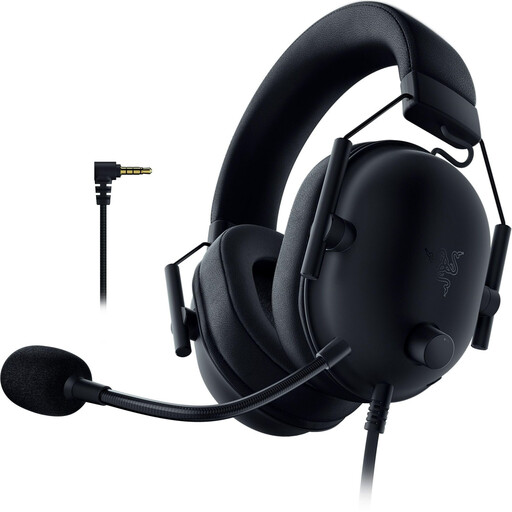 Image unavailable
An option if you prefer a wired connection and don’t mind having a cable connected to your controller.
Wired gaming headset; the model name identifies the PlayStation Licensed variant.
Razer’s specifications for the BlackShark V2 X list a 3.5 mm connection. Check that it’s suitable for the connection you plan to use with your device.
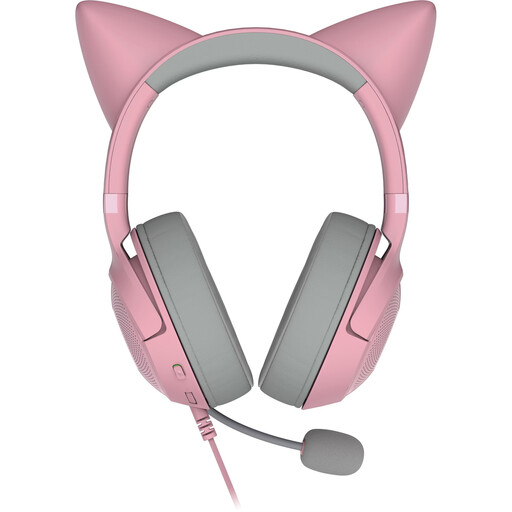 Image unavailable
A wired option if you’re looking for a headset with a USB-A connection.
Over-ear design; the product name specifies a detachable microphone and virtual surround sound.
The product name lists USB-A but not a 3.5 mm connection. Check in advance that USB-A is suitable for your gaming device and intended chat setup.
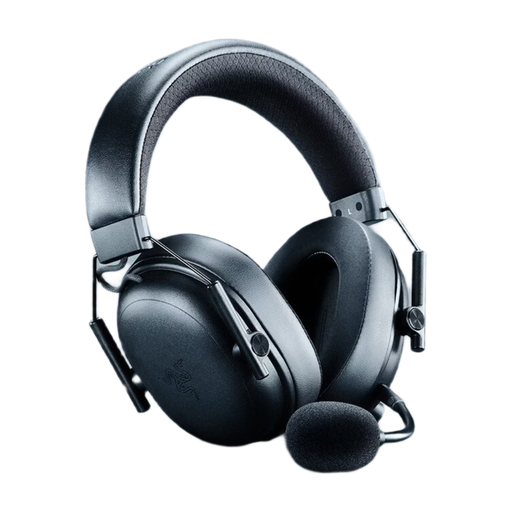 Image unavailable
A wireless option if you switch between gaming platforms; check that it’s supported by your specific device and intended audio connection.
The product name identifies this as a wireless model.
According to the product description, the THX Spatial Audio feature requires Windows 11 version 23H2 or later.
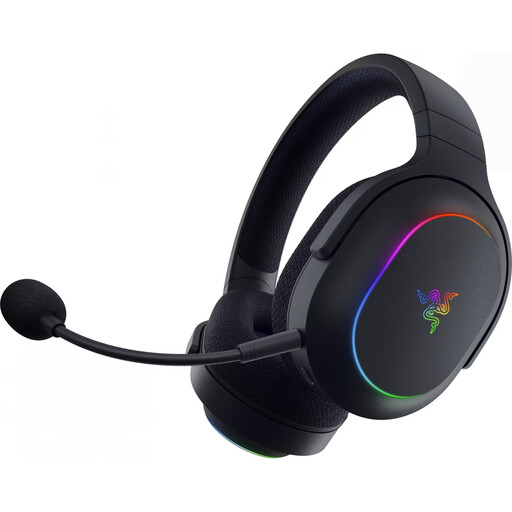 Image unavailable
A wireless option if you can use the specified USB-C wireless receiver with your gaming device.
The product name lists 2.4 GHz wireless, Bluetooth 5.3 and up to 70 hours of battery life.
Its weight is listed as 285 g. The product description says Bluetooth is intended for mobile devices, while the USB-C wireless receiver is specified for gaming.
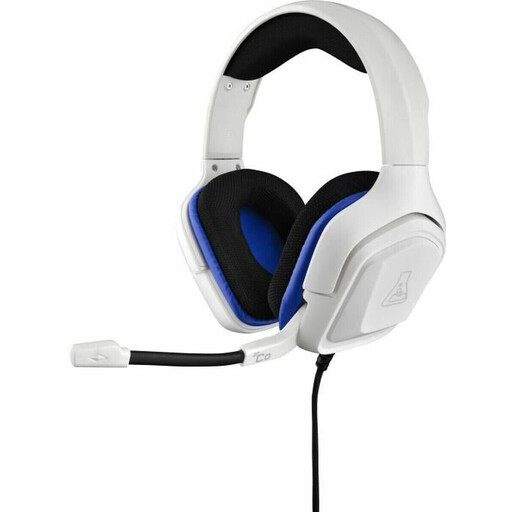 Image unavailable
A wired option if your controller or audio output has a suitable 3.5 mm connection.
The product name lists a 3.5 mm connection and the colour White.
Check that the microphone and in-game chat work through the connection provided by your platform.
Not just because it has Bluetooth: in its PS5 troubleshooting guide, PlayStation says that standard Bluetooth audio devices are incompatible. PlayStation suggests alternatives including a suitable analogue headset connected to the DualSense’s 3.5 mm jack, or a PS5 headset with a compatible USB adapter.
Not on every TV. Sony lists A2DP as a requirement for Bluetooth audio on the Android and Google TV models covered in its guidance. Check your TV’s manual and test that the picture and sound stay in sync; a TV audio connection doesn’t confirm that in-game chat will work too.
According to PlayStation, plug the PlayStation Link USB adapter into a compatible USB port on your PS5, then switch on the headset using the PlayStation Link button. Follow the on-screen instructions and, if necessary, check the guidance on software updates for the headset and adapter.
According to the Verbraucherzentrale, if a newly purchased item is faulty, you may have statutory warranty rights against the seller for up to two years after receiving it. This is separate from the right to cancel an online purchase, which generally lasts 14 days. A manufacturer’s guarantee is voluntary and subject to its own terms.
No. The German Environment Agency explains that electrical waste must be collected separately, and local recycling centres accept it free of charge. Removable batteries should be taken to a suitable collection point separately.