What should you look for when buying?
First, check the sound and microphone for your game and platform, then consider fit and connectivity for the length of your matches. This will help you find a suitable model without treating any individual feature as a guarantee of better in-game performance.
| What you need |
What to check before buying |
Who is it important to? |
| Picking out in-game sounds |
Audio samples or tests of the exact model, along with your own game settings. |
If I want to make better sense of footsteps and other in-game cues, the sound in the specific game matters to me. Around 33% of consumers prioritise pinpointing in-game sounds. |
| Clear team chat |
Recordings from the model’s microphone, as well as the position and accessibility of the mute control. |
If I often make call-outs to my team, I want my microphone to transmit clearly on my platform. Around 27% of consumers prioritise team chat. |
| Comfort across multiple matches |
Fit, padding and adjustment range; also check whether replacement parts are available if needed. |
If I play several matches in a row, I want a headset that fits my head and ears. Around 20% of consumers prioritise comfort during longer sessions. |
| Connectivity and freedom of movement |
Connector or receiver, the exact platform version and the chat features you need. |
If I want to move freely while playing or connect my headset to a particular device, I check the connection beforehand. Around 20% of consumers prioritise connectivity and freedom of movement. |
Joybuy products for arena matches
This selection includes wired gaming headsets and one wireless model with a 2.4 GHz connection, aimed at online matches with team chat.
 No image available
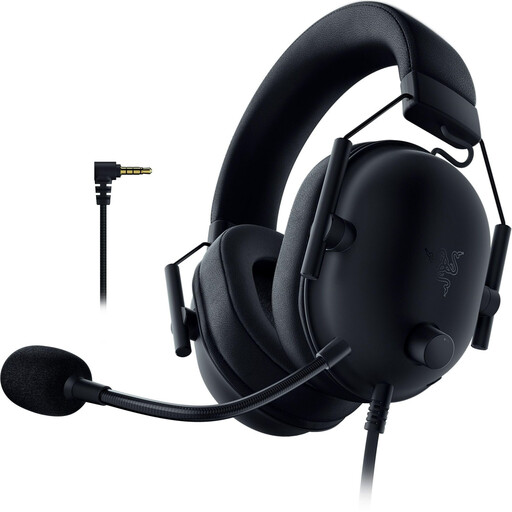
Razer BlackShark V2 X (PlayStation Licensed)
A wired option if you play at a fixed setup and want a headset for team chat.
50 mm TriForce drivers, a 3.5 mm connection and a flexible cardioid microphone; you can adjust the volume on the headset. According to the product information, an adapter is required for Xbox.
View at Joybuy
 No image available
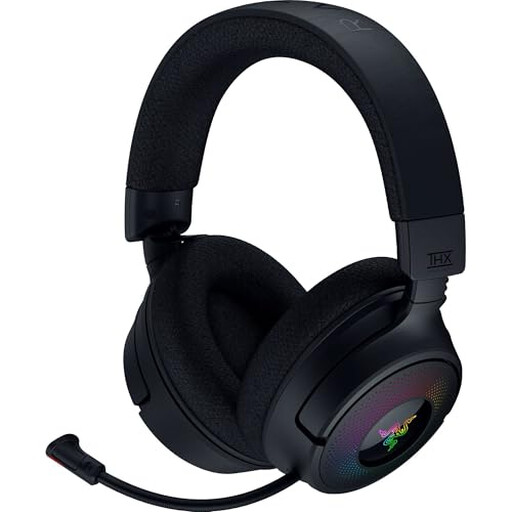
Razer Kraken V4 Wireless
A wireless option if you don’t want a cable to restrict you while playing and the connection suits your device.
The product description lists 2.4 GHz, Bluetooth and USB connections, a retractable microphone and a game/chat balance control.
View at Joybuy
 No image available
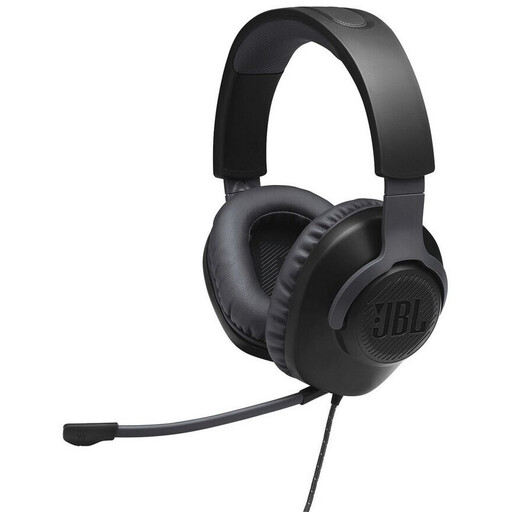
JBL Quantum 100
A wired option for matches where you want a detachable microphone with a mute function.
3.5 mm connection, on-headphone volume control and memory foam earpads. The cable limits your freedom of movement.
View at Joybuy
 No image available
HyperX Cloud Alpha
A wired option if you prefer a detachable microphone and controls on the cable.
Dual-chamber drivers, a 3.5 mm connection and in-line audio controls; the product description also lists memory foam earpads and an adjustable headband. The cable limits your freedom of movement.
View at Joybuy
 No image available
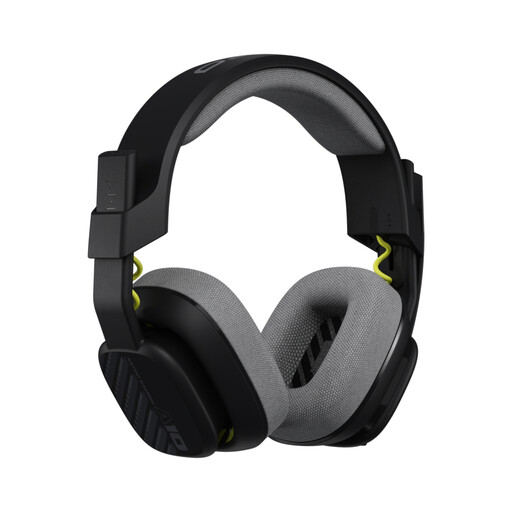
Astro A10 Gen 2
A wired option for team call-outs if you want to mute the microphone directly.
32 mm drivers, a 3.5 mm connection, an in-line volume control and a flip-to-mute microphone. The product description lists replaceable earpads; the cable limits your freedom of movement.
View at Joybuy
Frequently asked questions
How do I set up game audio and the microphone?
First, connect the plug or receiver specified for your model and device. Then select the right input and output devices in your device settings and game, and check the sound, microphone and mute function before your match. Be sure to check any special features, such as the GameHub ports on the Arctis Nova Elite.
Is Bluetooth the same as using a wireless receiver for gaming?
No. SteelSeries says the Nova 5 can switch between Bluetooth and a 2.4 GHz connection. Check which connection handles game audio and the microphone on your device for the specific model; a Bluetooth logo alone won’t tell you.
What should I bear in mind about my hearing during long matches?
The World Health Organization (WHO) recommends keeping the volume low and taking regular breaks from listening. Volume, listening time and how often you’re exposed all matter; this is health advice, not a legal requirement when buying a headset.
What are my rights when shopping online in Germany?
For a typical distance sale from a business seller, you generally have a 14-day right to cancel from the date of delivery; exceptions and conditions apply. If goods are faulty, the seller is legally responsible for providing a minimum two-year warranty. This is separate from any voluntary manufacturer’s guarantee.
Should I check for possible extra costs with a wireless headset?
Yes. Check whether the receiver you need is included and whether replacement earpads or other parts you need are available for the specific model. If you cancel your purchase, return costs may depend, among other things, on whether the seller told you about them in advance.


