For a gaming podcast, what matters is how your recorded voice sounds through your headset and recording setup – good gaming chat quality alone doesn’t prove it will sound good. If you record at a fixed desk, a wired gaming or streaming headset could be a good fit. Wireless models give you more freedom to move, but you’ll need a suitable connection and a way to keep them charged. COMPUTER BILD praises the MMX 300 PRO’s microphone, while also noting that it picks up external noise easily.
Which headset is right for you?
Solo podcasters who comment while gaming
If you record your voice while gaming, what matters is how clearly it comes through in the saved file. COMPUTER BILD’s microphone rating is a useful guide, but it’s no substitute for testing your own recording setup.
Podcasters using multiple audio sources
If you want to monitor game audio, your voice and, where relevant, other speakers, pay close attention to the inputs and outputs you need, as well as the monitoring setup. Audio-Technica says the XLR version of the ATH-M50xSTS has separate headphone and microphone connections.
Podcasters recording for long sessions
If you’ll be wearing your headset for extended gaming and recording sessions, fit and padding matter just as much as whether a cable gets in your way. Comfort and fit vary by model, so trying one on for a short while can help you choose.
What should you look for when buying?
Wired gaming headset
A good fit if: you mostly play and record in one place.
The trade-off: the cable limits your freedom to move, so check that the connection works with your recording equipment.
Streaming headset with USB or XLR
A good fit if: you want to route recording and monitoring through the connections on your setup.
The trade-off: the XLR version of the Audio-Technica ATH-M50xSTS needs a suitable microphone input, such as one on an audio interface or mixer.
Wireless gaming headset
A good fit if: freedom to move and fewer cables at your desk are important to you.
The trade-off: check that your recording software can use the microphone and monitoring setup you want, and remember to plan for charging.
| Buying priority |
What to look for |
Who is it most important to? |
| Clear voice quality |
Record and listen back to a voice sample using the specific headset and recording software, including typical keyboard and game sounds. |
If you want your voice to stand out in the finished podcast, check the saved recording rather than relying on chat features. Around 29% of consumers consider voice clarity their top priority. |
| Signal routing and monitoring |
Check that the microphone input, headphone output and monitoring function work with the exact headset version and your recording equipment. |
If you want to monitor game audio and your voice separately, you’ll need inputs and outputs that suit your setup. Around 24% of consumers put signal routing and monitoring first. |
| Comfort during long sessions |
Check the fit, ideally with glasses on and over a typical wearing period; also consider the ear pads and replacement parts available for the specific model. |
If you wear your headset for long gaming and recording sessions, it should suit the way you sit and wear it. Around 18% of consumers prioritise comfort during longer recording sessions. |
| Background noise |
In your own surroundings, check separately what you hear through the headphones and what the microphone actually records. |
If noise in your home office could affect your recording, you’ll need to test the actual microphone track. Around 17% of consumers put handling background noise first. |
| Freedom to move |
Check the connection method, the microphone input selected in your recording software and how the specific version is charged. |
If a cable gets in your way at your desk, the right wireless connection is an important factor in your choice. Around 12% of consumers prioritise freedom to move. |
Which common buying mistakes can you avoid?
-
Assuming gaming microphone quality means podcast recording quality
A review may praise voice transmission while also pointing out background noise. Your room and recording setup also affect what you hear in the saved file.
Base your decision on a saved recording made with your own setup, not just on the chat function.
-
Assuming the XLR and USB versions connect in the same way
The Audio-Technica ATH-M50xSTS versions have distinctly different connections. For the XLR microphone output, you’ll need a suitable input, such as one on an audio interface or mixer.
Before ordering, check the full version name against the inputs available on your equipment.
The XLR version may require additional compatible equipment.
-
Confusing ANC for listening with microphone noise cancellation
Noise cancellation for listening doesn’t tell you which sounds will end up in your saved voice recording.
Assess the effect on what you hear through the headphones separately from the recorded microphone track.
-
Mixing up Maxwell generations or console versions
Audeze distinguishes the original Maxwell from the Maxwell 2. For the original Maxwell, Audeze also notes limitations when switching between the Xbox and PlayStation versions.
Before buying, check the generation, console version and connection type carefully.
Key brands at a glance
beyerdynamic
The wired, closed-back MMX 300 PRO is worth considering if you have a dedicated gaming and recording space.
- beyerdynamic lists a condenser boom microphone, analogue jack connections, and replaceable ear pads, headband and cable.
- COMPUTER BILD praises the MMX 300 PRO’s sound, microphone and fit, but also notes that the microphone is sensitive to external noise.
Audio-Technica
The ATH-M50xSTS is aimed at buyers choosing between an XLR and a USB version.
- Audio-Technica Europe says the XLR version has separate headphone and microphone connections.
- Your existing setup needs a suitable input for the XLR microphone output. The two versions shouldn’t be treated as having identical connections.
Sony
The wireless INZONE H9 II is an option if freedom to move and gaming features matter to you.
- Sony Germany lists wireless connectivity, ANC and a boom microphone.
- COMPUTER BILD describes the microphone voice on the tested model as tinny and thin when used with PS5. ANC for listening doesn’t prove the quality of a podcast recording.
SteelSeries
The Arctis Nova Elite is aimed at buyers who want to use the multiple connections and audio features of a wireless gaming headset.
- SteelSeries describes high-resolution wireless audio processing; COMPUTER BILD highlights this model’s versatile connections and swappable batteries.
- COMPUTER BILD criticises the Arctis Nova Elite for its limited headband adjustment. This doesn’t indicate how other models from the brand perform.
HyperX
The wired Cloud III offers a different range of connections for use with PCs and consoles.
- HyperX lists 3.5 mm, USB-C and USB-A connections, as well as a mute indicator, for this model.
- The chat communication promoted by the manufacturer is no substitute for checking the saved podcast track.
Audeze
The Maxwell features in an independent gaming headset test in Xbox and PlayStation versions.
- COMPUTER BILD praises the microphone on the versions tested.
- COMPUTER BILD notes that it is heavy. Audeze lists the original Maxwell as an older product and offers the Maxwell 2; the generations and versions shouldn’t be treated as interchangeable.
Gaming headsets at Joybuy
This selection includes wired and wireless gaming headsets for a home office recording setup. For every model, check before buying that the microphone, connections and recording software will work with your setup.
 No image available
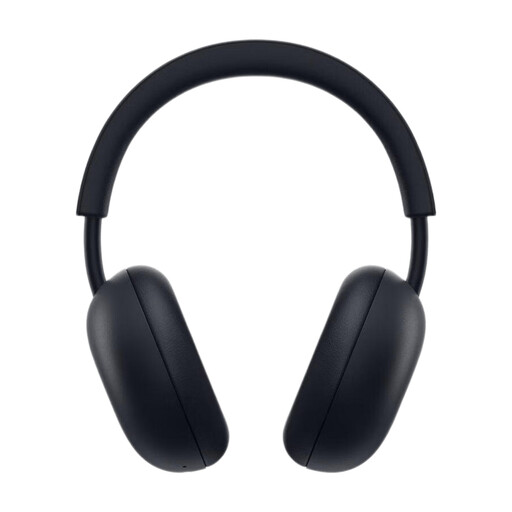
PlayStation PULSE Wireless Headset, Midnight Black
An option if you’re looking for a wireless headset for a PS5 recording setup; check that your recording software can use the microphone input you want.
The product name lists PlayStation Link and Bluetooth, as well as a battery life of up to 30 hours.
View at Joybuy
 No image available
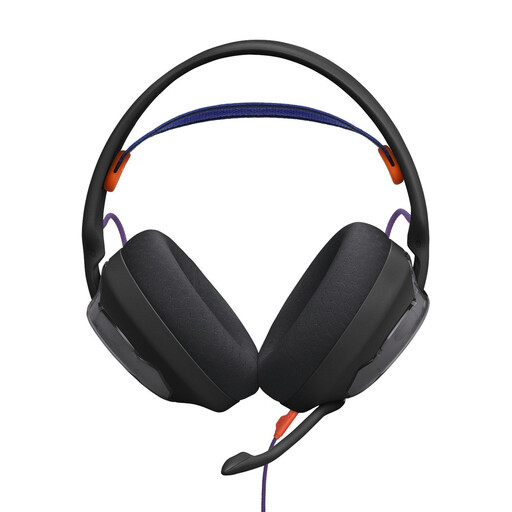
JBL Quantum 250
This wired over-ear model is worth considering if you don’t need a wireless headset at your dedicated recording space; check that the connection works with your recording equipment.
View at Joybuy
 No image available
HyperX Cloud Alpha with in-line audio controls
A wired option for a dedicated gaming and recording space; check in advance that your device’s connections will work for the recording setup you want.
The product name lists in-line audio controls.
View at Joybuy
 No image available
ONIKUMA GT889 Wireless Gaming Headset
If you want to switch between wireless and wired use, check that each connection method works with your recording equipment.
The product name lists 2.4 GHz wireless and wired modes; according to the product details, wireless use requires a battery that charges via USB-C.
View at Joybuy
 No image available
Razer Barracuda Wireless Multi-Platform Headset, Black
An option if you’re looking for a wireless headset; before recording, check which microphone input is active in your software.
The product name lists SmartSwitch Dual Wireless and USB-C. According to the product details, the headset needs charging for wireless use.
View at Joybuy
Frequently asked questions
How do I test a headset before recording a podcast?
Record a short sample using the microphone and headphone output you plan to use, including typical game audio, then listen back to it. Check how clear your voice sounds, whether there’s any background noise and whether you can hear the signals you want. Connections may vary between headset versions.
Does an XLR streaming headset need extra equipment?
The XLR microphone output on the Audio-Technica ATH-M50xSTS needs a suitable XLR input, such as one on an audio interface or mixer. According to Audio-Technica, the separate USB version is designed to connect to a computer.
What should I know about wear and tear or faults?
Check which replacement parts are available for the specific model: beyerdynamic lists ear pads, a headband and cable among the replaceable parts for the MMX 300 PRO. Your statutory rights against the seller are separate from any voluntary warranty.
Can I record another player’s voice for my podcast without asking?
Don’t assume that you can: § 201 StGB covers the unauthorised recording of another person’s non-public speech. So, discuss any planned conversation recording with everyone involved before you start. For telephone conversations, the Data Protection Conference also points out that recording will generally require the consent of the other person on the call; this does not automatically apply to a solo recording.


