What should you look for?
Make a short test recording with the usual sounds in your room. Then compare the connection, recording options and fit for your actual recording setup.
| What matters |
What to check before buying |
Who is this important to? |
| Clear solo voice |
Record with the usual sounds in your room and compare microphone tests with and without a filter. OBS Project notes that noise suppression has its limits in noisy rooms. |
If I’m recording alone, I want my voice to remain clear despite other sounds. Around 36% of consumers put this first. |
| Two separate voices |
Plan on one microphone for each person speaking, and listen to both tracks separately in a joint test recording. Riverside recommends separate microphones for participants. |
If we’re speaking together in the same room, I want to be able to assess each voice separately. Around 29% of consumers prioritise separating two voices. |
| Connection and platform |
Check the connection, recording device and software together. Test results for PS5 and PC aren’t automatically interchangeable; COMPUTER BILD mentions a microphone limitation on PS5 for the INZONE H9 II. |
If I want to record gameplay and voice on my particular platform, the connection needs to work with it. Around 21% of consumers prioritise platform compatibility. |
| Comfort during longer sessions |
Check the fit and controls during a session that reflects how you’ll actually use it. With wireless models, also check the battery life and connection on your recording device. |
If a recording takes a while, I want a comfortable fit without overlooking the microphone test. Around 14% of consumers focus on longer, comfortable sessions. |
Joybuy products for gaming recordings
This selection includes wired gaming headsets for a fixed recording setup, as well as one wireless model. Check the connection and microphone recording with your specific device and in your own room.
 No image available
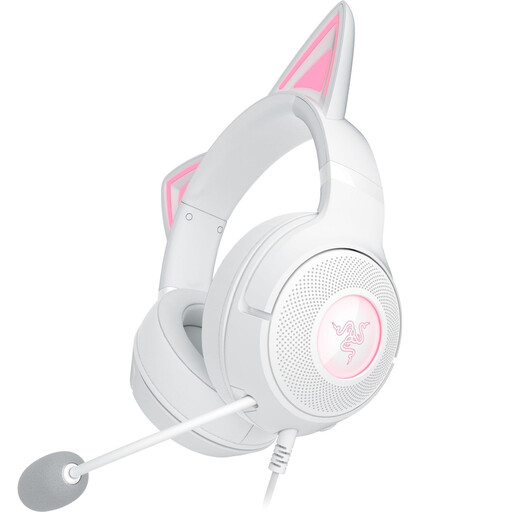
Razer Kraken Kitty V2 Wired USB, White
The wired USB version is worth considering if your recording device supports USB audio; check that your recording software recognises the microphone.
View at Joybuy
 No image available
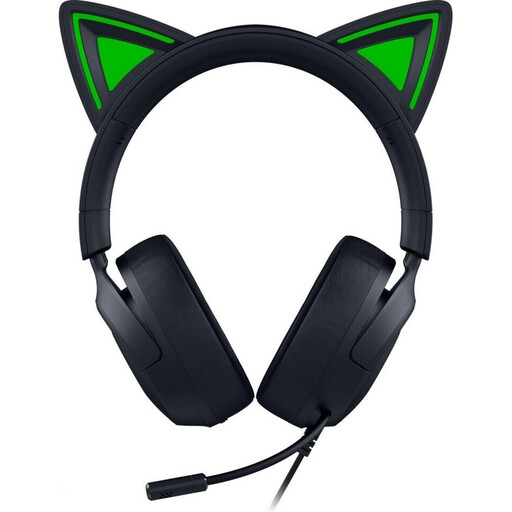
Razer Kraken Kitty V3 X Wired, Black
This wired over-ear gaming headset is an option for a fixed recording setup; check that the connection and microphone input are compatible with your device.
View at Joybuy
 No image available
JBL Quantum 360P Wireless, White
This wireless over-ear model lists Bluetooth 5; check that the connection and microphone input work with your recording device and software.
View at Joybuy
 No image available
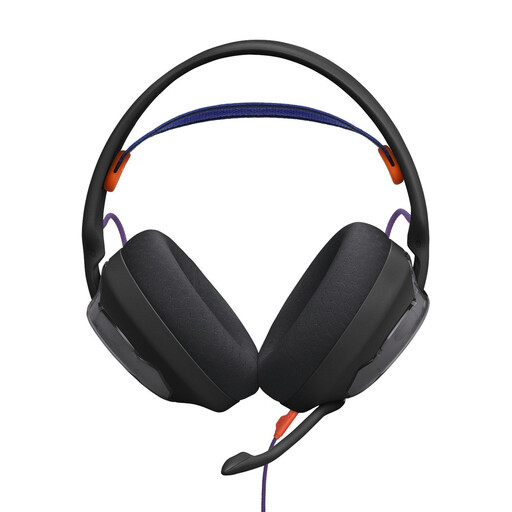
JBL Quantum 250 Wired, Black
This wired over-ear headset is better suited to a fixed setup; before recording, check that your device has the connection and microphone input it needs.
View at Joybuy
 No image available
HyperX Cloud Alpha
The in-line audio controls may be useful at your recording setup; check that they suit your set-up and that your recording software recognises the microphone before you start.
View at Joybuy
Frequently asked questions
Is noise cancellation in my headphones enough to stop my flatmate being heard on the recording?
No. Noise isolation while listening and sound picked up by the microphone are different things. Test a recording with the usual sounds in your room; OBS Project describes the effect of its noise suppression in noisy rooms as limited.
How do I set up two headsets for two people in the same room?
Give each person speaking their own microphone, and listen to each recording track separately before you record an episode. A noise gate can close during pauses in speech, but it won’t automatically remove the other person’s voice while you’re speaking.
What can I do about steady fan noise after recording?
Audacity explains how to reduce noise using a section of audio recorded beforehand that contains only the steady background sound. Individual clicks and changing voices can’t be treated in the same way.
What are my rights if my headset is faulty?
For a consumer purchase in the EU, you’re generally entitled to a minimum two-year legal guarantee from the date you receive the goods, as explained by Your Europe. For an online purchase in Germany, you’ll generally also have the right to withdraw from the contract, usually within 14 days; conditions and exceptions depend on the specific purchase.
Can I simply record someone else’s conversations in the bedroom?
Under certain circumstances, § 201 StGB prohibits recording another person’s private conversations without permission. If other people’s voices could end up in your recording, discuss it with them beforehand and check the specifics of your situation; noise suppression doesn’t give you legal permission.


