What should you look for?
First, decide whether you’d rather use a wired or wireless headset at your desk, and whether you need to hear other people in the room. Then check that the specific model works with your gaming device and offers the fit you prefer.
| What matters |
What to check before buying |
Who is this important to? |
| Dialogue and quiet audio cues |
Where possible, listen to game dialogue and quiet background sounds; don’t judge quality by marketing claims alone. |
If I want to hear conversations and atmospheric details clearly, I pay particular attention to finding a sound profile I like. Around 29% of consumers put dialogue quality first. |
| Comfort during longer sessions |
Check the headband, ear cup size and padding against your own head; look for replacement ear pads if you might need them. |
If I play for longer periods, I want a headset that fits my head and ears. Around 23% of consumers prioritise long-wearing comfort. |
| Noise in the home office |
Decide in advance whether blocking out noise or staying aware of your surroundings matters more; consider other people in the room. |
If there’s background noise in the room or I need to be available to other people, I choose the design to suit my listening environment. Around 18% of consumers focus mainly on this. |
| Connectivity and freedom to move |
Check the connections and what’s included against your PC, laptop or console; for wireless models, make sure the connection mode works with your platform. |
If I want to keep my desk tidy, I need a connection that works with my device. Around 18% of consumers prioritise connectivity and freedom to move. |
| Calls and muting |
Check the microphone and mute function in the app you use; consider whether a detachable or retractable microphone would suit you better. |
If I also use my headset for calls, I want the microphone to work with my device and to be able to mute it when needed. Around 12% of consumers focus on this above all else. |
Headsets at Joybuy
This selection of Joybuy products includes wired and wireless headsets for a range of connections and gaming devices. Before buying, check that the model and connection suit your own setup.
 No image available
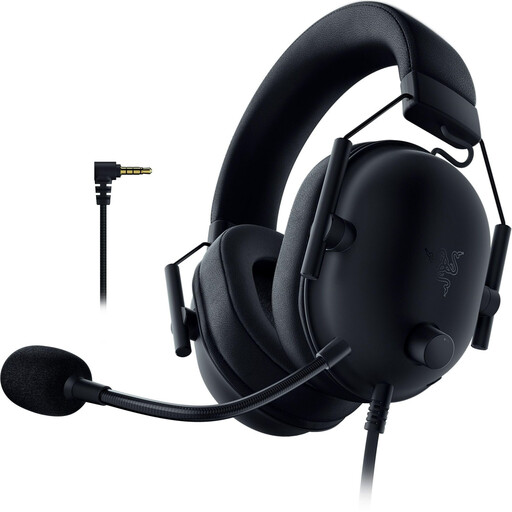
Razer BlackShark V2 X (PlayStation Licensed)
A wired option if you want to play at your desk using a 3.5 mm connection.
Closed-back ear cups with passive noise isolation and a flexible microphone; according to the product description, an adapter is required for Xbox.
View at Joybuy
 No image available
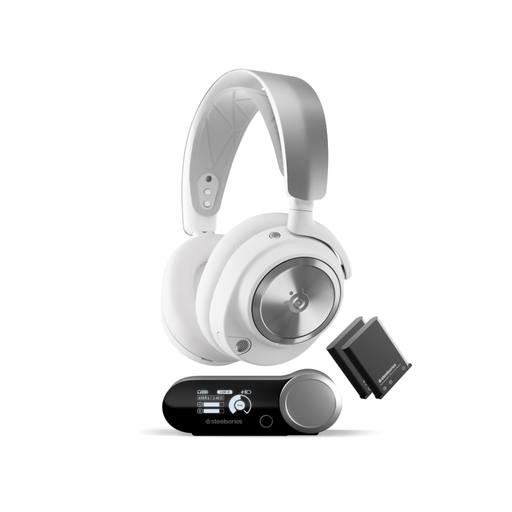
SteelSeries Arctis Nova Pro Wireless, PC and PlayStation, White
A wireless option if you use the connections and devices listed in the product description.
The description lists 2.4 GHz wireless, Bluetooth, active noise cancellation, a base station and interchangeable batteries. It also mentions simultaneous Bluetooth.
View at Joybuy
 No image available
Grand Theft Auto VI (PS5) + JBL Quantum 360P Wireless gaming headset
This bundle is only worth considering if you want both the wireless headset and the included PS5 game.
According to the description, the package includes a digital game code rather than a disc; redemption and download require a PSN account and an internet connection. Rated USK/PEGI 18+.
View at Joybuy
 No image available
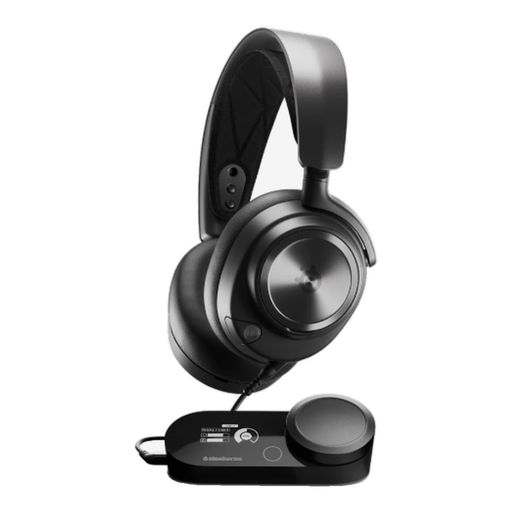
SteelSeries Arctis Nova Pro Wired, PlayStation 5, Black
A wired option if the listed connections work with your gaming device.
The product description lists USB, 3.5 mm, a GameDAC base and a retractable microphone. It also mentions an adjustable fit and swivelling ear cups.
View at Joybuy
 No image available
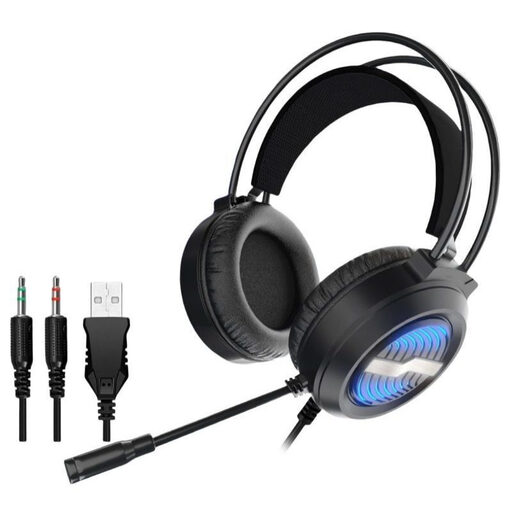
Gaming headset with LED lighting, USB and 3.5 mm connections
A wired option if the listed connections work with your device.
The product description lists USB, two 3.5 mm audio connections, a detachable microphone, padded ear cups and an adjustable headband.
View at Joybuy
Frequently asked questions
Do I need virtual surround sound for puzzle games?
No, virtual surround sound isn’t essential for everyone. First, check that you can hear dialogue and clues clearly through the headset on your device. Razer says the advertised 7.1 mode on the BlackShark V2 X is only available on Windows 11.
Can I use a 3.5 mm headset with my work laptop and console?
Only if the connection and microphone work with both devices. SteelSeries lists the Arctis Nova 1 as compatible with several platforms via 3.5 mm, but the same plug shape doesn’t automatically mean every socket supports all features.
What should I bear in mind about ear pads and volume during longer sessions?
Keep the ear pads clean and check whether replacement pads are available for your chosen model; beyerdynamic lists replacement pads for the MMX 330 PRO. The World Health Organization recommends keeping the volume low and taking breaks during extended listening. Its guideline of an average of 80 dB over a week for up to 40 hours isn’t a one-size-fits-all setting for every headset volume control.
What rights apply when buying a headset online in Germany?
When you buy online from a trader, European Union guidance from Your Europe generally gives you 14 days from receiving the goods to withdraw from the purchase; exceptions and possible return costs should be taken into account. If goods are faulty, EU rules give you at least two years of statutory legal rights against the seller. A voluntary manufacturer’s warranty doesn’t replace these rights.
What conformity information should I check for a headset?
The Bundesnetzagentur explains that manufacturers apply the CE marking on their own responsibility, so check the marking and the information for the specific product. CE isn’t an independent quality mark and doesn’t guarantee good sound.


