Who should consider these options?

Ranked players who prioritise positioning

If you want to distinguish footsteps and directions in-game, compare the sound options and available audio settings rather than relying on a driver count or surround logo alone. CHIP highlights accurate spatial audio and low latency as relevant factors, but that doesn’t tell you which headset will make it easiest for you to pinpoint sounds.

Console players on a big screen

The key question is whether the connection and microphone will work with your specific PlayStation or Xbox. PlayStation Support explains that compatible wireless headsets connect to the console using a USB adapter. For wired models, check the connection on your controller.

Team players with long gaming sessions

For longer matches, clear voice chat, an easy-to-reach mute control and a comfortable fit all matter. HyperX lists a microphone mute indicator for the Cloud III, while beyerdynamic lists velour ear pads and replacement pads for the MMX 150 wireless.

What should you look for when buying?

Priority What to check before buying Who prioritises this?
Sound positioning Check your platform’s audio settings and support for advertised features; compare the sound at a sensible volume. If I want to distinguish footsteps and directions in ranked matches, I look at the audio options on my device. Around 25% of consumers put sound positioning first.
Connection and compatibility Check the headset version, PC or console model, and the connection or receiver. Also make sure the microphone works with the device you plan to use. When playing on a big screen, I want to know that the headset and microphone will work with my specific device. Around 31% of consumers prioritise a suitable connection and compatibility with their own device.
Team chat Check the microphone connection, boom position and mute control. A test recording in your usual gaming environment can help you assess the sound. If I want my team to hear callouts clearly, the microphone and mute control matter to me. Around 19% of consumers see team chat as their top priority.
Comfort and freedom of movement Try the fit for yourself if possible. For wireless models, check the receiver and battery life for the exact version. For longer matches, I want to stay comfortable and move around when needed without having to account for a cable to the controller. Around 25% of consumers put comfort or freedom of movement first.

Common misconceptions

  • ‘Surround’ is automatically an advantage on every console

    According to Razer, the Razer BlackShark V2 X’s advertised 7.1 mode is limited to Windows 11. PlayStation offers its own 3D audio settings for headphones, which aren’t the same as a headset feature.

    Check which features are available on your device, then compare the settings based on what you hear for yourself.

  • ‘Wireless’ doesn’t tell you how the headset connects

    Consoles and headsets can use different wireless connections and receivers. According to beyerdynamic, the MMX 150 wireless’s low-latency mode requires the USB dongle.

    Check the exact model, what’s included in the box, the receiver, console support and microphone functionality together.

    Depending on the model, a compatible receiver or replacement parts may add to the cost.

  • Closed-back earcups don’t automatically block out every voice

    Closed-back earcups and a directional microphone serve different purposes. A manufacturer’s description of the design doesn’t tell you how well other voices in your room will be filtered out of team chat.

    Assess the fit and noise isolation separately from a microphone test recording in your gaming environment.

Brands to consider

HyperX

According to HyperX, the wired Cloud III offers several connection options for the listed PCs and consoles.

  • HyperX lists 3.5 mm, USB-C and USB-A connections, as well as a microphone mute indicator.
  • The listed connections don’t mean that every audio software feature is available on every console.

SteelSeries

According to SteelSeries, the Arctis Nova 7X Wireless Gen 2 is designed for people who want a USB-C dongle and support for several listed platforms.

  • SteelSeries lists Xbox, PC and PlayStation support, plus simultaneous Bluetooth connectivity for a mobile device.
  • These details apply to the 7X Wireless Gen 2 and not necessarily to every version of the Arctis Nova 7.

Razer

The wired BlackShark V2 X is a 3.5 mm option with a positionable microphone.

  • Razer lists a weight of 240 g and closed-back earcups.
  • According to Razer, the advertised 7.1 mode is limited to Windows 11. The design and weight won’t tell you how it will fit you personally.

Xbox

According to Microsoft, the updated Xbox Wireless Headset is designed to pair directly with Xbox consoles.

  • For the updated version, Microsoft lists chat features and battery life of up to 20 hours.
  • Direct Xbox pairing doesn’t guarantee PlayStation compatibility, so check the exact version.

beyerdynamic

According to the manufacturer, the MMX 150 wireless combines a detachable microphone, velour ear pads and several connection options.

  • beyerdynamic lists up to 50 hours of battery life and replacement ear pads as available.
  • According to the manufacturer, low-latency mode requires the USB dongle. Check the connection method for your console.

Joybuy product selection

This selection includes wired headsets for compatible controller connections, as well as wireless models for specific PC and console setups. Before you buy, check that the connection and microphone will work with your specific device.
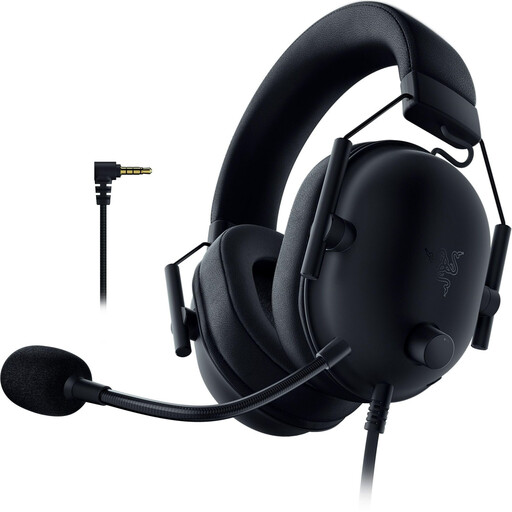
Razer BlackShark V2 X PlayStation Licensed wired gaming headset

Razer BlackShark V2 X (PlayStation Licensed)

A wired option if you play on a PlayStation with a compatible 3.5 mm connection.

3.5 mm connection; flexible cardioid microphone; volume control; 50 mm TriForce drivers.

Wired use requires a compatible connection on the device you plan to use.

View at Joybuy
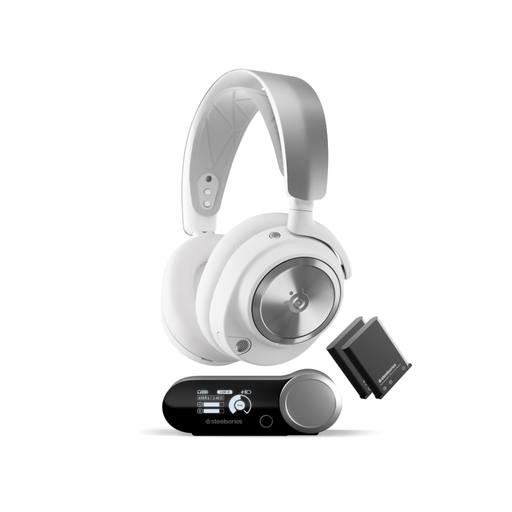
SteelSeries Arctis Nova Pro Wireless for PC and PlayStation

SteelSeries Arctis Nova Pro Wireless

A wireless option for PC or PlayStation if the listed base station and platform support suit your setup.

Wireless base station; ANC; Bluetooth; two hot-swappable batteries; detachable microphone.

Check that the exact version is compatible with your console and supports the connection method you need.

View at Joybuy
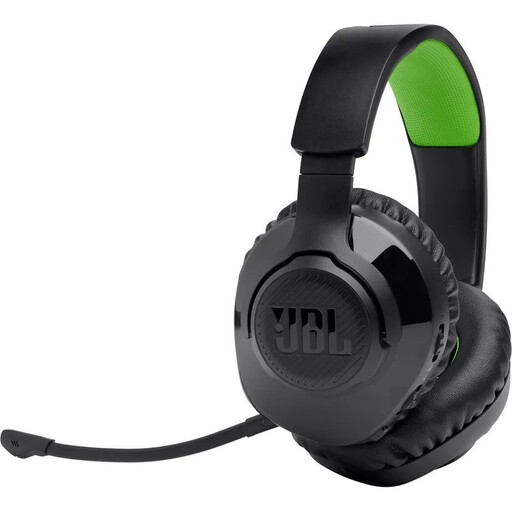
JBL Quantum 360X for Xbox, wireless gaming headset

JBL Quantum 360X for Xbox

A wireless option for Xbox if the listed platform support matches your device.

2.4 GHz wireless and Bluetooth; up to 22 hours of battery life; detachable microphone with mute function; listed as chargeable while gaming.

Check that your Xbox supports the specific connection method.

View at Joybuy
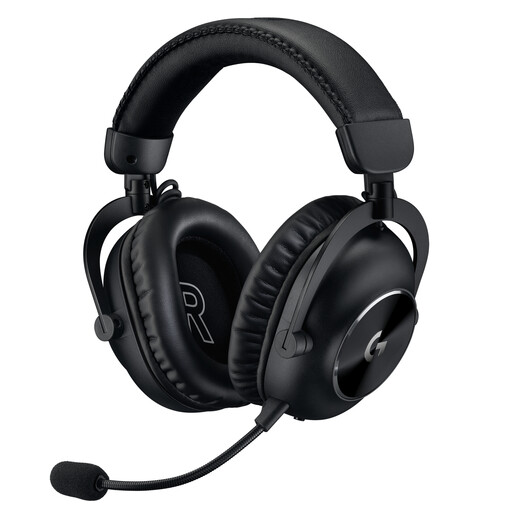
Logitech G PRO X 2 LIGHTSPEED wireless gaming headset

Logitech G PRO X 2 LIGHTSPEED

A wireless option for team chat if the connection method and listed platform support suit your setup.

LIGHTSPEED wireless; DTS Headphone:X 2.0; detachable 6 mm cardioid microphone; up to 50 hours of battery life.

PS5 and PS4 compatibility is listed for the product version described.

View at Joybuy
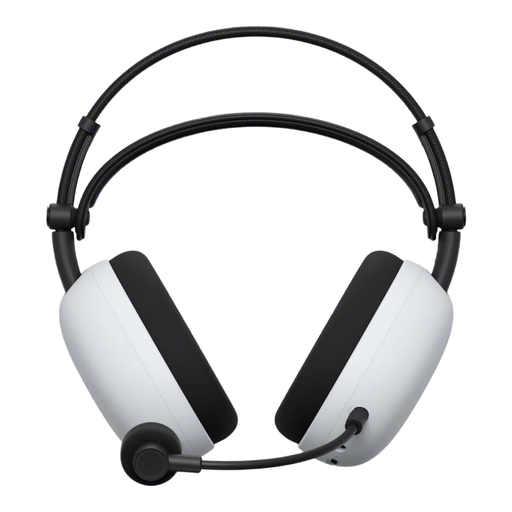
Sony INZONE H9 II wireless gaming headset

Sony INZONE H9 II

A wireless option for PC or PS5 if the listed USB-C adapter suits the connection method you need.

2.4 GHz wireless; Bluetooth 5.3; retractable microphone with mute function; up to 30 hours of battery life; 260 g.

The listed PC and PS5 support applies to the product version described.

View at Joybuy

Frequently asked questions

Do I need to connect the headset to my TV?

Not necessarily: the right connection depends on your device and headset. PlayStation Support describes connecting compatible PS5 wireless headsets to the console using a USB adapter. HyperX lists 3.5 mm among the connection options for the wired Cloud III. Check that the microphone works with the connection you plan to use, too.

How do I set up 3D audio for headphones on PS5?

Sony describes a personalised profile and presets under ‘Settings > Sound > 3D Audio (Headphones)’. The setup for TV speakers is separate, so compare the headphone setting with your headset.

How can I avoid listening at too high a volume during long matches?

The World Health Organization recommends considering volume and listening time together, taking breaks and avoiding turning the volume up to drown out background noise. This advice relates to hearing exposure; it doesn’t guarantee a particular setting on any specific headset.

What should I do if my headset develops a fault after buying it in Germany?

If a product is faulty, your statutory consumer rights are against the seller and are separate from any voluntary manufacturer’s warranty. The Verbraucherzentrale explains that for newly purchased goods, statutory rights apply for two years after delivery or receipt. If a fault occurs, the first step may be to ask the seller to repair or replace the product.