Players focused on audio timing
If you train with time-sensitive in-game sounds, check the connection and compatibility with your device first. A headset plays audio signals, but there is no evidence that it improves human reaction time.


For time-sensitive in-game sounds, a wired headset is an obvious choice if your device has the right port and you can route the cable safely. RTINGS notes that a wired connection is relevant when aiming for the lowest possible audio latency. If a cable gets in the way on your small desk, a model with a 2.4 GHz USB dongle could be an option, provided your gaming device supports it. There is no evidence that any of the headsets mentioned will make you react faster.
If you train with time-sensitive in-game sounds, check the connection and compatibility with your device first. A headset plays audio signals, but there is no evidence that it improves human reaction time.
If a cable gets in the way of your mouse and keyboard, a compatible USB dongle could be an alternative. Check that you can connect the dongle to your device and position it conveniently on your desk.
For repeated or longer sessions, a comfortable fit, clear voice chat and a moderate volume matter. You can’t determine how comfortable a headset will be from its weight alone.
| Buying priority | What to check | Who is this important to? |
|---|---|---|
| Audio connection | Check whether a wired connection or 2.4 GHz dongle works with your gaming device. | If you want a suitable connection for time-sensitive in-game sounds, check the port rather than relying on the word ‘wireless’ alone. Around 36 % of consumers put the audio connection first. |
| Desk space and cable routing | Check the available USB port, space for the dongle and the cable route. | If I want to move my mouse and keyboard in a confined space, I make sure the cable or dongle won’t get in the way on my desk. Around 29 % of consumers prioritise a tidy desk. |
| Fit and listening exposure | Assess the fit and weight of the specific model, and plan regular listening breaks. | For longer practice sessions, I want a comfortable headset and a moderate volume. Around 21 % of consumers prioritise comfort and listening exposure. |
| Voice chat | Check the microphone connection, position and mute controls on both the headset and gaming device. | If I need clear callouts during team practice, I look for a suitable microphone and the right connection. Around 14 % of consumers put team communication first. |
Bluetooth and a separate dongle connection are different ways to connect. The word ‘wireless’ alone doesn’t tell you which connection your gaming device uses.
Check which connection is intended for your device and the specific model, and see whether the dongle is included.
An incompatible port or awkward cable route can make a headset harder to use at a small desk. The PC cable documented for the beyerdynamic MMX 300 PRO has two 3.5 mm plugs.
Compare the connections on your device and plan where the cable can run before you buy.
You may need a suitable adapter.
Higher volume is no proof of faster reactions. The World Health Organization explains that both volume and the duration of noise exposure matter for your hearing.
Keep the volume moderate and take listening breaks instead of turning it up as a substitute for a suitable connection.
The INZONE H9 II is a wireless option for a desk where you don’t want a headset cable getting in the way.
The Arctis Nova 5 Wireless is aimed at users who want to switch between gaming via a USB-C dongle and Bluetooth.
The MMX 300 PRO is a closed-back wired headset. According to the manufacturer, the MMX range also includes an open-back wired version.
The Xbox and PlayStation versions of the Maxwell are separate options. Check which one is compatible with your console.
According to RTINGS, the PRO X 2 LIGHTSPEED Wireless can be used via a dongle, Bluetooth or a wired connection.
This selection includes wireless headsets with a 2.4 GHz dongle, as well as wired models for different connection options on your gaming device.
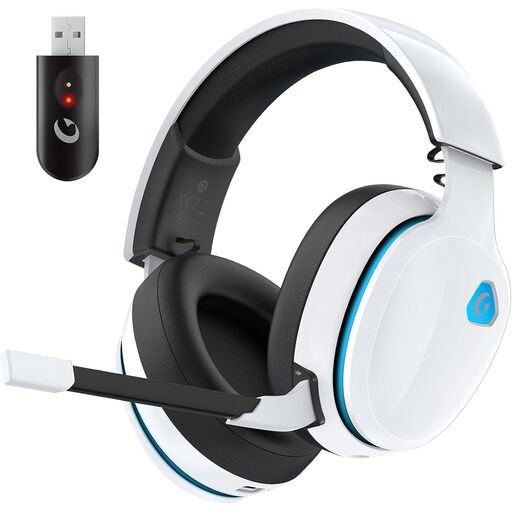 No image available
Could suit you if you want to keep a headset cable off your desk and your gaming device supports the dongle.
The product details list a 2.4 GHz USB dongle, a detachable 3.5 mm cable, a detachable microphone with echo cancellation and memory foam ear pads. A compatible USB port is needed for the dongle connection.
 No image available
An option if you want to use a 2.4 GHz dongle and also need a wired mode.
The product description lists a 2.4 GHz USB dongle, a wired mode, a detachable microphone and breathable ear pads. A USB port is needed for the dongle connection.
 No image available
Could work well at a small desk if you want to game wirelessly and the USB receiver is compatible with your device.
The product details list a weight of 236 g, a USB receiver, a flip-to-mute microphone and up to 33 hours of battery life.
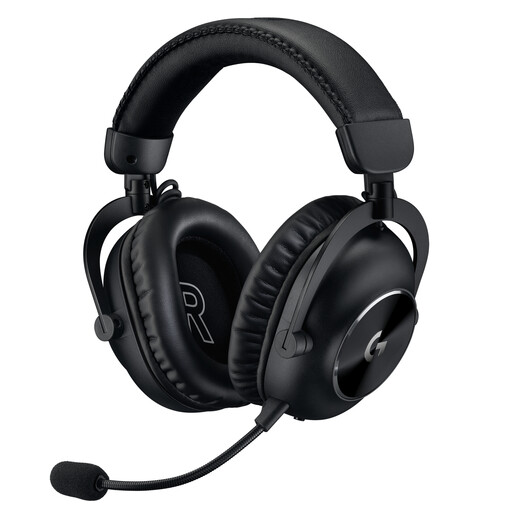 No image available
Could suit you if you want a wireless connection as well as the option of using a 3.5 mm connection.
The product details list 2.4 GHz LIGHTSPEED, a USB-A receiver, an additional 3.5 mm connection, a detachable microphone and up to 50 hours of battery life. The receiver uses USB-A.
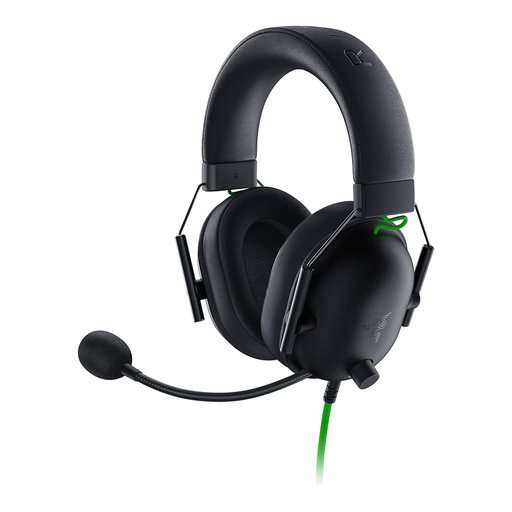 No image available
A wired option if your gaming device has a compatible 3.5 mm port and you can route the cable across your desk.
The product details list a 3.5 mm connection, a cardioid microphone, a weight of 240 g, 50 mm drivers and memory foam ear pads. Plan a cable route that won’t get in the way of your mouse and keyboard.
Not simply because it’s labelled Bluetooth. Check which connection the specific headset supports on your gaming device. SteelSeries says the Arctis Nova 5 Wireless lets you switch between Bluetooth and its 2.4 GHz gaming dongle.
First check which ports are free on your gaming device. With a wired headset, the cable shouldn’t get in the way of your mouse and keyboard; with a wireless model, you’ll need a compatible port and space for the dongle. The PC cable documented for the beyerdynamic MMX 300 PRO has two 3.5 mm plugs.
Keep the volume moderate and take listening breaks. The World Health Organization explains that both the level and duration of noise exposure matter. This doesn’t mean that a particular headset will automatically keep the volume at a safe level.
Under EU consumer law, purchases from a trader are generally covered by a statutory minimum guarantee of two years from the date you receive the goods. An additional manufacturer’s guarantee cannot reduce these statutory rights; the seller is responsible for statutory claims.
For the electrical and radio equipment it oversees, the Federal Network Agency checks, among other things, the CE marking and product and manufacturer details. The CE marking is the manufacturer’s declaration that the product meets applicable requirements; it is not an independent quality mark for gaming performance. The requirements depend on the specific product.