Players focused on timing
If you react to audio cues, check the actual signal path and any potential delays before weighing up sound effects as a deciding factor.


For time-critical in-game cues, first check whether a suitable wired connection or 2.4 GHz receiver will work with your setup; Bluetooth isn’t automatically an equivalent option. In a 2023 article on audio latency, RTINGS.com described differences between connection types and codecs, including additional Bluetooth delay compared with a wireless receiver in the test setup. This says nothing about reducing human reaction times. You should also consider how easy it is to locate sounds in the game you play, how the headset fits and the noise levels in your home office.
If you react to audio cues, check the actual signal path and any potential delays before weighing up sound effects as a deciding factor.
For longer sessions, it matters whether the fit and adjustability work for you. If possible, assess comfort over a training session of your usual length.
If you switch between training and calls, or share the room with other people, consider the microphone, mute controls and how much game audio can be heard outside the headset.
Start with the connection and the game mode you actually use for training. Then check whether you can distinguish in-game cues, and whether the fit, microphone and design suit your home office.
| What matters | What to check before buying | Who it matters most to |
|---|---|---|
| Timing of audio cues | Check that the connection is suitable for your PC, which wired or receiver mode you’ll use, and any measurements for the specific model and test setup. | If I need to react to in-game cues at the right moment, I want to assess the signal path before sound effects. Around 29% of consumers put timing first. |
| Clarity and direction of sounds | Listen to familiar in-game scenes in stereo and, if available, with sound profiles enabled, keeping the volume similar. | If you want to distinguish sounds clearly and work out where they’re coming from in your game, test the features in that game. Around 23% of consumers prioritise positional audio. |
| Fit during longer sessions | Check the adjustment range and fit during a typical training session if possible; don’t assume the ear cushions are replaceable unless this is confirmed for the specific model. | If I train at my desk for longer periods, I want to know whether the fit works for me. Around 18% of consumers say long-term comfort is their main concern. |
| Room noise and calls | Test the microphone and mute controls in your own room; if the headset is open-back, consider how much sound may leak out. | If you need to balance training and calls in a home office, voice quality and room noise matter most. Around 18% of consumers put these requirements first. |
| Connections and switching devices | Check the model variant, PC connection, receiver and whether you’ll need to switch between your gaming device and phone. | If I use a particular PC or secondary-device setup, I want to be sure the connections I need are supported. Around 12% of consumers prioritise device compatibility. |
Audio latency can vary between connection types. SteelSeries describes the Arctis Nova 5 as switching between 2.4 GHz and Bluetooth, rather than playing both sources at the same time.
Check which connection you’ll actually use for training, and whether calls are possible at the same time or only after switching modes.
A sound profile is neither a measurement of your reaction time nor proof that you’ll locate sounds more accurately in every game.
Compare familiar cues in your own game with and without extra sound processing, keeping the volume similar.
With an open-back headset, game audio may be audible to people nearby. COMPUTER BILD notes this sound leakage with the INZONE H6 Air.
Factor in anyone else sharing your home office and the volume you normally listen at.
The original Audeze Maxwell has different USB and low-latency wireless support in its Xbox and PlayStation versions. A warranty also doesn’t mean the headset has the right connection for your setup.
Check the model variant, device and connection separately before buying. Also distinguish your statutory rights from a voluntary manufacturer’s warranty.
The notes below refer to the models and product lines mentioned, not to a brand’s entire range.
The Cloud III is a wired option for a dedicated gaming space, for both gaming and calls.
The Arctis Nova 5 is designed to switch between a 2.4 GHz gaming connection and Bluetooth calls; the Nova Elite connects multiple devices via a separate GameHub.
The MMX 300 PRO is a closed-back, analogue headset for a dedicated setup, with replaceable parts if that’s important to you.
The INZONE H9 II is a wireless model with noise cancelling; the INZONE H6 Air is a wired, open-back alternative for quieter, private rooms.
The original Maxwell remains a wireless option and a useful example of why it’s important to choose the right Xbox or PlayStation variant.
This selection from Joybuy includes wired USB-A and wireless gaming headsets for your desk. Before buying, check the connection you need, the specific gaming mode and compatibility with your device.
 No image available
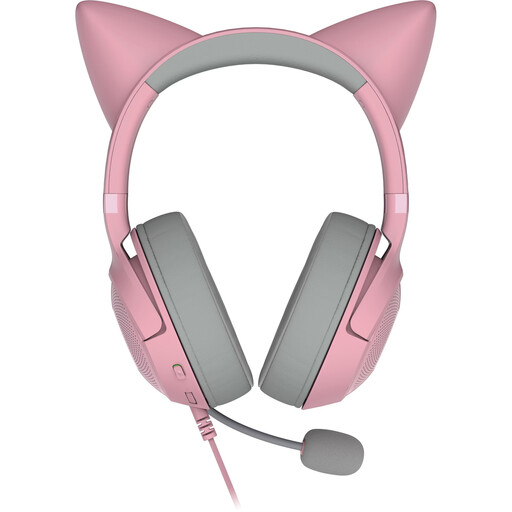
For a dedicated PC setup with USB-A and calls via the detachable microphone; virtual surround sound alone doesn’t prove better positional audio.
USB-A; over-ear design; detachable microphone.
 No image available
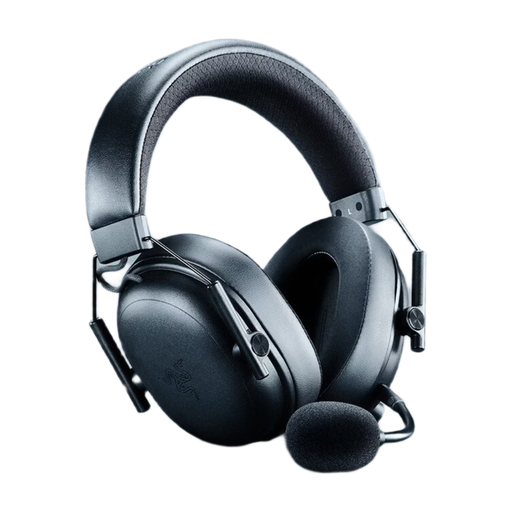
For wireless training with a USB dongle; check that your device supports the receiver provided and which signal path you’ll actually use.
Wireless gaming headset; colour: Black.
 No image available
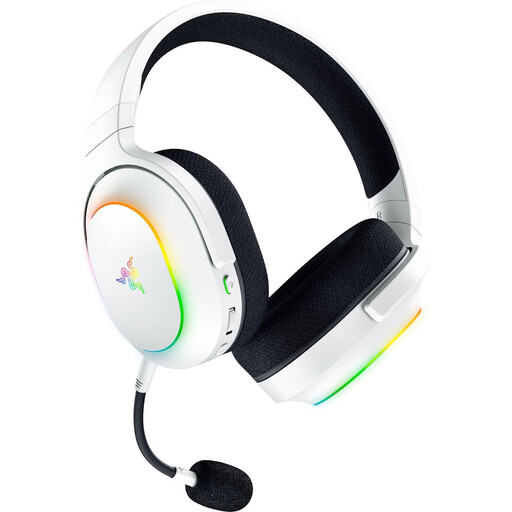
If you want to switch between gaming and phone connections, check the intended operating mode; having multiple connection types doesn’t automatically mean you can use them at the same time.
2.4 GHz and Bluetooth 5.3; up to 70 hours of battery life; 285 g; detachable microphone.
 No image available
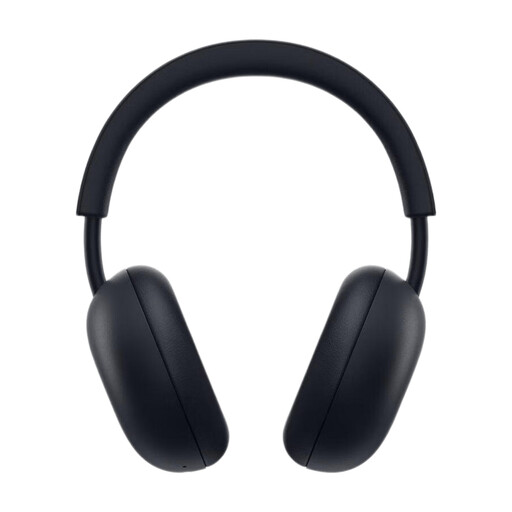
For a PS5 setup with game audio and an additional phone connection; check that the connections provided fit the way you use your devices.
PlayStation Link and Bluetooth; up to 30 hours of battery life; colour: Midnight Black.
 No image available
The boom microphone is worth considering if you take calls in your home office. If you want to use the wired 3.5 mm connection, check whether the required cable is included with the specific variant.
Bluetooth 5; up to 22 hours of battery life; ANC; boom microphone.
You can’t draw that conclusion from headset features. Latency tests measure audio transmission delay under specific test conditions, not an individual’s training results.
Once connected, select the right playback and recording devices in your PC’s sound settings, then make a test recording. HyperX’s quick-start guide explains these steps for the Cloud III’s USB setup and describes its microphone mute indicator.
Keep the volume moderate: the German Environment Agency warns that high sound levels and prolonged exposure can harm your hearing and cause permanent damage. Check replacement parts using the exact model name; beyerdynamic says that the MMX 300 PRO ear cushions fit this model only.
In Germany, statutory consumer rights are separate from a voluntary warranty. If there’s a fault, check your statutory rights and any warranty terms separately; a warranty is subject to its own terms and conditions.
The German Federal Network Agency lists checks including whether the CE mark is present and correct, and whether the product and manufacturer details are accurate. This conformity check isn’t a measurement of gaming latency.