Replay analysts at a dedicated PC setup
You listen back to gameplay repeatedly and want to judge differences in sound without making space for extra connections you rarely use.


If you mainly review replays at a dedicated PC setup on your own, a straightforward wired or dongle headset is usually a better fit than an extra GameHub that you only need for multiple audio sources. Decide whether you prefer freedom of movement or a direct connection, and consider background noise, fit, the microphone and compatible connections. A promoted audio feature alone doesn’t prove that you’ll be able to distinguish sounds in your replays more clearly.
You listen back to gameplay repeatedly and want to judge differences in sound without making space for extra connections you rarely use.
You want to reduce cables and extra devices, while deciding whether you need to block out background noise.
You wear your headset for longer periods and discuss what you’ve noticed on voice chat, so fit and microphone quality are separate criteria to consider.
A good fit if: You usually sit in the same place and outside noise gets in the way when listening back.
Consider: You’ll need to manage the cable on a small desk. Also check that the MMX 300 PRO’s connections are compatible with your device.
A good fit if: Keeping headset cables off your desk matters more to you than having to charge it.
Consider: Check that you have a compatible USB port. Sony states that the INZONE H9 II offers up to 30 hours of battery life with noise cancelling switched off.
A good fit if: Your room is quiet and you want to stay aware of your surroundings.
Consider: According to COMPUTER BILD, the INZONE H6 Air lets sound escape and blocks less noise than a closed-back model.
A good fit if: You regularly connect or mix multiple audio sources.
Consider: The GameHub takes up extra space. COMPUTER BILD also criticises the Arctis Nova Elite for its limited adjustability to fit your head.
For analysing replays at a small desk, it’s worth first deciding what matters most to you, then checking the connection, design and fit against that priority.
| Priority | What to check when buying | Who is it important to? |
|---|---|---|
| Comparing sound | Compare the same replay moment at a consistent setting and moderate volume. | I want to make sense of gameplay sounds across repeated playbacks, without treating changing sound profiles as proof. Roughly 27% of consumers put comparing sound first. |
| Space and connection | Check cable management, available USB and audio ports, and whether you really need multiple sources. | At a small desk, I want to keep cables and extra devices to a minimum while still connecting the sources I need. Roughly 27% of consumers prioritise clear desk space and a suitable connection. |
| Comfort during long sessions | Assess the fit and padding during a typical session; compare weight figures only when they’re measured on the same basis. | If I spend a long time listening back to replays, I want my headset to feel comfortable. Roughly 20% of consumers put long-wearing comfort first. |
| Voice chat | Listen to a test recording on the PC or console you actually use. | I want to be able to discuss what I’ve noticed clearly with my team, so I check the microphone on the device I use. Roughly 13% of consumers prioritise voice calls. |
| Device connection | Check the device, connection, adapter and microphone features against the full model variant. | My headset needs to work with the device I use to play replays. Roughly 13% of consumers put device compatibility first. |
A sound profile describes a setting, but on its own it doesn’t prove that you’ll be able to distinguish relevant sounds in your replays more clearly.
Compare the same replay moment at a consistent setting and moderate volume, rather than relying on a single marketing feature.
According to SteelSeries, the Arctis Nova Elite’s GameHub is designed to connect and mix multiple sources. If you’re listening to a single PC source, you may not need these extra features.
Count the audio sources you actually use at the same time before choosing between a GameHub, dongle and cable.
For the open-back INZONE H6 Air, COMPUTER BILD notes that sound escapes. Bear this in mind if background noise is distracting or other people share your desk.
Choose a design that suits your surroundings and consider whether sound escaping could bother anyone nearby.
The models described range from the wireless INZONE H9 II with USB-C transceiver to the wired, open-back INZONE H6 Air.
The MMX 300 PRO is a closed-back, wired model for a dedicated listening setup.
The Cloud III is a wired option with several connection choices.
The models described here include the Arctis Nova 5 Wireless with dongle and Bluetooth, and the Arctis Nova Elite with GameHub.
According to Logitech, the PRO X 2 LIGHTSPEED lets you choose between wireless, Bluetooth and a 3.5 mm connection.
The Joybuy models below include wired and wireless gaming headsets. Compare their connections and cable management with your setup, and remember that wireless models need charging.
 No image available
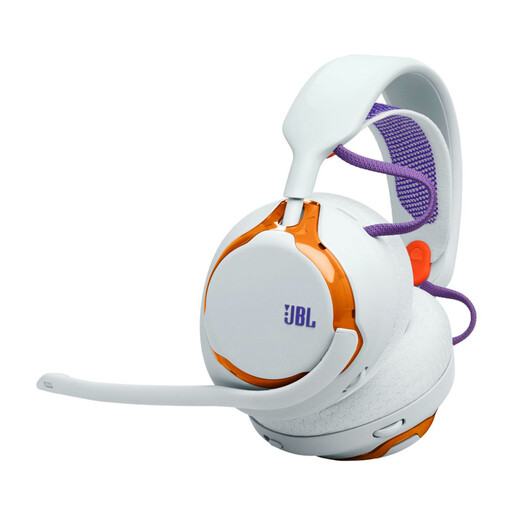
A wireless option if you want to keep your headset cable off a small desk.
The product description lists a connection via 2.4 GHz dongle or Bluetooth, as well as replaceable components. You’ll need a compatible USB port for the dongle connection; according to the description, there’s no audio jack.
 No image available
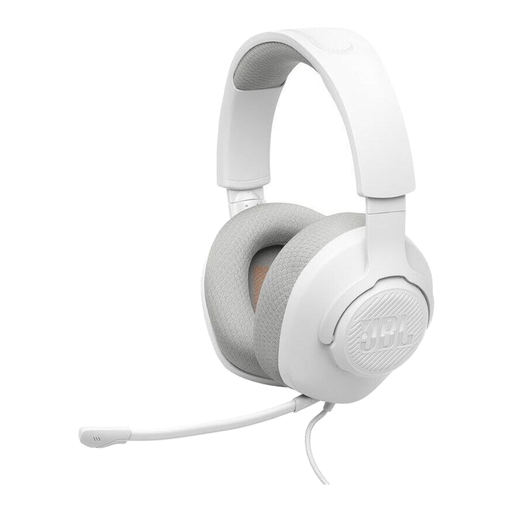
A wired option for a dedicated listening setup if you don’t want to charge a battery.
The product description lists a 3.5 mm connection and a detachable microphone with mute function. Check that your device has the right port and plan how you’ll manage the cable on your desk.
 No image available
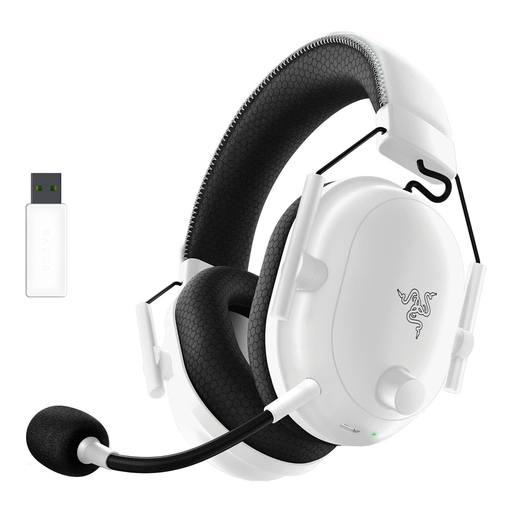
A wireless option if you want fewer headset cables on your desk while listening back to replays.
The product description lists a detachable microphone unit, passive noise isolation and USB-C charging. Remember to charge it and check that the wireless connection is compatible with your device.
 No image available
A wireless option for a tidy listening setup if you can use a compatible wireless connection.
The product description lists LIGHTSPEED Wireless, a flip-to-mute microphone and USB-C charging. According to the description, there’s no physical audio jack.
 No image available
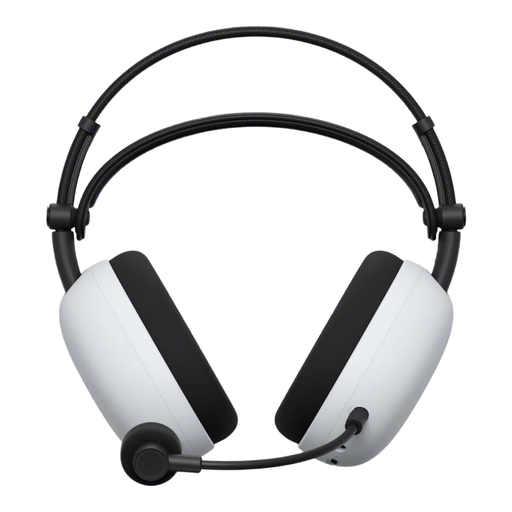
A wireless option if you want fewer headset cables on a small desk and also want to use noise cancelling.
The product description lists a USB-C wireless connection, Bluetooth, a 3.5 mm mode and a retractable microphone. Sony states that it offers up to 30 hours of battery life with noise cancelling switched off; check that the connection is compatible with your device.
Yes, if the space is quiet and sound escaping won’t disturb anyone else. The INZONE H6 Air is open-back; COMPUTER BILD notes that sound escapes from this model.
Keep the setting the same when comparing the same moment in a replay. This lets you judge differences in sound without confusing changes to the profile with differences in the game audio.
Test audio playback and voice recording on the device and in the app you actually use. HyperX lists 3.5 mm, USB-C and USB-A connections for the Cloud III. With the analogue MMX 300 PRO, check which plugs you need and whether you’ll need a console adapter.
Check the fit and padding during a session that’s typical for you, and keep the volume moderate. The World Health Organization recommends keeping the volume low and giving your ears regular breaks; this isn’t a legal product limit.
When you buy from a business seller in the EU, you’re generally entitled to a minimum two-year legal guarantee from the date you receive the goods. This is separate from any additional manufacturer’s guarantee. Consumers who buy online generally have a 14-day right to withdraw from the purchase, subject to relevant exceptions. Your Europe and the Council of the European Union explain these rules.