What should you look for when buying?
Closed-back and wired
A good fit if: you play in one place and have a suitable connection.
Things to consider: the cable and plug need to suit your gaming setup and device; closed-back earcups can’t guarantee that no sound will leak out.
Closed-back and wireless
A good fit if: you value freedom of movement and your device supports the receiver for the specific model.
Things to consider: allow for charging and find a suitable port for the receiver. ANC affects what you hear through the earcups; it doesn’t automatically reduce sound leakage.
Open-back design
A good fit if: you want to hear the other person in the room and sound leaking from your game is acceptable where you play.
Things to consider: open-back earcups typically let in more outside noise and allow more game audio to escape than closed-back designs.
In a shared bedroom, consider sound leakage, dialogue clarity, fit, voice chat and device connectivity separately.
| Priority |
What to look for |
Who it matters most to |
| Being considerate in a shared room |
Check the earcups, how the cushions fit and how much sound leaks at your usual volume. ANC doesn’t indicate how much sound escapes. |
If you play while someone nearby needs peace and quiet, you’ll want to keep sound leakage to a minimum. Around 26% of consumers put minimising sound leakage first. |
| Dialogue and game audio |
Use familiar parts of a game to assess dialogue, music and subtle sounds at a sensible volume. Only factor in software features if they’re available on your device. |
If voices and atmosphere are what make an adventure appealing to you, you’ll want to follow both clearly in-game. Around 21% of consumers prioritise story-focused audio. |
| Comfort during longer sessions |
Check for pressure, room for your ears, warmth and how the headset fits with glasses during a realistic period of wear. Weight alone says little about how well it will fit you. |
If you play for longer stretches, your headset should feel comfortable. Around 21% of consumers make comfort their top priority. |
| Voice chat |
Make a test recording with typical room noise and check the microphone position and mute button. Don’t confuse microphone noise filtering with ANC. |
If you chat with teammates, you’ll want them to hear you clearly without picking up unnecessary voices from the room. Around 16% of consumers prioritise clear voice chat. |
| Connectivity and compatibility |
Check your gaming device, the exact headset version, the connections for audio and microphone, and, if needed, the receiver and somewhere to charge it. |
If you’re looking for a headset for a particular console or PC, make sure the intended connection will work. Around 16% of consumers put device compatibility first. |
Gaming headsets at Joybuy
This Joybuy selection includes gaming headsets for use in a shared bedroom. Check connectivity, fit and sound leakage separately for each model.
 No image available
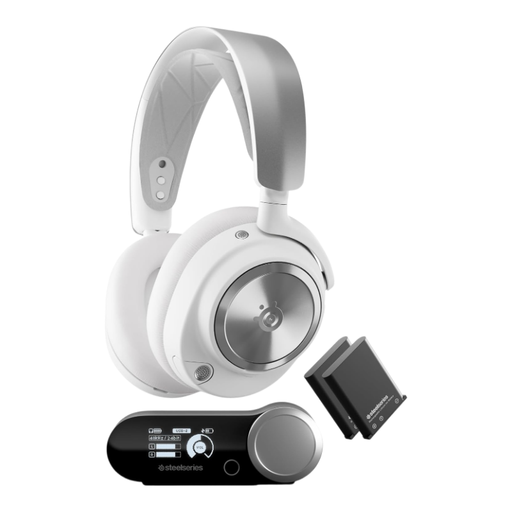
SteelSeries Arctis Nova Pro Wireless, White
This model may be worth considering as a wireless option for gaming with voice chat. Check that the wireless base station’s connection suits your gaming device; the product details specify USB-A.
Joybuy
 No image available
JBL Quantum 360P, wireless, White
A wireless option for gaming and voice chat; make sure the intended connection suits your gaming device.
The product name lists Bluetooth 5, ANC, a boom microphone and up to 22 hours of battery life. Compatible devices listed include PlayStation, PC, Mac and Switch.
Joybuy
 No image available
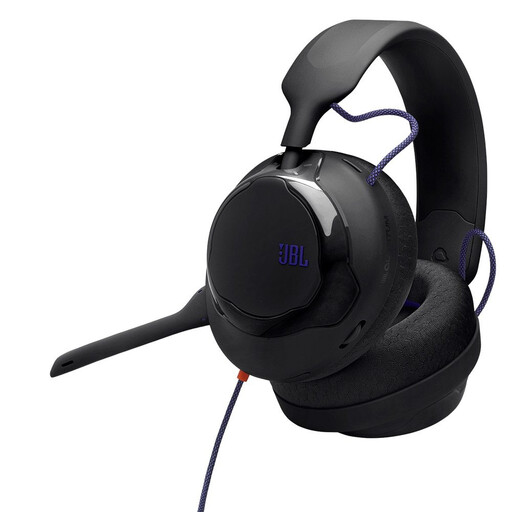
JBL Quantum 120, wired, Black
A good option for a permanent gaming setup if you’re looking for a wired over-ear headset. Check that the connections for audio and microphone work with your PC or console.
Joybuy
 No image available
HyperX Cloud Alpha with in-line audio controls
This may suit a permanent gaming setup if you value controls on the cable. Before buying, check the connections and microphone features of the specific set.
Joybuy
 No image available
ONIKUMA GT889, wireless and wired
The product name lists 2.4 GHz wireless and a wired mode. This could be useful if you want to choose between connection types; check compatibility with your gaming device.
Also listed are 50 mm drivers, LED lighting and a noise-cancelling microphone.
Joybuy
Frequently asked questions
Is Bluetooth enough for a headset on PS5?
No. Bluetooth alone doesn’t guarantee compatibility. PlayStation Support notes that a Bluetooth audio device connected directly to the PS5 may be incompatible. Check which USB receiver or audio connection the specific headset supports, and whether the microphone works through it too.
Does ANC make your microphone noise-free during voice chat?
No. ANC in the earcups affects the sound you hear; the microphone and its audio processing are what matter for voice chat. Make a test recording with the usual sounds in your room and check whether you can mute the microphone quickly.
Can the other person hear nothing when you use a closed-back headset?
You can’t assume that. RTINGS notes that closed-back headphones can still leak sound. At your usual volume, check how much sound reaches the other person’s spot in the room.
How do I set up a wireless headset for voice chat?
Connect the supplied receiver to a supported port, select your input and output devices on your gaming device, then make a test recording with typical room noise. According to SteelSeries, Quick Switch on the Arctis Nova 5 Wireless switches between 2.4 GHz and Bluetooth; only one connection can be active at a time.
How can I listen more safely during long gaming sessions?
Keep the volume at a sensible level and take listening breaks. The World Health Organization gives up to 40 hours a week at an average of 80 dB, and four hours at 90 dB, as a guide. Without measuring the sound, you can’t use this to work out a safe setting for your headset’s volume control.


