Gamers sharing a bedroom
You want to practise without unnecessarily disturbing the other person with game audio or a loud voice chat. Isolation also includes how much sound escapes; RTINGS.com describes both directions as part of sound isolation.


Start by choosing a headset with a connection that suits your gaming device and lets you pick out quiet in-game cues at a moderate volume. In a shared bedroom, also check how much sound escapes and how loudly you need to speak. A wired headset saves you from charging it, but the cable can get in the way. Wireless models give you more freedom to move, but need a suitable connection and power.
You want to practise without unnecessarily disturbing the other person with game audio or a loud voice chat. Isolation also includes how much sound escapes; RTINGS.com describes both directions as part of sound isolation.
When practising, you pay particular attention to quiet directional and movement sounds, so you need a connection that suits your gaming device. RTINGS.com highlights how easy in-game cues are to pick out, as well as the importance of choosing the right connection for a gaming headset.
You need clear call-outs, an easy-to-reach mute control and a comfortable fit for longer practice sessions. RTINGS.com lists microphone clarity, connectivity and comfort as relevant factors when choosing a headset.
First, check that the connection suits your gaming device. Then compare how well the headset handles in-game cues, keeping the room considerate, team chat and comfort.
| Buying criterion | What to look for | Who is it most important to? |
|---|---|---|
| In-game cues | Listen to familiar game scenes at a moderate volume and check whether important sounds remain easy to distinguish. | If you want to identify movement sounds while practising competitively, the tuning should suit the game you play. Around 25% of consumers put in-game cues first. |
| Being considerate in the room | Check separately how much game audio escapes and how loudly you speak. | If you share a bedroom, you want to practise without unnecessarily disturbing the other person with game audio or your voice. Around 25% of consumers prioritise being considerate in the room. |
| Team chat | Test the microphone with the usual background sounds in your room and check the mute function. | If you regularly speak to a team, clear call-outs and quick muting matter. Around 15% of consumers put team chat first. |
| Connection and freedom to move | Check the gaming device, exact model variant, connection and, if applicable, wireless receiver. | If a cable gets in the way at your usual practice spot or you need a specific connection, check how the headset connects to your device. Around 20% of consumers prioritise connectivity or freedom to move. |
| Comfort | Check the clamping force and space around your ears. Consider whether replacement cushions are available if that matters to you. | If you practise regularly or for long periods, the headset should fit your head comfortably. Around 15% of consumers put comfort first. |
Microphone filters, blocking outside noise and stopping game audio from escaping are different things. The other person in the room will still be able to hear you speaking.
Check sound leakage and how loudly you speak separately, using the headset as you normally would.
Bluetooth, a gaming dongle and different model variants are not automatically interchangeable. SteelSeries specifically lists the Nova 5X as the Xbox variant.
Before buying, check the exact model variant, your gaming device, the receiver and the available connection.
The World Health Organization warns that listening at a higher volume and for longer periods increases the risk of hearing loss.
Assess the fit and isolation at a moderate volume, and take listening breaks.
The wired Cloud III and Cloud III Wireless have different connection options. The wired model can be a useful point of comparison if you practise in one place.
The Arctis Nova 5 Wireless is aimed at buyers looking for a USB-C gaming dongle and switchable Bluetooth.
The MMX 150 wireless is a closed-back model with sidetone, a detachable microphone and listed replacement cushions.
This selection includes wired and wireless gaming headsets for practice and team chat. For each model, check that its intended connection suits your gaming device.
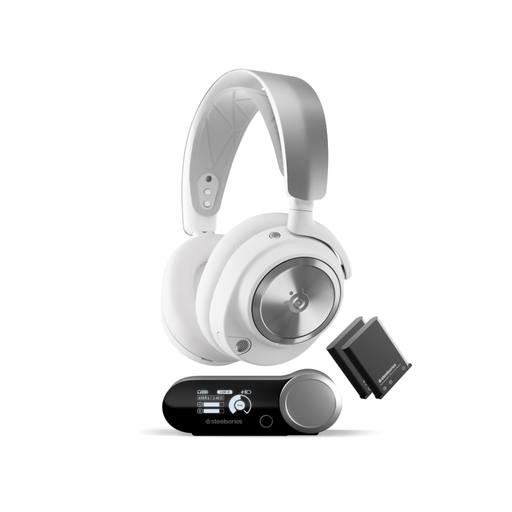 No image available
If you want the freedom of a wireless headset, check that its intended connection works with your gaming device.
The product name lists ANC, 2.4 GHz, Bluetooth and hot-swappable batteries.
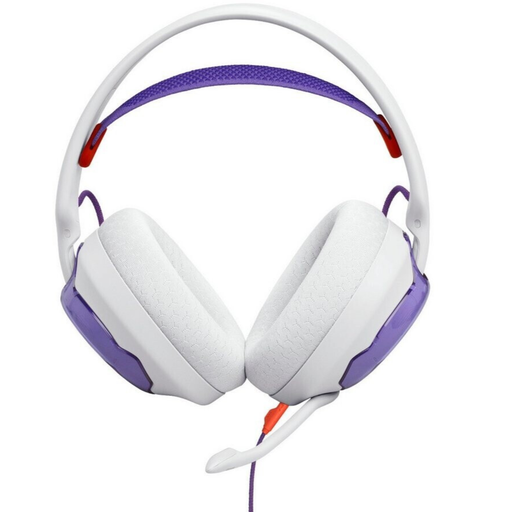 No image available
For a fixed practice spot, check that the wired connection works with your gaming device.
The product name describes a wired over-ear gaming headset.
 No image available
If you practise in one place, check that it has a connection that works with your gaming device.
The product name lists in-line audio controls.
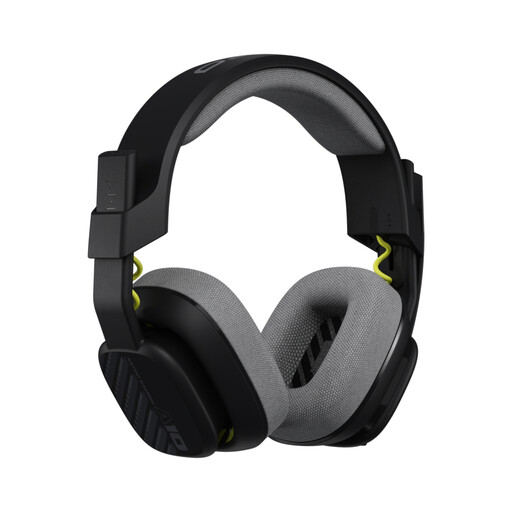 No image available
If you switch between speaking and muting yourself in team chat, the flip-to-mute function listed in the product name may be useful.
The product name also lists a 32 mm driver and PS5, PS4, Nintendo Switch and PC. If your PC has separate audio and microphone sockets, you may need a splitter cable.
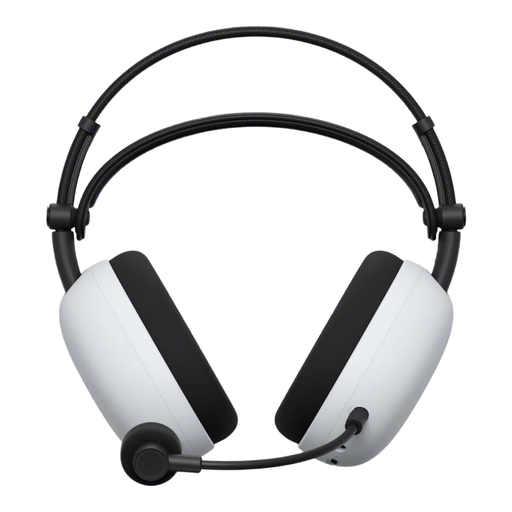 No image available
If you’re weighing up wireless and wired use, check which connections this model supports with your gaming device.
The product name lists USB Type-C and Bluetooth.
No. A preset is no proof that your training will improve. Try it in your own game at a moderate volume and see whether the profile makes relevant sounds clearer; SteelSeries describes highlighting footsteps as a product feature.
Record a short voice sample with the usual sounds in your room and check that the mute control is easy to reach. Microphone noise cancellation affects the recording, not how loudly the other person in the room can hear you speak.
No. PlayStation states that the Bluetooth audio device in the PS5 error message it describes is not compatible. Check which connection your exact headset supports instead of assuming it will work with PS5 just because Bluetooth is listed.
For a consumer purchase, the seller is responsible for the statutory guarantee against defects. The European Union’s consumer information states a minimum period of two years from receipt of the goods; an additional manufacturer’s warranty does not replace this right.
Before buying, check whether replacement cushions are available for the specific model. beyerdynamic lists replacement ear and headband cushions for the MMX 150 wireless; this does not tell you anything about other models.