Being considerate in a shared room
If someone in the same bedroom is reading, working or resting, check the headset’s design and fit, as well as how much game audio can actually be heard outside it.


If someone else needs some peace and quiet in the bedroom, a closed-back headset is a sensible place to start. Still, check how much game audio can be heard outside the headset at your usual volume. For voice chat, microphone position and an easily accessible mute button matter, and you should check connectivity with the specific device you play on. ANC for your ears and noise reduction on the microphone won’t automatically make game audio or your own voice quieter in the room.
If someone in the same bedroom is reading, working or resting, check the headset’s design and fit, as well as how much game audio can actually be heard outside it.
If you coordinate with teammates while other people are talking in the room, look for a well-positioned microphone, clear voice transmission and an easy-to-reach mute button.
If you switch between a PC, console, or game and phone audio, check the exact model variant and connection type, and whether you can switch between connections or use them simultaneously.
A good choice if: you want to minimise game audio escaping and have a compatible cable connection.
The trade-off: You’ll need a suitable route for the cable, and a close-fitting design may make conversations in the room harder to hear.
A good choice if: freedom of movement or switching between devices matters, and the specific model supports the connection you need.
The trade-off: Check the dongle, supported devices and charging requirements. ANC won’t automatically keep game audio or your voice from carrying in the room.
A good choice if: you want to hear your teammates in the room and sound escaping from the headset won’t disturb anyone.
The trade-off: This design is less suited to a quiet, shared bedroom.
First, check how much game audio other people in the room can hear. Then consider the microphone and connection you need for voice chat.
| What matters | What to check when buying | Who is this particularly important for? |
|---|---|---|
| Being considerate in the room | Check the design and fit, and listen for game audio escaping at your usual volume. | When I’m gaming while someone else in the bedroom needs some peace and quiet, I want to minimise the disturbance caused by game audio. Around 36% of consumers say being considerate in the room is their main concern. |
| Voice chat | Check the microphone position and that the mute button is easy to reach. | When I’m talking to teammates while other people are chatting in the room, I want to be clear and able to mute the microphone quickly when needed. About 29% of consumers put voice chat first. |
| Device connectivity | Check the full model variant and its connection to your gaming device. Don’t confuse switching between sources with playing audio from them simultaneously. | When I use a PC and console, or game and phone audio, I need a connection that suits my specific device and listening setup. Around 21% of consumers prioritise device compatibility. |
| Comfort and fit | Check the fit with glasses and the ear cushions. If it’s wireless, consider how often it needs charging. | When I game for long periods or wear glasses, I want my headset to feel comfortable and last for the time I plan to use it. Around 14% of consumers prioritise comfort. |
ANC affects what the person wearing the headset hears; microphone noise reduction affects voice chat. Neither means that other people in the room will barely hear your voice or game audio.
Check the headset’s design and how much sound escapes separately, and speak at a considerate volume.
SteelSeries describes the Nova 5 Wireless as switching between 2.4 GHz and Bluetooth. For the Nova 7 Wireless and Nova Pro Wireless, it describes simultaneous playback.
Check the full model name, receiver and whether you want to hear game audio and a call at the same time.
You may need a different model variant for the connection you want. Before buying, check that it works with your specific gaming device and preferred audio setup.
An open-back design can make conversations in the room easier to hear, but it may not suit your wish to avoid disturbing others with game audio.
Choose one only if being aware of your surroundings matters more to you and the sound escaping is acceptable to others in the room.
The MMX PRO models come in two designs: the MMX 300 PRO is closed-back, while the MMX 330 PRO is open-back. According to the manufacturer, both are wired.
The wired Cloud III and Cloud III Wireless are different variants, and compatibility depends on the model.
Sony describes the INZONE H9 II as a wireless headset with ANC, microphone noise reduction and a 2.4 GHz USB-C dongle.
The Arctis Nova models use different wireless setups: the Nova 5 Wireless switches between 2.4 GHz and Bluetooth, while the manufacturer describes simultaneous playback for the Nova 7 Wireless and Nova Pro Wireless.
The BlackShark V2 Pro range includes wireless gaming headsets.
The selection mainly features wired headsets for gaming and voice chat. The ONIKUMA GT889 is described as offering several connection modes.
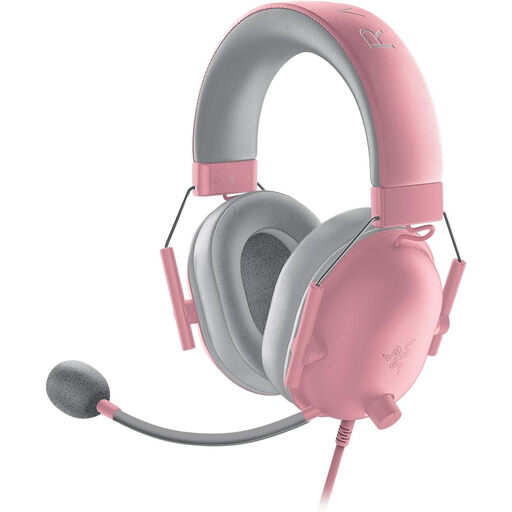 Image unavailable
For a wired gaming session with voice chat: the product description lists closed-back ear cups, a flexible cardioid microphone and an inline microphone mute button.
3.5 mm connection; the description lists PC, Mac, consoles and mobile devices as compatible.
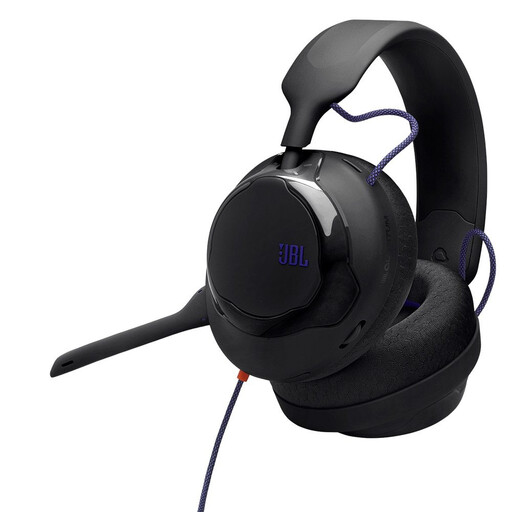 Image unavailable
For a gaming session on a device with a compatible 3.5 mm connection: this is a wired headset.
The product description lists a detachable cardioid microphone with noise reduction, and compatibility with PC, Mac, consoles and mobile devices.
 Image unavailable
For a wired gaming session with voice chat: the product description lists a closed-back design and a detachable microphone with noise cancellation.
3.5 mm connection and inline audio controls; compatible platforms listed include PC, PlayStation, Xbox and Nintendo Switch.
 Image unavailable
For a gaming session where you might need different connection options: it’s listed with a 2.4 GHz dongle, Bluetooth and a wired mode.
The product description lists a detachable microphone with noise cancellation and a microphone mute button. Compatible platforms listed include PS4, PS5, Switch, PC and Mac; this doesn’t mean it can play audio from multiple sources simultaneously.
 Image unavailable
For voice chat on PC: the product description lists a detachable microphone with Blue VO!CE and an external USB sound card for PC audio processing.
A 2 m PC cable and memory foam ear cushions in leatherette and fabric are listed. According to the product description, Blue VO!CE and surround sound require the external USB sound card and a PC.
No. ANC alone won’t make game audio or your own voice quieter in the room. Sony describes ANC on the INZONE H9 II as helping you hear, with microphone noise reduction as a separate feature. So also check how much game audio escapes and speak at a considerate volume in the room.
It depends on the exact model variant. SteelSeries describes simultaneous playback of 2.4 GHz and Bluetooth audio on the Nova 7 Wireless and Nova Pro Wireless; the Nova 5 Wireless switches between connections.
On PS5, you can select your output device under ‘Settings’ and ‘Sound’, then adjust microphone input, mute and microphone level in the Control Centre. PlayStation notes that microphone monitoring isn’t available on every headset.
Keep the volume moderate and take listening breaks. The German Environment Agency notes that both sound level and exposure time can contribute to hearing damage; the workplace exposure limits it cites aren’t general limits for a gaming session at home.