Choose a headset with a connection and microphone that work with your gaming device, then assess how well it helps you locate sounds in the game you actually play at a moderate volume. A wired headset saves you from charging and checking a receiver; wireless models give you more freedom to move, but add battery life and connectivity to the list of things to check. Surround sound claims alone don’t prove you’ll aim better.
Which headsets are right for different players?
Players focused on positional audio
If you want to make sense of footsteps and directions in a shooter, test the sound in the game you actually play rather than assuming that a larger driver or a surround sound logo will give you an advantage. For the VALORANT configuration documented in Patch 7.07, Riot Games advises against using HRTF alongside additional surround virtualisation; this recommendation does not automatically apply to other games.
Players with long practice sessions
If you practise for longer stretches, pay attention to fit and compare wired use with battery life and the receiver. Cushions, weight and adjustability can help you narrow down your options, but they’re no substitute for trying a headset on.
Players using team chat or switching devices
If you practise with teammates or switch between devices, the microphone, mute function and connection need to work with your specific platform. The manufacturers’ information for the Cloud III and Arctis Nova 5 Wireless shows that their connections and operating modes differ.
What should you look for when buying?
| Priority |
What to check before buying |
Who is it important to? |
| Making sense of in-game sounds |
Compare familiar scenes in the game you play, at the same moderate volume and with the audio settings you actually use. |
If I want to make better sense of footsteps and directions, I compare the sound in my own game. Shoppers who prioritise positional audio are likely to make up around 36%. |
| Connection and platform |
Check that your gaming device and the exact model variant match the connector or receiver, microphone operation and items included. |
If I want to use game audio and the microphone on my device without any extra fuss, I check the connection on the exact model variant. Shoppers who care most about a suitable device connection are likely to make up around 29%. |
| Comfort during longer sessions |
Check the fit, clamping force and range of adjustment; if possible, try the headset on with glasses and wear it for a while. |
If I practise for longer, I want a headset that still feels right after a while. Shoppers who prioritise long-term comfort are likely to make up around 21%. |
| Team chat |
Test the microphone and mute function with the platform and chat app you plan to use, for example by making a voice recording. |
If I practise with a team, I want to speak clearly and be able to mute the microphone with confidence. Shoppers who put team communication first are likely to make up around 14%. |
Avoiding buying and usage mistakes
-
Assuming a surround sound logo or large drivers prove better performance
A claim like this doesn’t prove you’ll locate sounds better in your game. Audio processing and in-game settings can interact: in the VALORANT 7.07 patch notes, Riot Games advised against using the HRTF setting described there alongside additional surround virtualisation.
Compare scenes in the game you play at the same moderate volume, and check the game’s current audio options.
-
Assuming wired, wireless and console versions are the same
Models with similar names can have different connections and operating modes. The wrong connection or receiver could mean extra purchases or a return.
Before ordering, check the full model name, your platform, game audio, microphone and included items together.
-
Turning up the volume to hear quiet footsteps
Long gaming sessions at high volumes can put your hearing at risk. The WHO and ITU warn that prolonged exposure to loud sounds while gaming or listening to music can cause hearing damage.
Keep the volume moderate and check the audio settings and headset fit rather than listening at a louder volume for long periods.
Key brands to consider
HyperX
The wired Cloud III is worth considering for a dedicated practice setup with a compatible connection.
- HyperX lists memory foam, a 10-mm microphone and a mute indicator for the Cloud III.
- The connections need to suit your gaming device; the manufacturer’s specifications don’t prove an advantage in positional audio.
SteelSeries
The Arctis Nova 5 Wireless is aimed at players who want a USB-C receiver and a Bluetooth mode they can switch to.
- SteelSeries lists game presets and up to 60 hours of battery life.
- According to the product description, you switch between 2.4 GHz and Bluetooth; don’t assume game audio will play over both connections at once. Presets don’t prove a general advantage in positional audio.
Razer
The 2023 version of the BlackShark V2 Pro is a wireless option with built-in FPS profiles.
- For this version, Razer lists up to 70 hours of battery life and a detachable microphone.
- Battery life and FPS profiles are manufacturer claims, not independent proof of a training advantage.
beyerdynamic
The closed-back, wired MMX 300 PRO may appeal to buyers looking for analogue connections and replaceable parts.
- beyerdynamic lists velour ear pads, along with replaceable pads and cables.
- COMPUTER BILD praised this model’s sound and fit, but also criticised its sometimes overbearing bass and microphone sensitivity to background noise in its test.
Sony
The INZONE H9 II is a wireless option with noise cancelling and a USB-C transceiver.
- Sony lists a weight of around 260 g without the microphone and a maximum battery life of 30 hours with noise cancelling switched off.
- COMPUTER BILD rated its spatial audio positively, but criticised the microphone voice quality on PS5 in its test. This observation applies to the model tested and the usage described.
Joybuy products for shooter practice
This selection includes wired and wireless gaming headsets for shooter practice, with a range of connections and chat features.
 No image available
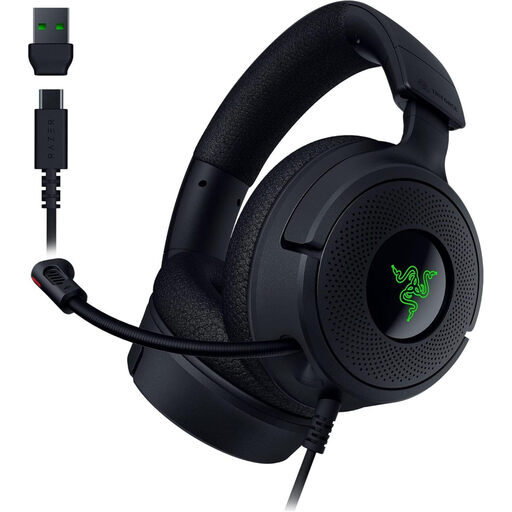
Razer Kraken V4 X
A wired option if you want a retractable microphone for gaming and chat.
The description lists USB-C and USB-A, 7.1 virtual surround sound, memory foam ear cushions and a weight of 250 g. Check that your device has a compatible connection; the surround sound claim doesn’t prove a general advantage in positional audio.
View at Joybuy
 No image available
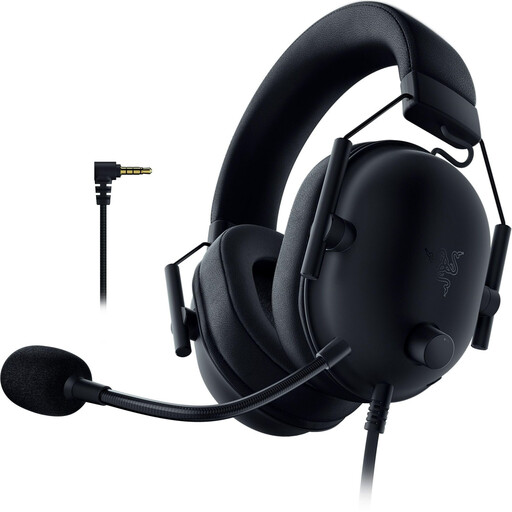
Razer BlackShark V2 X (PlayStation Licensed)
A wired option for you if your gaming device has a compatible 3.5 mm connection.
The description lists passive noise isolation, memory foam ear cushions and a flexible microphone. The stated weight is 240–260 g; the description notes that an adapter is needed for Xbox.
View at Joybuy
 No image available
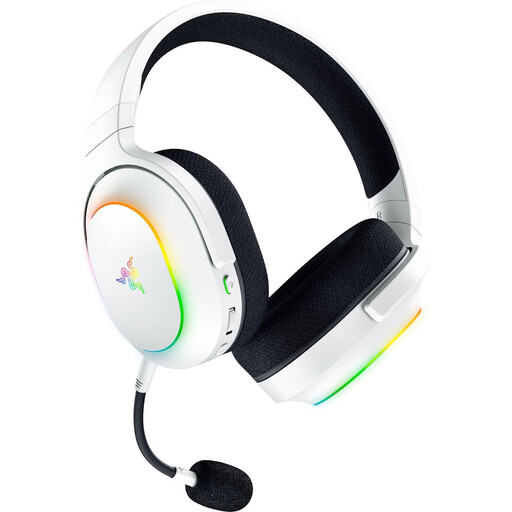
Razer Barracuda X Chroma Wireless
A wireless option if you want to switch between a gaming connection and Bluetooth.
The description lists a 2.4 GHz connection, Bluetooth 5.3, a detachable microphone and a weight of 285 g. Battery life is listed as up to 70 hours; remember to factor in the receiver and charging when choosing a wireless gaming headset.
View at Joybuy
 No image available
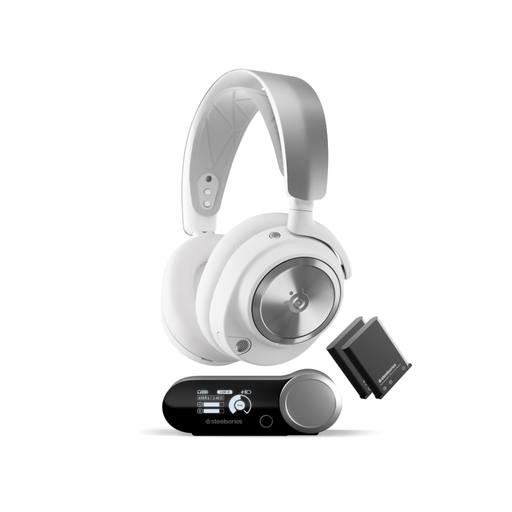
SteelSeries Arctis Nova Pro Wireless (PC & PlayStation)
A wireless option for you if a base station and hot-swappable batteries suit your setup.
The description lists Active Noise Cancellation, 2.4 GHz and Bluetooth, as well as two batteries that can be swapped while in use. The base station is required for the connection described; also check that your device has a compatible USB connection.
View at Joybuy
 No image available
JBL Quantum 360P
A wireless gaming option with a boom microphone; check that its intended connection is compatible with your platform.
The description lists Bluetooth, up to 22 hours of battery life and a microphone with echo cancellation. A detachable 3.5 mm cable is listed as a wired alternative.
View at Joybuy
Frequently asked questions
Will a surround sound headset automatically improve my aim?
No. A surround sound claim doesn’t prove you’ll aim better. Test positional audio and the audio settings in the game you actually play. In the VALORANT 7.07 patch notes, Riot Games warned against combining the HRTF setting described there with additional surround virtualisation; this recommendation applies to the documented configuration and isn’t a rule for all shooters. Check your game’s current options.
How do I set up game audio and chat on my headset?
Connect the headset using a connection intended for your device, then test the game audio, microphone and mute function with a recording. For the Arctis Nova 5 Wireless, SteelSeries describes switching between a 2.4 GHz receiver and Bluetooth; don’t assume that audio will play through both connections at the same time.
What should I bear in mind when it comes to volume and care?
Avoid unnecessarily high volumes, as the WHO and ITU warn that prolonged exposure to loud sounds while gaming can cause hearing damage. Check the ear cushions and cable regularly; beyerdynamic lists these as replacement parts for the MMX 300 PRO.
What are my rights if an online purchase is faulty?
According to EU information, purchases from a business seller are generally covered by a legal guarantee of at least two years from the date you receive the goods; this is separate from a voluntary manufacturer’s warranty. Distance purchases generally come with a 14-day right to cancel, subject to legal exceptions. Check the seller’s details and the terms that apply to your specific purchase.
Can I put an old headset in household waste?
No. The German Environment Agency recommends disposing of old electrical equipment separately, for example at a recycling centre or a suitable retailer take-back point.


