Co-op players who chat a lot
If you often talk to other players, an easy-to-reach mute switch and a quick microphone test before you start playing are useful things to look for.


If you value a straightforward connection that doesn’t need charging more than freedom of movement, a wired headset with an easy-to-reach mute control could be a good choice. In-ear headphones may also suit you if you’re short on desk space. If a cable gets in the way of your mouse or keyboard, consider a wireless model and check its connection type, the ports it needs and whether it needs charging. Compatibility with your gaming device, fit and a microphone test are important too.
If you often talk to other players, an easy-to-reach mute switch and a quick microphone test before you start playing are useful things to look for.
If cables can easily cross your mouse or keyboard, check the cable routing, wireless receiver and how much space the headset needs when you put it down. In-ears don’t need large earcups for storage, though some models are still wired.
If you play for longer stretches, consider the fit, padding and weight. You can’t tell how comfortable a headset will be from the manufacturer’s specifications alone.
A good fit if: you mainly play in one spot, don’t want to charge your headset, and prefer to have the microphone and mute control on the headset.
Bear in mind: the cable needs a clear route across your desk, and the earcups take up space when you put the headset down.
A good fit if: a cable gets in the way at your desk and your gaming device supports the connection mode used by that specific model.
Bear in mind: you’ll need to charge the headset; a USB wireless connection may also use up a port.
A good fit if: you don’t want to put away large earcups and you find in-ear headphones comfortable.
Bear in mind: you’ll still have a cable, and an in-line microphone can’t be positioned in front of your mouth like a boom mic.
| What matters to you | What to check | Who it matters to |
|---|---|---|
| Clear voice chat with a quick mute option | Microphone type and mute control; select the headset as the input device in your chat app and test it. | If you often give call-outs during co-op games, you’ll want to check your mute status quickly and hear how your voice comes across beforehand. Around 36 % of consumers prioritise voice chat. |
| Clear desk space and cable routing | Position of the audio jack and possible cable route; check for a free USB port and somewhere to put the headset. | If your mouse and keyboard are close together, you’ll want to avoid a cable running across your controls and choose a headset that doesn’t take up much space when put down. Around 29 % of consumers prioritise desk organisation. |
| Comfort during longer gaming sessions | Assess the fit, pressure on your head and ears, adjustment range and padding material. | During longer sessions, you’ll want to judge the pressure and how the earcups feel for yourself, rather than relying on weight alone as a sign of comfort. Around 21 % of consumers prioritise fit. |
| The right connection for your gaming platform | Check your specific console or PC, available ports and any adapters needed for the exact model. | If you switch between devices, you’ll want the connection provided to work with your gaming device without needing to buy an extra adapter. Around 14 % of consumers prioritise device connectivity. |
Connections and what’s included vary by model. PlayStation explains that compatible wireless headsets connect via a USB adapter; beyerdynamic sells a suitable low-latency dongle separately for the MMX 150 wireless.
Check the exact model name, your platform, the connection mode it uses and what’s included in the box.
Some wireless connections may require a separately sold adapter. Before buying, check whether you’ll need one for your setup.
Manufacturer claims about microphones and software don’t replace selecting the right input device or testing your voice yourself. Some software features may also have specific requirements.
Check the software requirements and test the microphone in the chat app you actually use.
Cables, wireless receivers and charging all take up desk space in different ways. In-ears don’t need large earcups for storage, but they won’t necessarily get rid of cables.
Plan where you’ll connect and store your headset on your actual desk before choosing between over-ear, wireless and in-ear options.
The G335 models are wired over-ear headsets, while the G333 is a compact wired in-ear alternative.
The wired Cloud III offers several listed connection options; the Cloud III Wireless is for anyone who doesn’t want a headset cable on their desk while gaming.
The Arctis Nova 1 is a wired 3.5 mm option with a retractable microphone.
The MMX 150 wireless combines a detachable microphone with Bluetooth and a wired connection option.
The Quantum 100N is a wired over-ear model with a detachable boom microphone.
The Joybuy products below include wireless in-ear headphones and gaming headsets. Connection and wireless options vary by model, so check compatibility with your gaming device and make sure you have space to put the headset down.
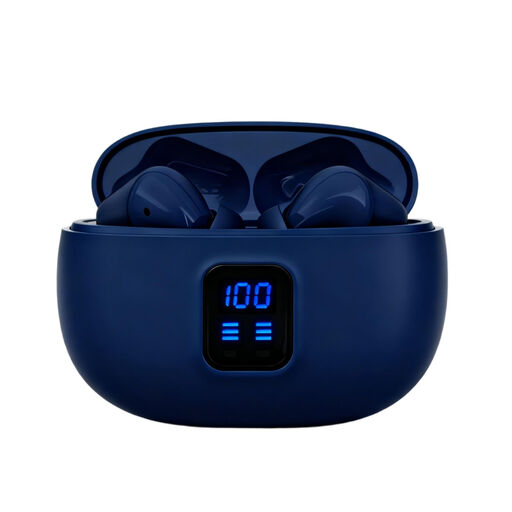 No image available
In-ears can be a good fit for a small desk if you can use Bluetooth with your gaming device and find them comfortable.
Bluetooth 5.4; 4 ENC microphones.
 No image available
If a headset cable gets in the way on your desk, this wireless model could be an option. Before buying, check that your platform is among the listed compatible devices.
On-ear design; microphone mute; USB-C charging; 33 hours of battery life according to the product name; listed as compatible with PS5, PS4 and PC.
 No image available
This model could work for wireless chat if you check that its connection mode is compatible with your platform; the earcups will still need space when you put it down.
2.4 GHz wireless, wired mode and Bluetooth; 50 mm drivers; noise-cancelling microphone according to the product name.
 No image available
If you don’t want a headset cable running across your desk, this wireless model could be a good fit; the earcups will still need space when you put it down.
SmartSwitch Dual Wireless; noise-cancelling microphone; 50 mm drivers; USB-C according to the product name.
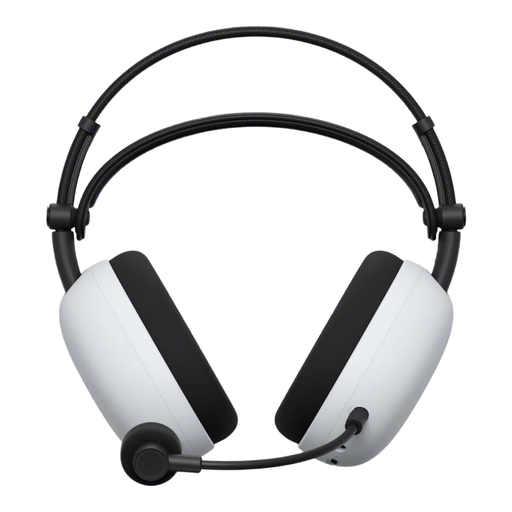 No image available
If you’re looking for a wireless headset, check in advance that this model’s connection options will work with your gaming device.
Bluetooth; USB Type-C according to the product name.
In Discord on desktop or in a browser, select your headset as the input device under ‘Voice & Video’, then use the microphone test. According to Discord Support, this feature is only available on desktop and in a browser. If there’s no input, also check that the headset isn’t muted and that the plug is firmly connected.
No. You can’t tell from the word ‘wireless’ alone. PlayStation explains that compatible wireless headsets connect via a USB adapter; if you’re buying a third-party model, check its specific PS5 connection instructions.
Yes. Depending on the model and the connection mode you want to use, you may need an adapter. beyerdynamic sells a suitable low-latency USB-C dongle separately for the MMX 150 wireless. Before buying, check which connection you need and what’s included with the specific model.
Your statutory rights against the seller are separate from a voluntary guarantee. For online orders, Verbraucherzentrale says you generally have 14 days from receipt to notify the seller that you’re cancelling the purchase. If the product has a fault, your statutory rights apply; check the retailer’s cancellation information and notify them there if you want to cancel.
CE marking is required for products covered by the relevant EU harmonisation legislation. The Bundesnetzagentur explains that it relates to compliance with the applicable requirements; it is neither an indication of origin nor an independent quality mark for microphone or sound quality.