What to look for when buying
First check your team chat needs and gaming device connections, then consider the cable route and design that will suit your room.
| What matters |
What to check before buying |
Who should pay particular attention |
| Team chat and microphone controls |
Check the microphone connection, as well as the position and operation of the mute control on the specific model. |
If I often coordinate with teammates in ranked play, I want to be able to mute the microphone quickly and identify the right connection with confidence. Shoppers whose main concern is team chat and microphone controls account for around 28%. |
| Clear desk space |
For wireless models, allow for a free USB port and space for the receiver and charging; for wired models, consider a safe cable route. |
If there’s little room between my mouse and keyboard, I want to keep the audio cable out of the way. Shoppers who care most about clear desk space account for around 22%. |
| Comfort during longer sessions |
Check the stated weight and what it includes, and try the ear pads and fit; weight alone doesn’t predict comfort. |
If I play longer matches, I want a fit that suits me and suitable ear pads above all. Shoppers whose main concern is long-session comfort account for around 22%. |
| Noise isolation or awareness of your surroundings |
Open-back designs let in more ambient noise and are more likely to let game audio out; closed-back models tend to block out more noise. |
If other people are in the room or I want to stay aware of my surroundings, the design will affect my choice. Shoppers whose main concern is how a headset handles room noise account for around 17%. |
| Switching between gaming devices |
Check the connections on the exact variant against your devices, and see whether you need a dongle, adapter, GameHub or software. |
If I regularly switch between several gaming devices, I want to use the audio and microphone without running into incompatible connections. Shoppers whose main concern is switching devices account for around 11%. |
Gaming headsets at Joybuy
This selection includes wireless models for a tidier cable setup, as well as a wired option. For each model, check the microphone controls and connection for your specific gaming device.
 No image available
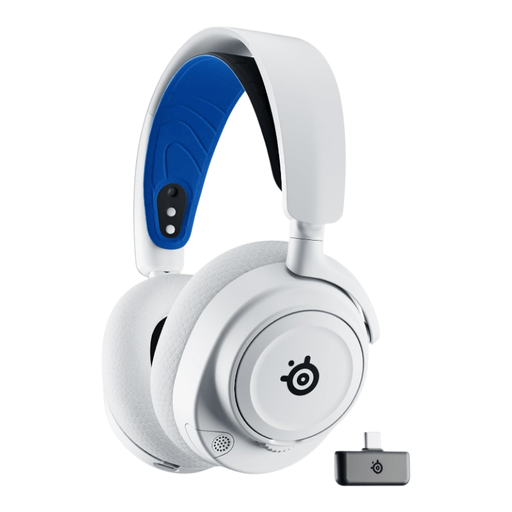
SteelSeries Arctis Nova 7P, White
Could be a good fit if you’re looking for a wireless headset for a small desk and your device works with a USB-C connection or the supplied USB-A adapter.
Before buying, check that the connection and microphone are suitable for your gaming device.
View at Joybuy
 No image available
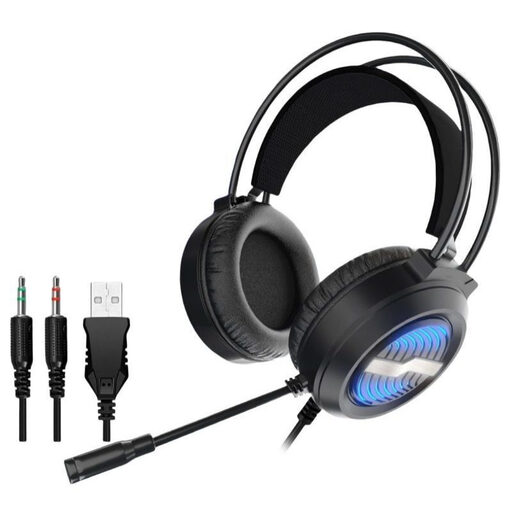
Gaming headset with LED lighting and USB cable
A wired option if you can use USB or two 3.5 mm audio connections with your device and can plan a suitable cable route.
Check which connection supports both audio and the microphone on your gaming device.
View at Joybuy
 No image available
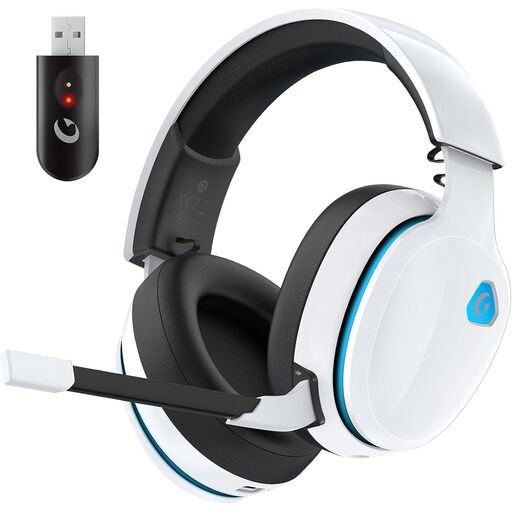
AOC Captain 300, White
Could be an option for wireless gaming if the USB dongle works with your device; the product description also mentions wired use.
The product description lists up to 45 hours of battery life, or 15–20 hours with the RGB lighting switched on.
View at Joybuy
 No image available
ONIKUMA GT889
Could suit you if you want to switch between wireless and wired use depending on your device; the USB receiver described is needed for the 2.4 GHz connection.
The headset needs regular charging. Also check whether muting it with a button suits the way you use team chat.
View at Joybuy
 No image available
Logitech G G535 LIGHTSPEED
Could suit a wireless desk setup if the USB receiver works with your gaming device. According to the product details, flipping the microphone up mutes it.
The product description lists an on-ear design, a weight of 236 g and up to 33 hours of battery life.
View at Joybuy
Frequently asked questions
Do I need virtual surround sound for team chat?
No, it isn’t a general requirement for team chat. First check the microphone controls, clear audio and connection; Sony describes 360 Spatial Sound on the INZONE H6 Air in conjunction with the supplied USB-C audio box.
How should I plan for connections and maintenance at a small desk?
For wireless models, make room for a compatible connection and somewhere to charge; for wired models, plan the cable route. SteelSeries documents a separate GameHub and swappable batteries for the Arctis Nova Elite; beyerdynamic lists replaceable ear pads and cables for the MMX 300 PRO.
Do I need an additional manufacturer’s warranty to protect my consumer rights?
No. The Verbraucherzentrale distinguishes statutory rights against the seller from a voluntary guarantee. If there’s a fault, your statutory rights are assessed separately; extended guarantees and insurance are separate offers.
What applies to wireless headsets and old devices in Germany?
The Bundesnetzagentur explains that products covered by the relevant EU harmonisation rules must carry the CE marking, so check the details for the specific device on offer. Electrical and electronic waste must not go in household rubbish; take it to an authorised collection point instead. Retailers’ take-back obligations apply under the relevant legal conditions.
How can I listen more safely during longer matches?
The World Health Organization recommends keeping the volume lower, taking listening breaks and paying attention to sound exposure. Its example of 80 dB for up to 40 hours a week illustrates sound level and exposure time; it isn’t a guaranteed safe setting for a particular headset.


