Gamers with limited desk space
If a cable gets in your way while gaming at a small desk, check the wireless connection, whether there’s room for a receiver and how often the headset needs charging.


If a cable gets in your way at a small desk, start by looking at a wireless headset with a connection that suits your gaming platform. A wired model is an alternative if you’d rather not worry about charging or a wireless receiver, and can route the cable so it stays clear of your mouse and keyboard. For long adventures, a comfortable fit and clear dialogue matter too; if you play with others, the microphone should be easy to use.
If a cable gets in your way while gaming at a small desk, check the wireless connection, whether there’s room for a receiver and how often the headset needs charging.
For longer story sessions, fit, ear cushions and clear dialogue are important. Weight and comfort specifications are no substitute for checking whether the headset actually suits you.
If you play with others, look for a microphone that’s easy to position and a mute control you can reach without a fuss.
A good fit if: A cable limits your freedom of movement at a small desk and the connection works with your gaming platform.
The trade-off: You’ll need to charge the battery and may need to make room for a USB receiver.
A good fit if: You’d rather not worry about charging or a wireless receiver, and can route the cable comfortably to the connection.
The trade-off: At a cramped desk, the cable can get in the way of your mouse and keyboard.
At a small desk, your choice mainly comes down to what matters most to you: freedom of movement, a comfortable fit, clear dialogue or voice chat.
| What matters to you | What to look for when buying | Who is this important for? |
|---|---|---|
| Fit during long gaming sessions | Check the space around your ears and the clamping force; consider the cushion material and whether replacement cushions are available. | If I’m playing a long adventure, I want my headset to feel comfortable and not press uncomfortably on my ears. Around 31% of consumers would make fit their top priority when choosing a headset. |
| Space and cable management | For a wired headset, plan the cable route; for a wireless one, check compatibility and whether there’s room for a receiver. | When every bit of space on my small desk counts, I don’t want the cable catching on my mouse and keyboard or to overlook a receiver I need. Around 25% of consumers would focus primarily on cable management and space requirements. |
| Dialogue and gaming atmosphere | Check whether sound features are available on your platform; EQ and surround sound may have specific requirements. | If I want to hear voices clearly in a fantasy story and immerse myself in the game, I’ll check the features on the device I actually use. Around 25% of consumers would put immersive adventure audio first. |
| Voice chat and connections | Check the microphone position and mute control; make sure the audio and microphone connections work with your specific gaming platform. | If I sometimes play with others, I want to speak clearly and mute the microphone easily. Around 19% of consumers would prioritise voice chat and the right connection for their device. |
The weights listed for individual models can help you narrow down your options, but they don’t guarantee a comfortable fit. The Logitech G435 is listed at 165 g, while the beyerdynamic MMX 150 wireless is listed at 336 g; these figures aren’t a comfort ranking. According to the manufacturer, the MMX 150 wireless has replaceable ear and headband cushions.
Connections and platform support vary by model. beyerdynamic lists cable and Bluetooth compatibility separately for the MMX 150 wireless.
Before buying, check how the headset connects to your gaming platform and whether you’ll need a receiver.
Extra features may depend on specific software and operating systems. Logitech says the G432’s listed surround sound and EQ features require Windows and G HUB; Razer lists the BlackShark V2 X’s 7.1 feature for Windows 11.
Check the requirements for each sound feature you want, and don’t assume that a surround sound label guarantees the same audio on your console.
Cushions, design and individual fit also affect how a headset feels during longer gaming sessions. A lower weight doesn’t guarantee a comfortable fit for everyone.
If possible, check the space around your ears and the clamping force, and find out about the cushions and returns policy for the specific model.
The G435 is a wireless option with LIGHTSPEED and Bluetooth, while the wired G432 uses a different connection and software setup.
The MMX 150 wireless combines a closed-back, over-ear design with a detachable microphone, and can be considered as either a wireless or wired option.
The wired Cloud III is an option for anyone comparing 3.5 mm, USB-C or USB-A connections and a microphone mute control.
The wired BlackShark V2 X is a 3.5 mm option with a boom microphone and closed-back earcups.
The following Joybuy products include both wired and wireless gaming headsets. Compare the connection you need, cable management and the space available at your small desk.
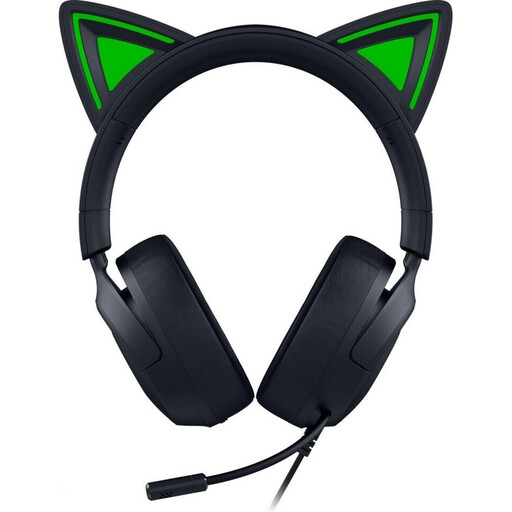 Image unavailable
A wired option if you’d rather not worry about charging and can route the cable neatly at a small desk.
The 3.5 mm connection and microphone are useful for gaming and voice chat.
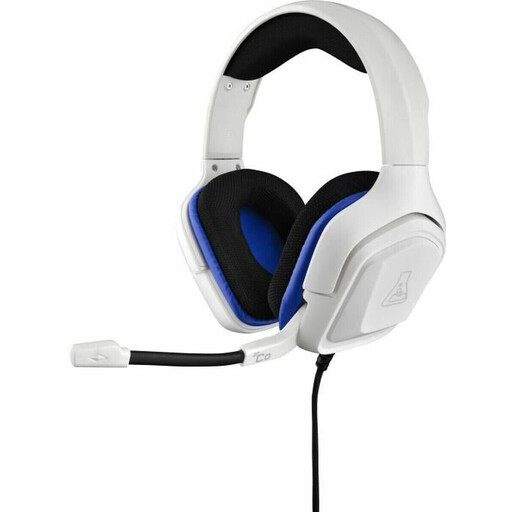 Image unavailable
A wired choice if you don’t want to think about charging a battery while you play.
The title specifies a 3.5 mm jack. If you use voice chat, the described flexible microphone positioning is worth considering.
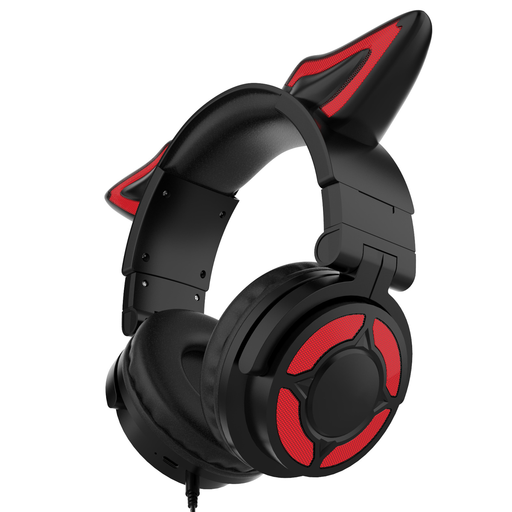 Image unavailable
A wireless option for longer gaming sessions; check that the connection works with your device before buying.
The breathable ear cushions and adjustable headband described are worth considering when choosing a headset for longer use.
 Image unavailable
A wireless option if you want fewer cables on your desk and are happy to plan for charging.
The product title lists Bluetooth 5, ANC, a boom microphone and compatibility with PlayStation, PC, Mac and Switch. Flip the microphone up to mute it.
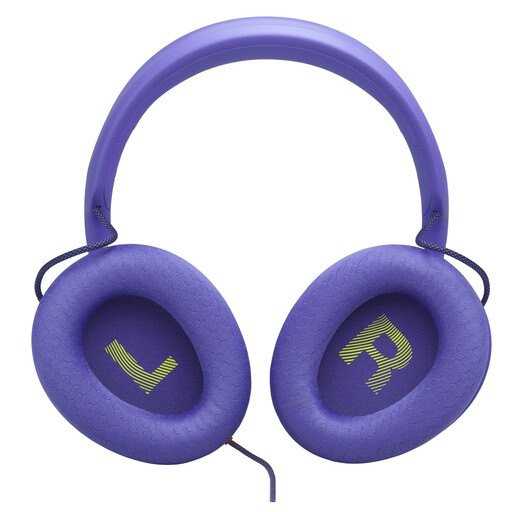 Image unavailable
A wired option if you’re happy not to charge it and can route the cable neatly across your desk.
The 3.5 mm connection and detachable microphone are useful to consider when planning for audio and voice chat.
Not with every connection: Logitech says the G435 supports LIGHTSPEED and Bluetooth. Check which of these connections your gaming device supports and whether you’ll need a receiver for the mode you choose.
Route a cable so it doesn’t get in the way of your mouse and keyboard. If you’re using a wireless headset, make room for a possible receiver and the charging cable. Check the microphone mute control too. During long gaming sessions, keep the volume moderate: the German Environment Agency points out that loud sound can damage your hearing, depending on its intensity and duration.
In Germany, online purchases from a trader generally come with a 14-day right to cancel; check the conditions and any exceptions that apply to your purchase. The Verbraucherzentrale distinguishes this right from claims relating to faulty goods. Your statutory rights against the seller are also separate from any voluntary manufacturer’s guarantee. According to the EU’s Your Europe platform, the statutory minimum guarantee period is generally two years.
No. Logitech says the G432’s listed surround sound and EQ features require Windows and G HUB. Check the requirements for the feature you want on the specific model and your gaming platform.