Hosts with limited desk space
If you need room for a mouse, keyboard and guests, make sure the cable route or wireless receiver location works with your gaming device.


First, choose a headset based on how it connects to your gaming device. Then consider whether a cable will get in the way on your small desk, or whether a wireless receiver and the need to charge it will fit better into your setup. For voice chat, easy-to-reach mute controls and a microphone that works in your surroundings are essential. If you also want to be able to hear guests in the room, check how much sound the specific model blocks out.
If you need room for a mouse, keyboard and guests, make sure the cable route or wireless receiver location works with your gaming device.
To talk to players elsewhere, you’ll need a suitable microphone and easy-to-reach mute controls – especially if people are also chatting in the same room.
If you want to use the same headset with several devices, check the connection and supported wireless mode for each one. A Bluetooth specification alone doesn’t guarantee a direct audio connection to PS5.
First, consider where the cable or receiver will fit on your desk. Then check device connectivity, voice chat and fit.
| What matters | What to check before buying | Who should pay particular attention |
|---|---|---|
| Space and cable management | Check the cable route, or make sure you have a free USB port and somewhere to charge the headset at your desk. | If I need as much room as possible to move my mouse alongside my keyboard, I want to plan where the cable and receiver will go. Around 28% of consumers put space and cable management first. |
| Voice chat and muting | Check the microphone position and mute controls. Test voice transmission with the device you plan to use and the background noise you’d typically expect. | If I’m talking to players elsewhere and want to stay available to guests in the room, I pay particular attention to the microphone and mute controls. Around 28% of consumers prioritise voice chat. |
| Device compatibility | Check your gaming device, available ports and supported connection type for each device. Don’t rely on Bluetooth alone for PS5. | If I switch between PC and console, I want to know which connection is intended for game audio and chat on each device. Around 22% of consumers put compatibility first. |
| Fit and wear time | If possible, try the fit and check for pressure, including when wearing glasses. Compare weight and padding as features of each specific model. | If I’m going to wear the headset for a long gaming session, I focus on fit and pressure rather than weight alone. Around 22% of consumers prioritise comfort. |
A wireless headset may need a USB port for its receiver and somewhere to charge.
Before buying, check that there’s a suitable port free on your gaming device and somewhere to charge the headset.
PlayStation says that incompatible Bluetooth audio devices won’t work with PS5 consoles.
Check the connection method specified for the exact model on PS5, such as a gaming receiver explicitly stated to be compatible.
In its review of 12 October 2026, COMPUTER BILD ranked the Sony INZONE H9 II first, but criticised its microphone playback on PS5. For hosts using voice chat, this could be a deciding factor.
Assess the microphone and how well it lets you communicate with guests, based on your gaming device and surroundings. Don’t let a review ranking make the decision for you.
The wired Cloud III could suit a dedicated gaming setup with voice chat, as long as the connection and cable routing work for you.
The G435 is a wireless option if its stated low weight and design without a bulky microphone boom appeal to you.
The Arctis Nova 7P Wireless pairs a gaming dongle with the option to mix in another audio source via Bluetooth.
The MMX 150 wireless could suit you if you’re looking for a detachable microphone and want the option of replacement pads.
The INZONE H9 II is a wireless option if you’re weighing up noise cancellation against how much you want to hear your surroundings.
This selection includes wired and wireless gaming headsets for voice chat and use with a compatible gaming device.
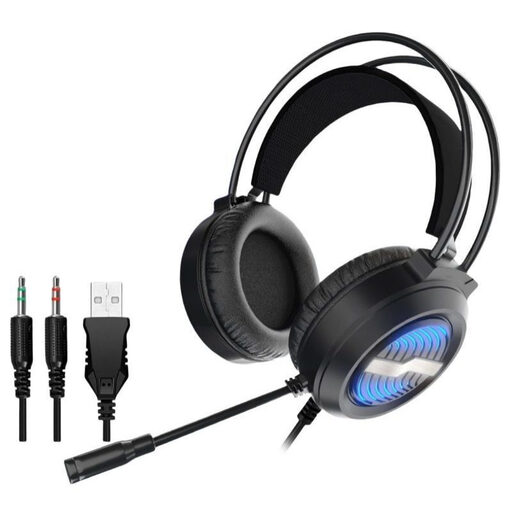 No image available
A wired option if you can route the cable neatly around your dedicated gaming setup.
Detachable omnidirectional microphone; USB and two 3.5 mm audio ports.
 No image available
A wireless option for voice chat if its connection and controls suit your gaming device.
Bluetooth and detachable 3.5 mm cable; product specifications state up to 22 hours of battery life. The description says that flipping up the boom microphone mutes it.
 No image available
A wireless option if a USB receiver suits your desk better than a headset cable.
The product description lists a 2.4 GHz receiver, three connection modes, a detachable microphone and a physical mute button. Compatible platforms listed include PS4, PS5, Switch, Windows and MacOS; the stated playback time is up to 60 hours.
 No image available
A wireless option if LIGHTSPEED and the intended connection work with your gaming device.
Listed for PS5, PS4, PC and Mac; flip-to-mute microphone. The product lists a weight of 236 g and up to 33 hours of battery life.
 No image available
A wireless option if you can check that the listed wireless connections and fit suit the way you’ll use it.
Dual wireless with Razer HyperSpeed Wireless and Bluetooth; built-in beamforming microphones. Product specifications state up to 40 hours of battery life.
No. PlayStation says that incompatible Bluetooth audio devices won’t work with PS5 consoles. Instead, check the connection specified for the particular headset on PS5, such as a supported USB receiver explicitly listed by the manufacturer.
Connect the headset using the method intended for your gaming device, then check the input device, voice transmission and mute controls before you start playing. For the wired Cloud III, HyperX lists an LED that shows when the microphone is muted; check the features of other models separately.
Check whether replacement pads are available for the exact model variant. beyerdynamic lists replacement ear and headband pads for the MMX 150 wireless. If a newly purchased product is faulty, you generally have statutory rights against the seller; the Verbraucherzentrale distinguishes these from a voluntary guarantee.
If a product is faulty, you can generally exercise your statutory rights against the seller within two years of delivery. The Verbraucherzentrale notes that statutory rights and a voluntary guarantee are different things.