Players focused on directional cues
If you want to distinguish footsteps and other in-game sounds, pay attention to the sound tuning and test positional audio in the game you actually play, rather than relying on a surround sound logo alone.


Choose a headset with a connection that suits your gaming device and sound tuning that helps you judge directional cues in the game you actually play. A wired headset means no battery or wireless receiver to worry about, but its cable can get in the way of your mouse on a small desk. A 2.4 GHz wireless connection gives you more freedom to move, but requires a compatible USB port and some planning around charging. For fast matches, don’t rely on Bluetooth alone: check how game audio and team chat work with your device and the connection mode you plan to use.
If you want to distinguish footsteps and other in-game sounds, pay attention to the sound tuning and test positional audio in the game you actually play, rather than relying on a surround sound logo alone.
If there’s little room on your desk, consider whether you can safely route a cable away from your mouse area, or whether a wireless receiver and a free USB port would work better with your setup.
If you often communicate with your team, look for a microphone you can position comfortably, an easy-to-reach mute button and a fit that stays comfortable during longer matches.
| What matters | What to check before buying | Who it matters most to |
|---|---|---|
| Directional cues | Test the sound and positional audio in the game you play; check whether EQ or spatial audio is available on your platform. | If I need to pick out footsteps during a match, I judge positional audio in the game I actually play rather than relying on a surround sound logo alone. Around 33% of consumers put directional cues first. |
| Desk space and connections | Plan the cable route, a free USB port and space for a receiver or control station; check that the gaming device supports the microphone. | If my mouse area is tight, the cable needs to stay safely out of the way or the wireless receiver needs a suitable spot. Around 27% of consumers prioritise desk space and connections. |
| Team chat | Check the microphone position, mute control and chat functionality with your platform and connection type. | If my team needs to hear me clearly during a match, I look for a microphone I can position comfortably and a mute control that’s quick to reach. Around 20% of consumers prioritise team chat. |
| Comfort during longer matches | Check the fit and padding against your head shape and whether you wear glasses; for wireless headsets, also check the stated battery life. | If I play for longer sessions, I want a fit that stays comfortable for me, rather than focusing only on low weight. Around 20% of consumers put long-term comfort first. |
An advertised spatial audio feature doesn’t automatically tell you how well you’ll be able to pick out footsteps in the game you want to play. Razer limits the advertised THX 7.1.4 feature on the BlackShark V3 to Windows 11, version 23H2 or later.
Check which platforms are supported and judge directional cues in the game you actually play.
A compact dongle still needs a suitable USB port, while a control station such as the SteelSeries Arctis Nova Elite’s GameHub also needs desk space. A cable, on the other hand, can get in the way of your mouse.
Before buying, plan the cable route, connection and space required, then compare them with the room you have available.
The INZONE H9 II is aimed at players looking for a wireless headset with a compact USB-C dongle, noise cancelling and a boom microphone.
The Arctis Nova 5 Wireless and Arctis Nova Elite differ in their features: the Nova 5 switches between 2.4 GHz wireless and Bluetooth, while the Elite uses a GameHub for extra audio controls.
The wired Cloud III could suit players who want to avoid dealing with a headset battery and wireless receiver.
According to Razer, the BlackShark V3 combines 2.4 GHz wireless, Bluetooth and USB with a detachable microphone.
The MMX 150 wireless is an option if you want to switch between Bluetooth and a wired connection.
The models below include both wired and wireless gaming headsets. Check that the connection, microphone functionality and space required suit your gaming device and the room you have available.
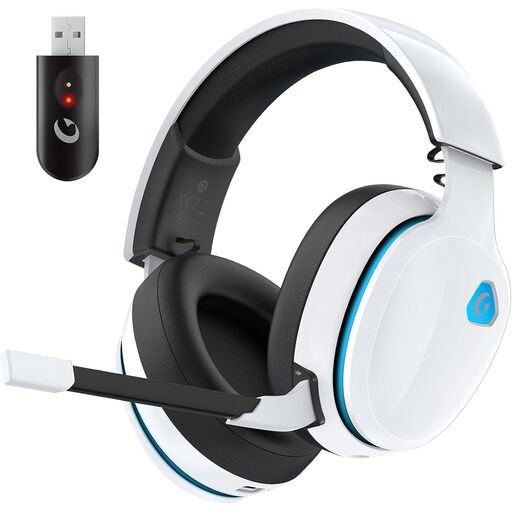 No image available
A wireless option if a cable would get in the way of your limited mouse space. Check that the connection and microphone functionality suit your gaming device.
The product name specifies 2.4 GHz wireless and a battery life of 45 hours.
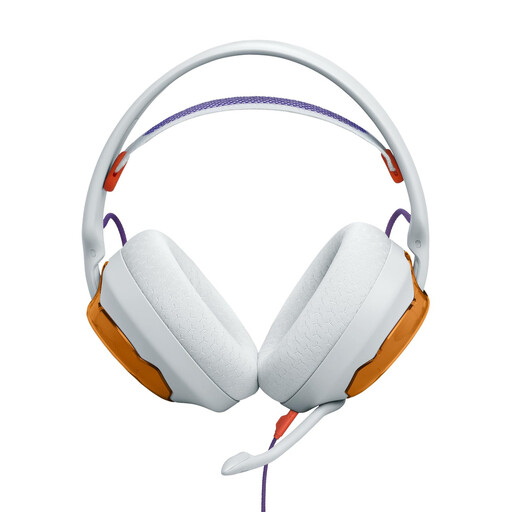 No image available
This wired over-ear model is worth considering if you want to play without a wireless receiver. Plan the cable route so it stays out of your mouse area.
If your PC has separate headphone and microphone sockets, you may need a Y-splitter; the product information says one isn’t included.
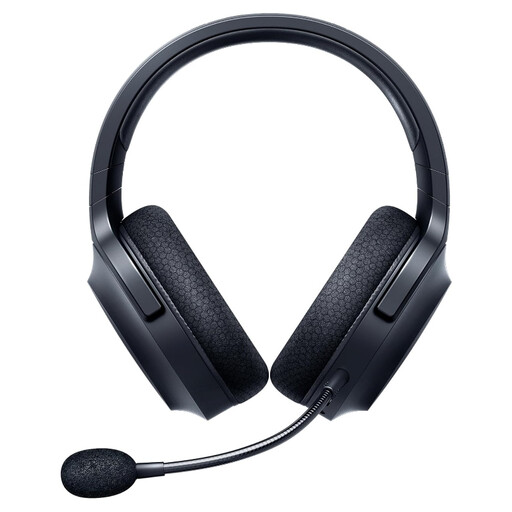 No image available
A wireless option for a desk where you want to avoid running a cable through your mouse area. Before buying, check which connection mode supports game audio and chat on your platform.
You’ll need to charge it for wireless use.
 No image available
This wireless on-ear model could suit you if you want to avoid running a cable across a small desk. Check the connection and platform compatibility for your setup.
The product name specifies a battery life of 33 hours and a microphone that flips up to mute.
 No image available
This wired USB headset is worth considering if you don’t want to use a wireless receiver. Check that USB and the features you need work with your gaming device.
According to the product information, the advanced Blue VO!CE and surround sound features require USB and PC software.
Don’t assume so based on Bluetooth support alone. Check the specific headset and gaming device to see which mode supports game audio and team chat. For the Arctis Nova 5 Wireless, SteelSeries describes separate 2.4 GHz and Bluetooth modes.
Route the cable away from your mouse area, or make sure there’s an accessible USB port for a wireless dongle. Then adjust the boom microphone and test the mute function in the chat app you use. HyperX says the Cloud III has an indicator on the headset.
Check that the fit and volume feel comfortable for you, rather than turning the volume ever higher to bring out in-game sounds. The WHO notes that video games can be a source of unsafe listening. beyerdynamic lists replaceable ear and headband pads for the MMX 150 wireless.
No. Verbraucherzentrale distinguishes between your statutory rights against the seller and a voluntary guarantee, whose terms are set by the guarantor. If a product is faulty, the first remedy to consider is having it repaired or replaced.
For electrical and radio equipment, the Bundesnetzagentur checks matters including CE marking, product identification and conformity documents. CE marking is not an individual approval by a government authority. According to the Umweltbundesamt, old electrical equipment should not go in household waste; take it to an appropriate collection point instead.