For practising team comms
If you want to deliver short messages clearly, look for a microphone you can position easily and a mute control that’s simple to use.


If your main aim is to practise clear team comms, start by checking the microphone position, mute control and connection to your gaming device. Wireless saves space by removing the audio cable from a small desk, but you’ll need a compatible connection and regular charging. A wired headset avoids the need to charge the headset itself, but you’ll need to keep the cable within reach and neatly routed.
If you want to deliver short messages clearly, look for a microphone you can position easily and a mute control that’s simple to use.
If an audio cable gets in the way on your desk, check the wireless connection and charging requirements. An advertised sound mode won’t replace these practical checks.
If you practise on several devices, check that sound and microphone work on each one through your chosen connection, and that any required software is available.
A good fit if: Your device has a suitable connection, the cable won’t get in the way on your desk and you want to practise without charging breaks.
Things to consider: The cable and, if needed, a suitable adapter must work with your space and the ports on your devices.
A good fit if: You want to avoid an audio cable on your small desk and your gaming device supports your chosen wireless connection.
Things to consider: Check whether you need a receiver and factor in charging. The stated playback time doesn’t necessarily reflect talk time.
| What matters | What to check before buying | Who is it important to? |
|---|---|---|
| Clear comms | Microphone position and mute button; try a voice recording on the device you plan to use. | When I practise team comms, I want to be able to position the microphone properly and mute it with confidence. This matters most to around 33% of consumers whose main priority is clear speech. |
| Clear desk space | Cable routing or wireless receiver; check that the mic boom and device set-up work in your space. | If I don’t want an audio cable in the way on my small desk, the specific wireless connection is key. Around 27% of consumers prioritise keeping their workspace as clear as possible. |
| Device compatibility | For each device, check the connection, microphone input and any adapter or software you may need. | When I switch between gaming devices, I want to make sure the microphone works with each one. Around 20% of consumers name compatibility as their main priority. |
| Comfort | Check the adjustment range and ear cushions; weight alone doesn’t guarantee a comfortable fit for you. | For longer practice sessions, I want my headset to stay comfortable over time. Around 20% of consumers put comfort first. |
Retracting the microphone on the SteelSeries Arctis Nova 1 doesn’t mute it. An awkward position can also affect voice pickup.
Before you start practising, test the mute button and make a short voice recording. Extend the mic boom when speaking and position it towards your mouth.
JBL describes software-based keyboard noise reduction for the Quantum 250. A 3.5 mm connection alone doesn’t mean the software feature you want will be available on every platform.
Check that the microphone works and that the required software is available on the device you plan to practise with.
The Logitech G435 uses LIGHTSPEED or Bluetooth, depending on the device, and needs a charged battery. The right connection mode depends on the device you’re using.
Choose your preferred wireless mode before buying and remember to factor in charging.
The wired Quantum 250 is worth considering if you need a 3.5 mm connection and replaceable parts.
The Arctis Nova 1 is a wired option with a retractable microphone boom.
The G435 is a wireless option if an audio cable gets in the way on your desk.
The wired Cloud III could suit you if you want to use a headset with devices that have different connections.
The wired INZONE H3 is an option for PC and console if you’d like a flip-up microphone.
This selection includes wired headsets with mic booms and wireless models for team comms at a small desk. For each model, check that the connection and microphone work with your specific device.
 No image available
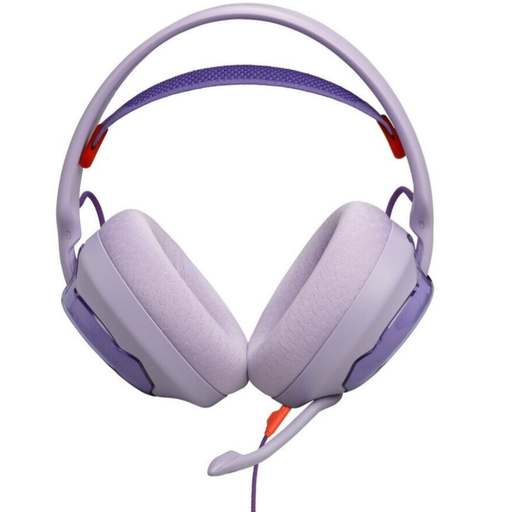
For team comms if you prefer a wired headset with a positionable microphone. The model specifications list a detachable cardioid microphone, a detachable cable and a 3.5 mm connection. You’ll need to check that the cable routing and device port work for you.
The keyboard noise reduction described through QuantumENGINE requires the software to be available for your device.
 No image available
For a small desk if you want wireless connections and a physical mute control on the headset. The specifications describe 2.4 GHz wireless with a USB receiver, Bluetooth, wired use and a detachable microphone.
For wireless use, the connection and receiver need to be compatible with your device. The battery also needs to be charged.
 No image available
For wireless team comms if your device supports LIGHTSPEED and you want to flip up the microphone to mute it. The product specifications list USB-C charging, a weight of 236 g and up to 33 hours of battery life.
Compatible devices listed include PS5, PS4, PC and Mac. Check that the connection works with your specific device.
 No image available
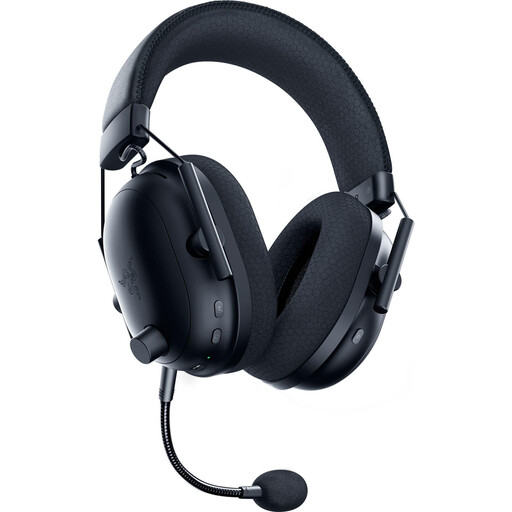
For wireless team comms if you want a mute control on the headset and the option to detach the microphone. The specifications describe HyperSpeed wireless, Bluetooth, USB-C charging and up to 70 hours of battery life.
Choose a connection mode that suits your device. The stated battery life doesn’t replace checking that the connection works for you.
 No image available
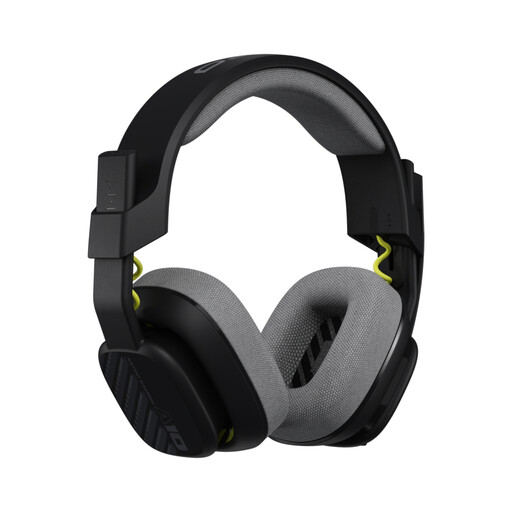
For team comms if you want a wired headset with a flip-to-mute microphone. The product specifications list a 3.5 mm connection and a detachable cable.
If your PC or Mac has separate headphone and microphone ports, you may need the splitter cable described. Check your device’s connections.
For the Arctis Nova 1, SteelSeries recommends fully extending the microphone boom and positioning the capsule towards your mouth. Retracting the boom doesn’t mute this model; use the mute button instead.
No. Check the microphone input and ports on your specific device. Extra sound or filtering features may require software; JBL describes these settings for the Quantum 250 through QuantumENGINE.
Your statutory rights against the seller are separate from any voluntary guarantee. If a product is faulty, you can first ask for it to be repaired or replaced. Online purchases also generally come with a 14-day right to cancel; the conditions and when the period starts depend on the specific purchase. The Verbraucherzentrale explains these differences and your consumer rights.
The Bundesnetzagentur includes CE marking and accurate manufacturer details among the checks it carries out when monitoring electrical and electronic products. This is not an endorsement of any specific model mentioned here. Old headsets should be disposed of through separate electrical waste collection. Whether a particular retailer must offer free take-back depends on the applicable legal requirements.
No. The Umweltbundesamt warns that sound that is too loud or lasts too long can damage your hearing. Check the microphone position and input level separately from your headphone volume, and listen at a moderate level.