What should you look for when buying?
First, check that the microphone and connection suit your actual streaming setup. Then narrow down your options with a test recording and a fit check over a typical gaming session.
| What matters |
What to check when buying |
Who is this important to? |
| Clear commentary |
Check the microphone position and mute function; listen to a test recording with typical background noise from your room. |
If I want to commentate clearly despite keyboard or fan noise, what matters to me is how my actual recording sounds. Around 33% of consumers put clear speech despite background noise first. |
| Comfort during long sessions |
If possible, assess the fit and padding over a typical session; low weight alone doesn’t guarantee comfort. |
If I’m commentating for a long time, my headset needs to stay comfortable throughout the planned gaming session. Around 27% of consumers rate comfort as their top priority. |
| The right connection for your device |
Check the complete model variant against the inputs and outputs you need on your streaming PC or console. |
If I use a PC or console for streaming, I want to be sure the connection and microphone input work with my device. Around 20% of consumers put device compatibility first. |
| Control over audio sources |
Check monitoring routes and levels separately; a short test recording shows what’s actually being output. |
If I want to listen to game audio, chat or a mobile device and move around while commentating, I pay particular attention to how the audio routes are set up. Around 20% of consumers prioritise audio mixing or freedom of movement. |
Related products at Joybuy
This selection includes wired and wireless gaming headsets for game commentary, with details on their microphones, connections or additional audio links.
 No image available
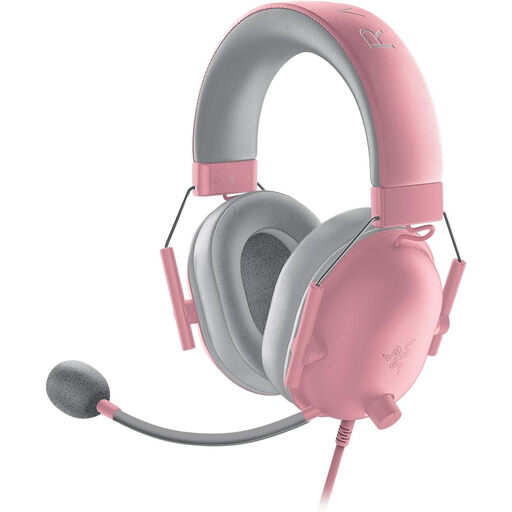
Razer BlackShark V2 X Quartz
This wired headset with a microphone could suit a fixed streaming setup.
Product details list a 3.5 mm connection, a flexible microphone and a weight of 240 g.
Memory foam ear cushions and compatibility with PC, PS4, PS5, Xbox One, Switch and mobile devices are also listed.
Joybuy
 No image available
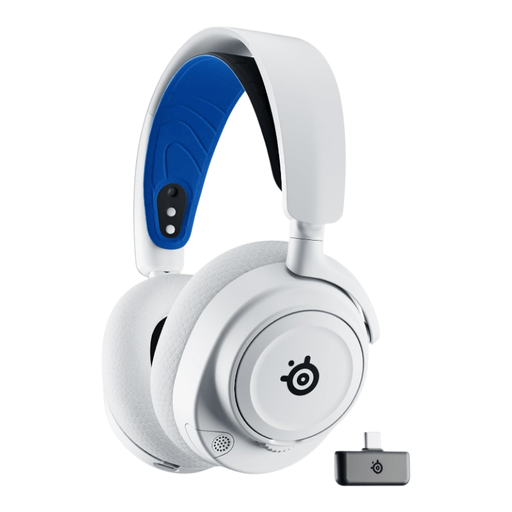
SteelSeries Arctis Nova 7P – White
This wireless model could suit you if you want to use game audio and an additional audio source at the same time.
Product details list simultaneous 2.4 GHz and Bluetooth audio, plus up to 38 hours of battery life.
They also mention a retractable ClearCast microphone and AI noise cancellation via Sonar software on PC.
Joybuy
 No image available
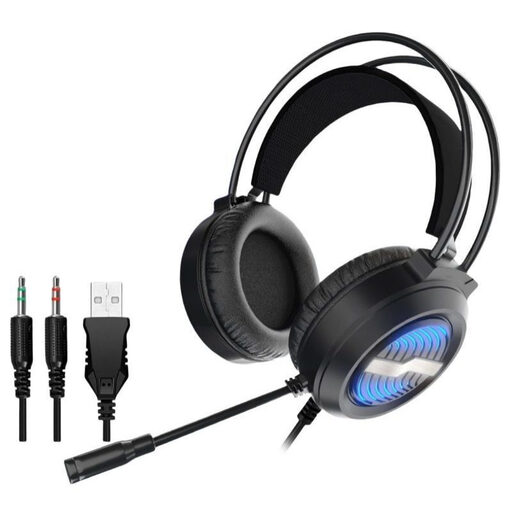
Gaming headset with USB lighting, over-ear
For comparing wired headsets, the product description lists several connections and a detachable microphone.
It lists USB and two 3.5 mm connections, plus an omnidirectional microphone with noise cancellation.
The description also mentions padded over-ear ear cups and an adjustable headband.
Joybuy
 No image available
AOC wired gaming headset for PS5, Xbox and PC
The model name identifies this as a wired gaming headset; check that the connection works with your streaming device.
Product details list a flip-to-mute microphone, an adjustable headband and breathable ear cups.
Compatible devices listed include PS5, PC and Switch.
Joybuy
 No image available
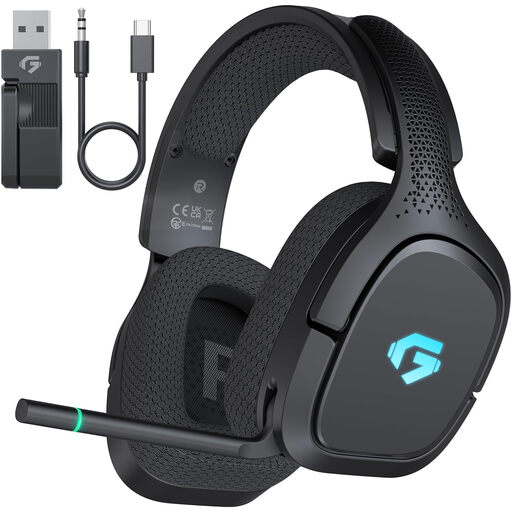
AOC 2.4GHz Wireless Gaming Headset
The model name indicates a wireless option; check that the specific version offers the connections you need.
Product details list 2.4 GHz, Bluetooth and wired connections, plus up to 30 hours of battery life.
A flexible microphone with noise cancellation and an adjustable headband are also listed.
Joybuy
Frequently asked questions
How can I check that my voice comes through over the game audio before streaming?
Listen to a test recording and check the microphone and game audio sources in OBS’s audio mixer. OBS describes level meters and audio monitoring; a headset’s specifications alone won’t tell you how your finished stream will sound.
How can I reduce keyboard or fan noise in my commentary?
Keep the microphone consistently close to your voice and test a recording with the usual background noise in your room. RØDE describes microphone positioning and a noise gate as possible measures. A gate suppresses signals below a threshold, but that doesn’t prove your speech will be free of background noise.
What should I bear in mind for my hearing when using a headset for a long time?
The World Health Organization recommends limiting volume and listening time, and giving your ears regular breaks. Turning up the game audio in your headset isn’t a reliable way to make commentary that’s too quiet on stream easier to hear.
Is a manufacturer’s warranty the same as statutory consumer rights?
No. Verbraucherzentrale distinguishes statutory consumer rights against the seller from a voluntary guarantee; the latter’s coverage depends on its specific terms and conditions.
What should I check when buying an electronic or wireless headset in Germany?
As part of its market surveillance, the Bundesnetzagentur lists criteria including the CE marking, whether the product can be identified and whether the manufacturer’s details are correct. Make sure this information applies to the specific product.


