Streamers with a nearby keyboard
If your keyboard or PC fan is close to the microphone, look for clear voice capture without expecting too much from noise filtering. OBS Project points out that stronger noise suppression can also distort your voice.


When choosing a gaming headset for commentary, first consider whether your voice comes through clearly and whether the headset stays comfortable for the length of your usual stream. A wired headset saves you from charging and using a wireless receiver, but the cable can get in the way on a small desk. A wireless model keeps your space cable-free, but needs a compatible receiver connection and regular charging. A short test recording at your usual keyboard and game volume will help you assess the microphone position and filters in your streaming setup.
If your keyboard or PC fan is close to the microphone, look for clear voice capture without expecting too much from noise filtering. OBS Project points out that stronger noise suppression can also distort your voice.
For longer streams, fit, ear cushions and microphone position all matter. Try the headset for as long as you would normally wear it, rather than relying on the product description alone.
Weigh up the cable route or wireless receiver against the ports on your PC and console. The key is whether the specific model variant suits your devices and the space you have available.
First, check how your voice sounds in your usual conditions, then consider comfort and how the connection will work with your actual setup.
| What matters | What to look for | Who is this particularly important for? |
|---|---|---|
| Clear commentary | Check the microphone position and mute function, and record a voice test with your keyboard and game audio. | If your keyboard or fan is close to the microphone, you’ll want to hear how clearly your voice comes through in a test recording. Around 33% of consumers put clear commentary first. |
| Comfort during long streams | Check for pressure on your head and ears, and see how the microphone sits after wearing the headset for a while. | If you wear your headset for long sessions, the key question is whether the fit and cushions suit you. Around 27% of consumers prioritise comfort. |
| Desk space and cable management | Allow for the cable route across your desk or space for the wireless receiver. | If there’s little room around your mouse and keyboard, you may want to avoid a cable getting in the way without overlooking the need for a compatible receiver connection. Around 20% of consumers prioritise space and cable management. |
| Device compatibility | Check the model variant, available ports and connection to your PC or console. | If you switch between your gaming device and streaming setup, you’ll need a connection that works with your specific devices. Around 20% of consumers prioritise device compatibility. |
OBS Project recommends checking your levels and monitoring, then listening back to a test recording. Noise suppression can help with mild background noise, but it’s no substitute for testing your own voice in your room’s acoustics.
Stronger filtering can distort your voice, and a filter isn’t automatically the right solution for loud noises.
Speak at your usual volume and record your keyboard, fan and game audio together. OBS Project recommends listening to the recording and checking how well the filters work.
Wireless avoids having a headset cable in front of your keyboard, but it needs a compatible receiver connection and regular charging. The connection you can actually use depends on the model variant and device.
Before buying, check the port for the receiver and compare the space it takes up with the cable route for a suitable wired model.
A guarantee is a voluntary promise with its own terms. Your statutory rights if a product is faulty are separate and generally apply against the seller.
Keep your proof of purchase and the model name, and contact the seller first if there’s a fault. The Verbraucherzentrale explains the difference between a guarantee and statutory rights.
The Cloud III range includes different connection and use options for a gaming setup.
Arctis Nova includes both wired and wireless variants. Check the connection and platform compatibility for each specific model.
The wireless INZONE H9 II is an option for a setup using a USB-C dongle and noise cancelling.
The MMX 300 Pro is a wired option where you’ll want to weigh up sound, comfort and microphone performance in your own room.
Explore wired and wireless gaming headsets for commentary from a small desk.
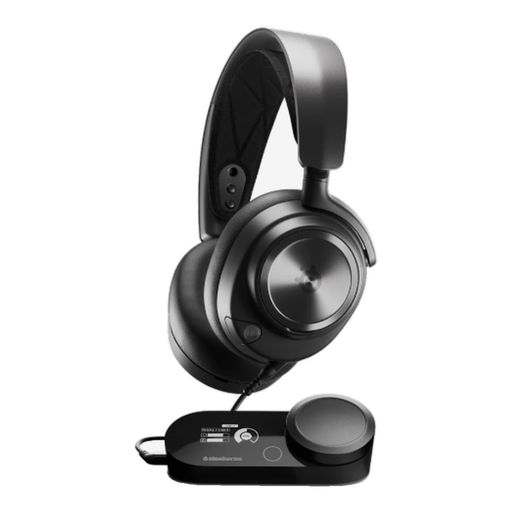 No image available
For a dedicated streaming spot if you prefer a wired connection and can plan for the cable route across your desk.
PlayStation 5 variant.
 No image available
For a setup where you want to choose between wireless and wired use. Check which connection suits your devices first.
The product name lists 2.4 GHz wireless and wired modes.
 No image available
For wireless gaming at your desk if you use one of the platforms listed in the product name.
As stated in the product name: up to 33 hours of battery life, USB-C charging and compatibility with PS5, PS4 and PC.
 No image available
For a wireless setup, but check that the stated connection works with your gaming and streaming devices.
The product name lists SmartSwitch Dual Wireless and USB-C.
 No image available
For a dedicated gaming spot if you prefer a wired connection and want to use the relevant features with your computer.
USB version. The advanced Blue VO!CE and surround sound features listed are available via a USB connection and Logitech G HUB on PC.
Not necessarily. OBS Project describes noise suppression as helpful for mild background noise and points out that stronger filtering can distort your voice. Record a short voice test in your usual conditions and listen back to it.
Check the levels for your voice and game audio in OBS, listen through monitoring and review a test recording. OBS Project notes that levels which appear similar on screen can sound different in volume to viewers.
In Germany, the seller is generally responsible under statutory rights. For new goods, the Verbraucherzentrale explains that there is a two-year period for defects that were present when the goods were handed over; a voluntary manufacturer’s guarantee is subject to its own terms.
In Germany, online consumer contracts generally come with a 14-day right to cancel from the day you receive the goods; exceptions and the terms of the specific contract should be checked. The Verbraucherzentrale distinguishes this statutory right from a retailer’s voluntary returns policy.
Check that the necessary product information and declaration of conformity are available for the specific listing. For wireless products, the Bundesnetzagentur includes CE marking, product identification, and user and warning information among the aspects it considers when monitoring the market. According to the European Union, CE marking is a manufacturer’s declaration that the product complies with relevant EU rules; it is not an independent quality mark.