What should you look for when buying?
First check how the microphone performs in your room and whether it’s compatible with your devices. Then consider the design, fit and freedom of movement to help you choose.
| What matters |
What to check before buying |
Who should pay particular attention? |
| Clear commentary |
Listen to a test recording with typical keyboard and room noise. OBS Project notes that noise suppression has limitations in loud rooms and may distort your voice. |
When I’m commentating at my desk, I want to be clear despite keyboard and fan noise. Around 33% of consumers say a clear commentary voice is their top priority. |
| Being considerate in a shared room |
Check whether the headset is open-back or closed-back, and how much sound escapes at your usual listening volume. |
When sharing a room, I want to disturb others as little as possible with game audio, while still hearing if someone speaks to me. Around 27% of consumers put being considerate in the room first. |
| Device compatibility |
Check the model version, connection type and microphone functionality for each device. For wireless models, check the receiver and connection too. |
When I switch between my console and streaming PC, I want the headset to work with both devices and the microphone features I need. For around 20% of consumers, device compatibility is the top priority. |
| Comfort during long sessions |
Try the fit and assess the pressure for yourself. For wireless models, check battery life and whether replacement ear cushions are available for the exact model. |
During long commentary sessions, I want a comfortable fit and as few interruptions for charging as possible. Around 20% of consumers say long-term comfort is their top priority. |
Joybuy product selection
The models below include wired options for fixed setups and a wireless model for greater freedom of movement. Check that the connections and microphone features suit your devices.
 No image available
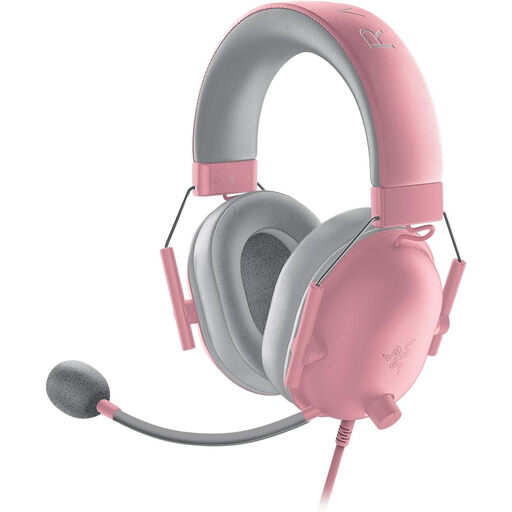
Razer BlackShark V2 X Quartz
A wired option for a fixed setup. Before buying, check that the connection and microphone controls are compatible with your devices.
View at Joybuy
 No image available
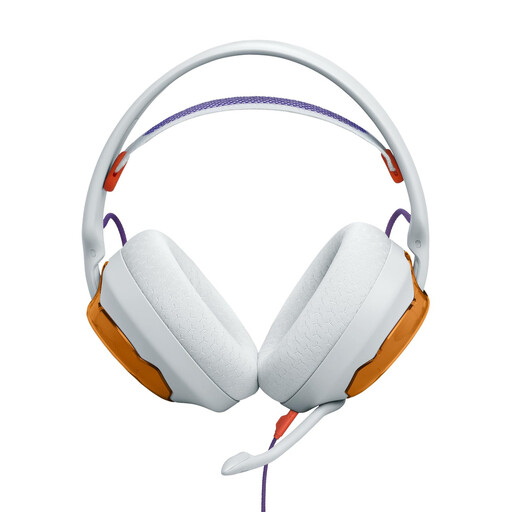
JBL Quantum 250 (Light Teal and Orange)
The wired version may suit a fixed streaming setup. If your device has separate headphone and microphone sockets, you may need to buy a Y-splitter separately to use all the headset’s features.
View at Joybuy
 No image available
HyperX Cloud Alpha
A wired option for a fixed setup. Check the connection you need and microphone functionality for each of your devices.
View at Joybuy
 No image available
Razer Barracuda Wireless Multiplatform Headset
The wireless version may suit you if you switch between devices or want more freedom of movement. Check that its specific wireless connection is compatible with your devices.
View at Joybuy
 No image available
Logitech G PRO X Gaming-Headset (Black, USB)
The software features described may be useful for PC commentary. These advanced features are PC-only; a separate 3.5 mm connection is provided for consoles and mobile devices.
View at Joybuy
Frequently asked questions
How should I set up the microphone if there’s a PC fan running in the background?
Listen to a test recording made at your usual speaking volume, with the normal sounds of your room in the background. OBS Project describes noise suppression as helpful for light noise such as fan sounds, but notes that it has limited effectiveness in loud rooms and may change the sound of your voice.
Are sidetone and noise suppression the same thing?
No. Sidetone lets you hear your own voice through the microphone, while OBS Project’s noise suppression processes the recorded audio. Check separately whether your chosen headset offers sidetone and how your recording actually sounds.
How can I make long commentary sessions easier on my hearing?
The World Health Organization recommends keeping both volume and listening time in mind, and taking regular breaks. Its guideline of 80 dB for up to 40 hours per week relates to sound exposure and doesn’t guarantee that a particular headset will stay within that level at a given volume setting.
What are my rights in Germany if a headset bought online is faulty?
Your statutory rights for faulty goods are against the seller and are not the same as a voluntary guarantee. The first step is usually for the seller to put things right by repairing or replacing the item. According to the Verbraucherzentrale, many online purchases are also generally covered by a 14-day right to cancel; check the conditions and exceptions for your specific situation.
What should I look for in a wireless headset to make sure it meets German product requirements?
For products of this kind, the Bundesnetzagentur lists CE marking, manufacturer details, German-language instructions and declarations of conformity among the things it checks during market surveillance. A product listing alone doesn’t prove that a particular offer meets all requirements, so check the information provided for the product being sold.


