Multiplayer lobby players
If you chat with your team, look for an easy-to-reach mute control and test the microphone amid the usual room noises. HyperX says the Cloud III has a mute indicator.


Choose a headset with a microphone and connection that suit your chat device, then test how clearly your voice comes through amid the usual room noises. A wired headset saves you from charging, while a wireless one gives you more freedom to move around. Closed-back ear cups can reduce the room noise you hear, but they won’t stop your own voice carrying around the room. Manufacturer claims about the microphone are no substitute for testing it in your actual surroundings.
If you chat with your team, look for an easy-to-reach mute control and test the microphone amid the usual room noises. HyperX says the Cloud III has a mute indicator.
Headphones keep game audio in your ears, but ear cups won’t automatically muffle your own voice or all the sounds picked up by the microphone. Razer describes the BlackShark V2 X as having closed-back ear cups.
If you switch between a PC, console and phone, check the connection and exact model variant for each device. Connections vary between headsets and versions.
First, check that chat and the microphone work with your gaming device. Then consider room noise, comfort and whether you’d prefer a wired or wireless connection.
| Consideration | What to check before buying | Who is this particularly important to? |
|---|---|---|
| Clear voice | Check the microphone position, how easy the mute control is to reach, and how clearly your voice comes through amid typical room noise. | If I want to be heard clearly in lobby chat and mute quickly, the microphone controls are key. Around 28% of consumers put clear voice quality first. |
| Being considerate in a shared room | Check the fit of the ear cups and microphone position. If your chat software supports it, try adjusting input sensitivity or using push-to-talk. | If I share a room, I want to hear game audio through my headphones and avoid other conversations in the room being picked up in chat. Around 22% of consumers prioritise being considerate in a shared room. |
| The right device connection | Check your device, available ports, any required receiver and the full model variant; don’t assume Bluetooth alone will provide a PS5 audio connection. | If I want to play and chat on my PC or console, the connection needs to work with that specific device. Around 22% of consumers focus primarily on device compatibility. |
| Comfort | Try the headset on if possible, and consider the fit, clamping force and how warm it gets during your usual use. | If I play for longer sessions, I want a headset that doesn’t become uncomfortable because of the fit or contact with my ears. Around 17% of consumers put comfort first. |
| Wired or wireless | Check the cable routing or whether you have a free USB port, as well as charging options and any required receiver. | If I want to move around while gaming, wireless can be handy. If I stay in one place, I may prefer not having to charge a headset. Around 11% of consumers prioritise freedom of movement or an easy choice between wired and wireless. |
Even noise-reduction software can struggle with a lot of background noise and may alter your voice.
Position the microphone and test it amid the usual room noises. In Discord, you can adjust the input sensitivity or use push-to-talk.
The connection depends on the method supported by the specific headset. In its PS5 troubleshooting guide, PlayStation says Bluetooth audio devices that connect directly are incompatible.
Check the exact model variant, what’s included in the box, and the connection method or USB receiver specified for your console.
Depending on the connection method, you may need a compatible receiver.
SteelSeries describes the Arctis Nova 5 as allowing you to switch between wireless and Bluetooth. The manufacturer only specifies simultaneous playback for the Nova 7 Wireless and Nova Pro Wireless.
If you want to hear game and phone audio at the same time, check that this feature is available on the exact model.
A Joybuy product page for the Logitech G435 had conflicting battery-life information; Logitech itself states a playback time of 18 hours.
Check the full model number and battery-life claim for the specific variant against the manufacturer’s information.
The Cloud III and Cloud Alpha are wired models with different features.
The wired BlackShark V2 X is an option if you’re looking for closed-back ear cups and an adjustable microphone boom.
The G435 is a wireless option with LIGHTSPEED and Bluetooth for compatible devices.
According to SteelSeries, the Arctis Nova 5 offers wireless and Bluetooth connections, with the option to switch between modes.
This selection includes wired headsets for a dedicated gaming set-up, plus a wireless option with an additional 3.5 mm connection.
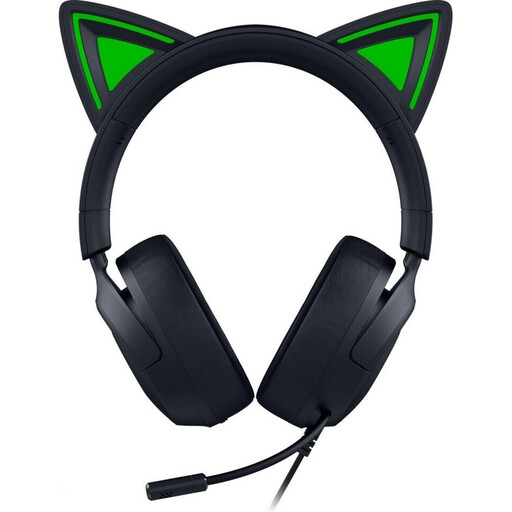 No image available
For a dedicated gaming set-up, if your device has a 3.5 mm port.
3.5 mm connection, fixed microphone and passive noise isolation.
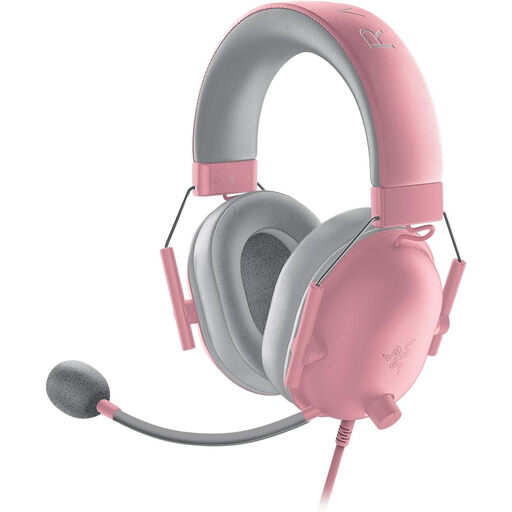 No image available
For voice chat at a dedicated gaming set-up, if you want an easy-to-reach mute control.
3.5 mm connection, 240 g, closed-back ear cups and an in-line control with microphone mute.
The closed-back ear cups won’t muffle the sound of your own voice in the room.
 No image available
For wired chat, if your gaming device has a compatible 3.5 mm port.
3.5 mm connection, 207 g and flexible microphone.
 No image available
For wireless use with compatible devices, or a wired connection using the detachable cable.
Bluetooth 5, detachable 3.5 mm cable and a stated battery life of up to 22 hours. The microphone mutes automatically when flipped up.
According to PlayStation, a direct Bluetooth audio connection isn’t compatible with the PS5; check the connection method intended for the console.
 No image available
For a dedicated gaming set-up, if you prefer a wired connection and a detachable microphone.
3.5 mm connection, detachable cable, detachable microphone and in-line mute.
In Discord, go to ‘Voice & Video’, select your headset microphone as the input device and check the hardware mute control. Test the input sensitivity. If background noise is loud or changes frequently, push-to-talk may work better than automatic voice activation.
No. A direct Bluetooth audio connection isn’t a universal solution for PS5 headsets: PlayStation lists Bluetooth audio devices that connect directly as incompatible in its troubleshooting guide. Check the connection method or USB wireless receiver specified for the exact model, and follow the manufacturer’s instructions for third-party headsets.
The World Health Organization recommends limiting volume and listening time together, and taking breaks. As a guide, it suggests up to 40 hours per week at an average of 80 dB, and four hours at 90 dB. These figures don’t describe the measured volume of the headsets mentioned here.
With a model that has a detachable cable or microphone, you can disconnect these parts for storage. HyperX lists this design for the Cloud Alpha; check separately whether replacement parts are available for your variant.