Hosts who use online voice chat
If you’re gaming with guests in the room while chatting to players elsewhere, the microphone position and an easy-to-reach mute button are important things to consider.


For a fixed gaming setup without having to plan around charging, a wired headset could be a good fit, as long as the connection and microphone work with your device. Wireless avoids having a headset cable across a cramped space, but you’ll need a compatible receiver, device support and a charging plan. If you have guests in the room while chatting to players elsewhere, also consider who needs to hear the game audio through headphones and whether the microphone and mute function suit the way you play together.
If you’re gaming with guests in the room while chatting to players elsewhere, the microphone position and an easy-to-reach mute button are important things to consider.
If you use, for example, both a laptop and a console, check the connection, specific headset version and microphone support for each device.
You can weigh up a wired headset with no charging to plan around against wireless freedom from a headset cable across your space. For longer sessions, it’s also worth checking whether the fit and padding feel right for you.
First decide who in the room needs to hear the game audio and voice chat through a headset. Then check that the connection and microphone work with your gaming device and desk setup.
| Buying consideration | What to look for | Who is it most relevant to? |
|---|---|---|
| Connection and compatibility | Check the specific gaming device against the headset version; check the plug or receiver and microphone support. | If I want to connect a laptop or console, I want to know whether this exact version works with my device and its microphone. Around 33% of consumers say compatibility is their top buying consideration. |
| Voice chat in a shared room | Check the microphone position and whether the mute button is easy to reach; if possible, test voice chat with your intended setup. | If I have guests with me and am also chatting online, I need a microphone that’s easy to reach and a mute button I can use quickly. Around 27% of consumers put voice chat first. |
| Wired or wireless in a small space | Check how you’ll route the cable or whether there’s a free port for the receiver; if you go wireless, plan to charge the battery before gaming. | At a cramped desk, I don’t want a cable in the way, but with a wireless headset I also need to think about the receiver and charging. Around 20% of consumers say space and freedom of movement matter most to them. |
| Fit and volume during longer sessions | Try the fit if possible, and be mindful of the volume and taking listening breaks. | For longer sessions, I want a headset that feels comfortable and don’t want to listen at an unnecessarily high volume. Around 20% of consumers prioritise comfort and keeping the volume at a sensible level. |
Connection support and the specific device version can vary. CHIP points out that Bluetooth alone isn’t necessarily an equivalent gaming connection, as it can introduce noticeable latency.
Before buying, check that the headset’s connection works with your specific gaming device and that you can connect the receiver it requires.
Noise reduction claims don’t tell you how clearly your voice will come across with guests in the room.
Check that you can position the microphone as needed and mute it quickly. If possible, test voice chat with your intended setup.
Each option comes with different considerations when you have a small desk.
Before choosing, think through your desk setup, available ports and charging plans.
With a wireless headset, you’ll need a compatible port for the receiver and will have to charge the battery. With a wired headset, plan a safe route for the cable across your desk.
The wired Cloud III could be worth considering for a fixed gaming setup if you want a choice of connection types and a mute button on the headset.
SteelSeries says the Arctis Nova 5 Wireless can switch between a 2.4 GHz connection and Bluetooth.
The wired BlackShark V2 X could be a good option if an adjustable microphone boom and a 3.5 mm connection suit your setup.
According to Logitech G, the G435 combines LIGHTSPEED wireless and Bluetooth; the brand gives its weight as 165 g.
In the VOID ELITE range, Corsair offers wired USB and 3.5 mm models as well as the VOID RGB ELITE WIRELESS.
The Joybuy products below include wired and wireless headsets for gaming nights. Before buying, check that the connection or wireless receiver and microphone work with your gaming device.
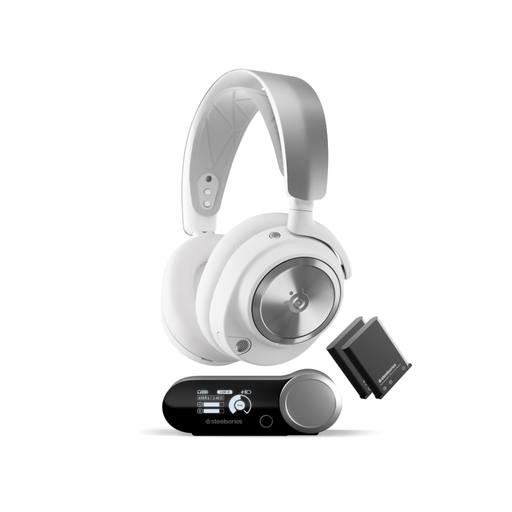 No image available
For a gaming setup without a headset cable, provided the wireless base station and specific version work with your device.
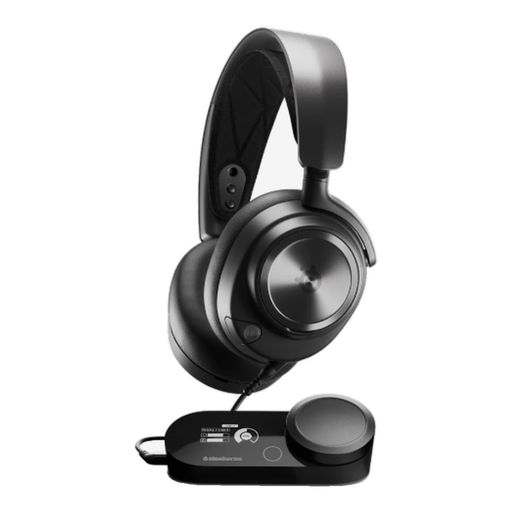 No image available
For a fixed gaming setup with no wireless charging to plan around, provided the wired PlayStation 5 version works with your device.
 No image available
For a fixed setup with no charging to plan around, if you’re looking for a wired headset with a detachable microphone.
 No image available
For a cramped gaming setup, if you want to switch between wireless and wired depending on your setup and can connect the USB receiver.
 No image available
For a gaming setup without a headset cable, if your device supports the wireless connection.
No, not necessarily. Decide who needs to hear the game audio together and who needs their own voice chat with players elsewhere; a single headset doesn’t provide shared audio.
Check your specific device against the headset version, its connection or wireless receiver, and microphone support. If you’re using a wireless headset, charge the battery and test the game audio, microphone and mute function beforehand.
Make sure the fit suits you and don’t listen at an unnecessarily high volume. The German Environment Agency points out that excessive sound can damage your hearing, depending on the volume and how long you listen for.
No. For a consumer purchase, your statutory rights for faulty goods are against the seller; a guarantee is voluntary, as explained by the Verbraucherzentrale (German consumer advice centre). For ordinary new goods, the limitation period for claims relating to defects covered by § 438 BGB is generally two years from delivery. Check the terms of any extended warranty separately.
As part of its market surveillance, the German Federal Network Agency (Bundesnetzagentur) checks, among other things, for correct CE marking, identifiable product and manufacturer details, and any required information in German. A product listing alone doesn’t prove that a specific offer meets these requirements.