Team callers who make frequent callouts
You need clear, short callouts and a mute control you can reach while playing. Check the microphone and playback sound separately.


For team callouts, first check whether the microphone picks up your voice clearly in the guest room and whether you can reach the mute control quickly. Assess how well you can hear directional cues separately. A wired model saves you from charging, but limits your movement; a wireless model may need a compatible receiver and regular charging. If there’s background noise in the room, check the microphone pickup, noise isolation and fit on your head separately.
You need clear, short callouts and a mute control you can reach while playing. Check the microphone and playback sound separately.
You want to make sense of in-game sounds while still understanding your team’s callouts. A sound description alone doesn’t prove that both will work for you.
You’ll need to adapt the connection, cable or wireless receiver to a gaming setup that isn’t permanently in place, and may need to deal with background noise.
Assess microphone pickup and playback sound separately. The connection, fit and noise in the room also affect whether a headset suits your gaming setup.
| Buying criterion | What to look for | Who is it important to? |
|---|---|---|
| Clear callouts | Test the microphone position and recording with the usual background noise in the room. Check that the mute control is easy to reach. | If I need short callouts to come through clearly in a guest room, I check voice pickup and the mute control separately. For around 31% of consumers, voice clarity comes first. |
| Locating in-game sounds | Assess familiar gaming scenes with the specific model. Sound profiles or surround sound labels are no substitute for comparing them yourself. | If you need to pick up directional and distance cues for yourself, assess how well you can locate sounds in your own game. Around 25% of consumers give this the highest priority. |
| Connection and platform | Check the full model name, gaming device, connection type and the microphone connection you need. | If I want to use the same headset for game audio and chat on my gaming device, I check the exact variant and connection. For around 19% of consumers, platform compatibility is the most important buying criterion. |
| Fit during longer sessions | Check the clamping force and padding on the specific model. Weight or material alone won’t tell you whether it’s comfortable to wear. | For longer gaming sessions, I want to know whether the headset feels comfortable on my head. Comfort is the most important criterion for around 13% of consumers. |
| Noise in the guest room | Check noise isolation and microphone pickup separately. Noise cancelling for you is not the same as clear voice pickup without interference. | If there’s background noise in a room I use from time to time, I check what I can hear and what the microphone picks up. For around 12% of consumers, handling room noise comes first. |
Reducing noise for your own listening and making sure your teammates can hear you clearly are two different things.
Check both separately and test the microphone with the kinds of noise you’d typically hear in the guest room.
Connection types and platform support can vary even between models in the same range.
Compare the full model name, your gaming device, wireless mode and what’s included in the box. Also make room for a receiver or GameHub, and allow time for charging.
According to the World Health Organization, the risk to your hearing depends on both volume and listening time.
Keep the volume moderate and take listening breaks, rather than turning it up to make up for a lack of suitable noise isolation.
The INZONE H9 II is a wireless option with a USB-C receiver and boom microphone.
The Arctis Nova Elite is designed for setups with multiple audio sources and a separate GameHub; the Arctis Nova 5 Wireless is a differently equipped wireless range.
Before buying the Maxwell, make sure you check whether you’re choosing the Xbox or PlayStation variant.
The closed-back MMX 300 PRO is an analogue wired headset; the MMX 150 wireless is a separate product range.
The Cloud III Wired is a wired model with several connection types listed by the manufacturer and a mute indicator.
The models below include wired headsets and wireless options for team callouts in a permanent or occasional gaming setup.
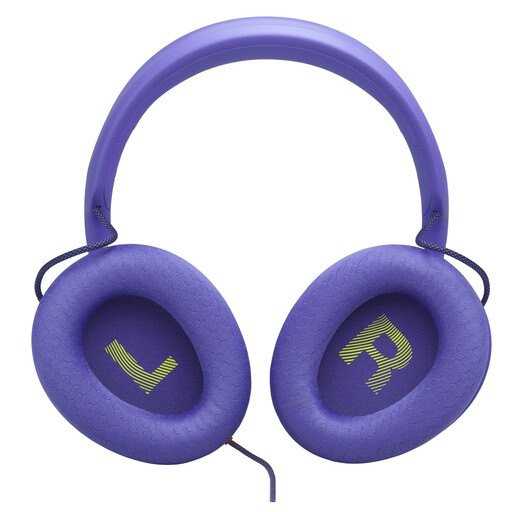 No image available
For team callouts, the detachable boom microphone with cardioid pickup and noise reduction is worth noting. Test how it picks up your voice in your room.
Wired over-ear model with a 3.5 mm connection. JBL Quantum Spatial Sound is described as spatial audio technology.
 No image available
For voice chat, the product description lists a detachable microphone with noise cancellation and an in-line control.
Closed-back design, 3.5 mm connection and detachable cable. The description also mentions memory foam ear cushions and an aluminium frame.
 No image available
The product description lists a microphone with noise cancellation and a mute function. Test voice pickup in your gaming setup.
Features listed include 2.4 GHz wireless via a USB receiver, Bluetooth and wired modes, as well as physical control buttons.
 No image available
According to the product description, you can flip the microphone up to mute it, which can be handy for quick team callouts.
The description lists LIGHTSPEED wireless, USB-C charging, on-headset volume controls and 40 mm drivers. Compatible devices listed are PS5, PS4 and PC; battery life is also stated as 33 hours.
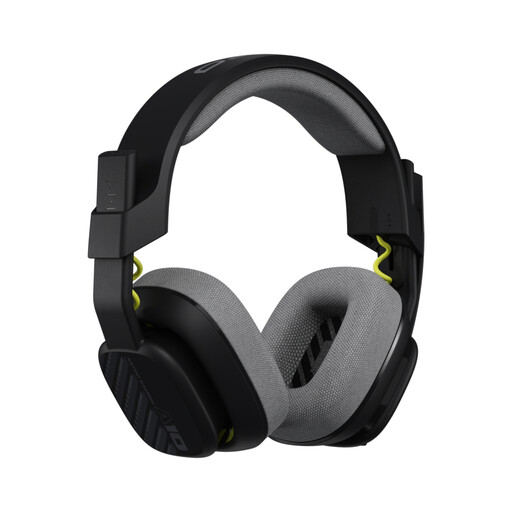 No image available
For team callouts, the description lists a unidirectional microphone that mutes when flipped up.
Features a 3.5 mm connection, in-line volume control and detachable cable. The description also mentions a closed-back design and replaceable ear and headband cushions.
Record a few short phrases in your usual gaming setup, with the kinds of background noise you’d typically hear there, then listen to them through the chat channel you plan to use. Check the microphone position and mute control as you go. Claims about microphone noise reduction are no substitute for this test.
No. Check the platform and connection for the exact model variant. Audeze lists different support for USB and wireless use on the Xbox and PlayStation versions of the Maxwell; PlayStation says that supported PlayStation wireless headsets connect via a USB adapter.
Keep the volume moderate and take listening breaks. The World Health Organization explains that volume and listening time both matter for hearing risk; this doesn’t establish a legal volume limit for gaming headsets.
Distance purchases generally come with a 14-day right to cancel, although exceptions and the circumstances of the specific purchase should be taken into account. If goods are faulty, you have statutory rights against the seller. The European Union explains that goods are covered by a minimum two-year legal guarantee; this is separate from any voluntary manufacturer’s guarantee.