Team chat users practising callouts
If you often make quick support and position callouts, an easy-to-use microphone and reliable mute function are essential. Discord Support explains how to test your microphone on desktop or in a browser.


For quick team callouts during practice, first check the microphone, mute function and connection to the device you actually play on. Then consider how long you’ll wear it and the room you’re in to decide whether a wired or wireless model, and an open or closed design, best suits your setup. Testing it in your chat app will tell you more about how clearly your voice comes through than a sound-quality claim alone.
If you often make quick support and position callouts, an easy-to-use microphone and reliable mute function are essential. Discord Support explains how to test your microphone on desktop or in a browser.
If you wear a headset for long periods, fit, ear cushions and, for wireless models, charging breaks all matter. Weight alone won’t tell you whether a headset suits the shape of your head.
If there are other people in the room or you switch between devices, consider both how much sound escapes from the earcups and what the microphone picks up, as well as the exact connection you need.
First check that game audio and the microphone work on the device you plan to use. Then match the fit and room acoustics to the length of your usual practice sessions.
| What matters | What to look for | Who is it important to? |
|---|---|---|
| Clear team callouts | Check the microphone position and mute function; test your voice in the chat app you use. | When I make quick callouts, I need to test my voice before practice and be able to mute the microphone reliably; around 29% of consumers put clear team callouts first. |
| Comfort during long sessions | Try the fit and ear cushions for as long as you’d normally wear the headset; allow for charging if you choose a wireless model. | When I wear a headset for a long time, I want to spot pressure points and warmth early rather than relying on weight alone; around 24% of consumers prioritise comfort. |
| Connection to your gaming device | Check the model variant, connection and microphone function for your PC or console; also check what’s included in the box. | When I need game audio and voice chat on the device I actually play on, that exact connection must support both; around 18% of consumers put device compatibility first. |
| Noise in a shared room | Assess open or closed earcups separately from the microphone’s ability to pick up background noise. | When other people are in the room, I want to be able to hear what’s going on around me without my game audio disturbing them; around 18% of consumers prioritise their room setup. |
| Freedom to move around | For wireless models, check that you have the right receiver, a free port and somewhere to charge the headset. | If I want to move away from my desk, a cable might get in the way; around 12% of consumers put freedom to move ahead of the other criteria. |
Blocking sound from reaching your ears and reducing background noise picked up by the microphone are two different things. One feature doesn’t automatically tell you how your voice will sound to your team.
Check both features separately and test a voice recording with the usual background noise in your room.
Supported devices and microphone functions can vary by model and connection. A list of several connection types doesn’t mean every feature is available on every device.
Check the exact model variant, your gaming device, audio and microphone functions, and what’s included in the box.
A good result in a review doesn’t automatically tell you whether the microphone, connection and fit will work for your room and device.
Use reviews as a starting point at most, then check each limitation that matters for your voice chat and platform.
The wired Cloud III is an option for a fixed practice setup if you’re considering several types of connection.
The Arctis Nova 5 Wireless is worth considering for wireless gaming at your desk and switching to mobile audio.
The closed-back MMX 150 wireless is a point of comparison for longer sessions; open-back models have a different design.
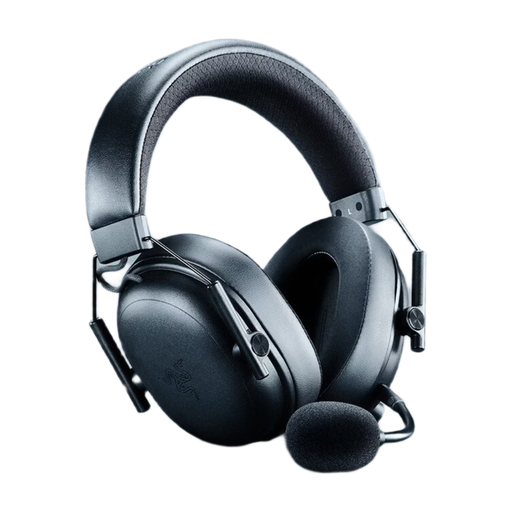
The BlackShark V2 X is a wired option with a 3.5 mm connection for a fixed setup.
The INZONE H9 II is a wireless option to compare if background noise and extended wear matter to you.
This selection includes wireless gaming headsets for voice chat and longer practice sessions, plus a wired model for a fixed desk setup.
 No image available
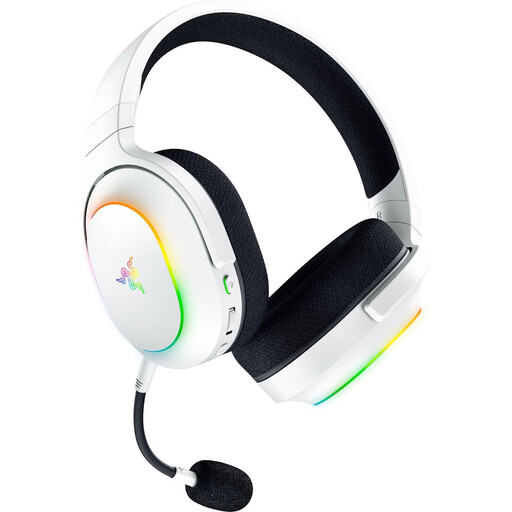
For wireless gaming with voice chat at a fixed setup, if the 2.4 GHz connection is right for your device.
Features listed include 2.4 GHz wireless, Bluetooth 5.3 and a USB connection, plus a detachable microphone and controls for volume, microphone mute and Game/Chat.
The listed weight is 270 g, with up to 70 hours of battery life. Wireless use requires charging.
 No image available
For voice chat and switching between a gaming device and a mobile device, provided the connections work with your devices.
Features listed include 2.4 GHz wireless with a USB-C receiver, Bluetooth 5.3 and SmartSwitch, plus a detachable HyperClear microphone.
The listed weight is 285 g, with up to 70 hours of battery life. The description specifies the USB-C wireless receiver for wireless gaming; wireless use requires charging.
 No image available
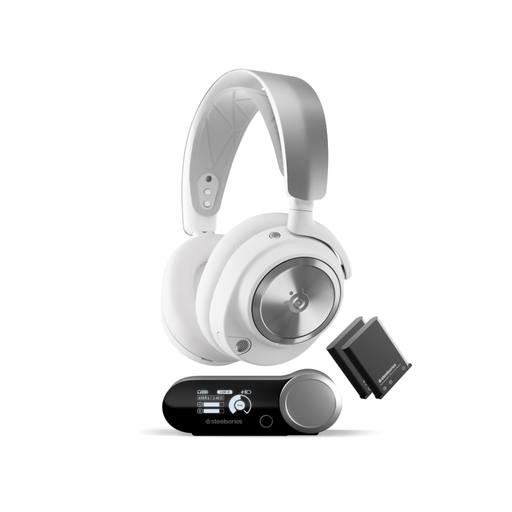
For PC and PlayStation gaming, if a base station and swappable batteries suit your setup.
The product description lists a wireless base station, Bluetooth, active noise cancellation and a microphone pop filter.
Two swappable batteries and a charging station are included in the listed features. According to the description, wireless use requires the base station; to keep a battery charged, one battery needs to be charging in the station.
 No image available
For wireless gaming and team chat, if your device supports the 2.4 GHz receiver.
Features listed include 2.4 GHz wireless, Bluetooth, a gaming USB receiver and a detachable microphone.
The headset has breathable ear cushions and up to 45 hours of battery life. Wireless use requires charging.
 No image available
For voice chat at a fixed practice setup, if your gaming device supports a wired 3.5 mm connection.
Features listed include a detachable noise-cancelling microphone, in-line controls, memory foam ear cushions and a closed-back over-ear design.
Connects by cable via 3.5 mm. Check that the microphone works with your specific platform.
In Discord on desktop or in a browser, go to ‘Voice & Video’, select your input device and use the microphone test. Also check that your microphone isn’t muted; Discord Support recommends checking this first when troubleshooting voice issues.
No. Compare the sound quality with the feature on and off. Discord describes Krisp as a filter for non-human background noise and notes that processing in a quiet room can reduce voice quality.
Follow the instructions for your particular model when cleaning it or replacing the ear cushions. beyerdynamic lists replacement ear and head pads for the MMX 150 wireless; this doesn’t automatically apply to other models.
For new goods, the Verbraucherzentrale explains that you have statutory warranty rights against the seller for two years after receiving the goods. A voluntary guarantee is separate from these rights.
The Bundesnetzagentur lists CE marking, product identification, manufacturer details, safety and usage instructions, and a declaration of conformity among the checks carried out as part of market surveillance. This doesn’t confirm that any particular listing is compliant.