What should you look for when buying?
Start with comfort and the sound of your visual novel. Then check that the headset’s design and connections suit your room and devices.
| Criterion |
What to check before buying |
Who it matters most to |
| Comfort during long sessions |
Check the headband adjustment, padding material and listed weight. If possible, try the headset for the length of a typical session. |
If I read and listen for a long time, I want my headset to stay comfortable; that’s why around 33% of consumers put comfort first. |
| Dialogue and music |
Try it with a voiced game or familiar audio, and only compare sound profiles if they’re available on your device. |
When listening to voiced dialogue, I want to understand the voices and enjoy the music; around 27% of consumers give dialogue and music the greatest importance. |
| Quiet in the room and sound leakage |
Choose an open or closed-back design to suit your surroundings. Don’t assume that noise cancellation means other people won’t hear your game. |
If there are other people in the room or noise distracts me, I need to consider both how much sound gets in and how much gets out; around 20% of consumers prioritise a quiet room. |
| Connections and switching between devices |
Check the connections and microphone function for each device. For wireless models, find out whether they switch between sources or play audio from them simultaneously. |
If I want to use one headset with my gaming and work devices, it needs to connect to both; that’s why around 20% of consumers prioritise connections and switching between devices. |
Joybuy products for your desk
The models listed include wired and wireless gaming headsets for desk setups, with a range of device connections.
 No image available
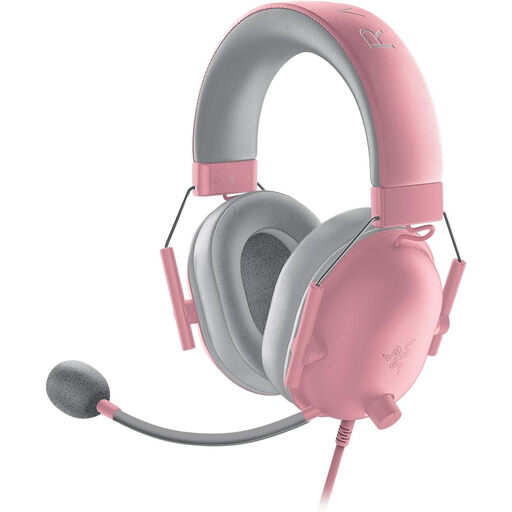
Razer BlackShark V2 X Quartz
If you’re looking for a closed-back headset for your desk, check that it feels comfortable and connects to your devices for longer sessions.
View at Joybuy
 No image available
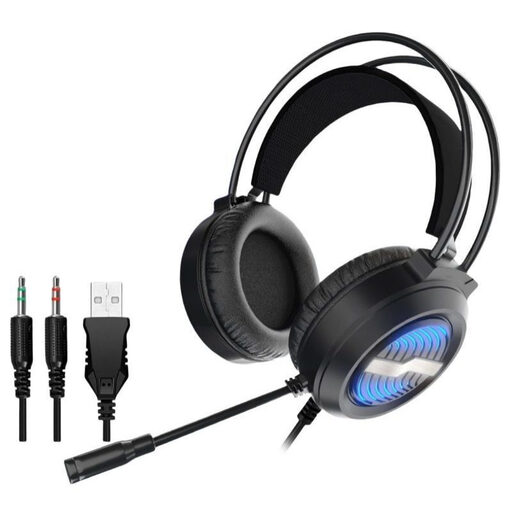
Gaming headset with LED lighting, USB and over-ear design
For a wired desk setup. Check that the listed USB connections and microphone work with your devices and calls.
View at Joybuy
 No image available
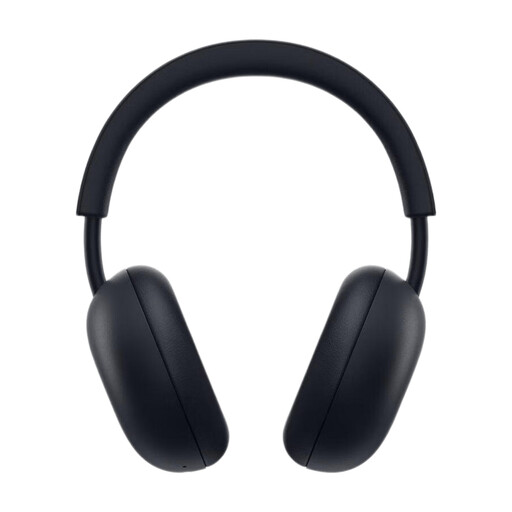
PlayStation PULSE Wireless Headset, Midnight Black
If you play on a PS5 and also want to listen to audio from your mobile phone, check beforehand that the connections suit your setup.
View at Joybuy
 No image available
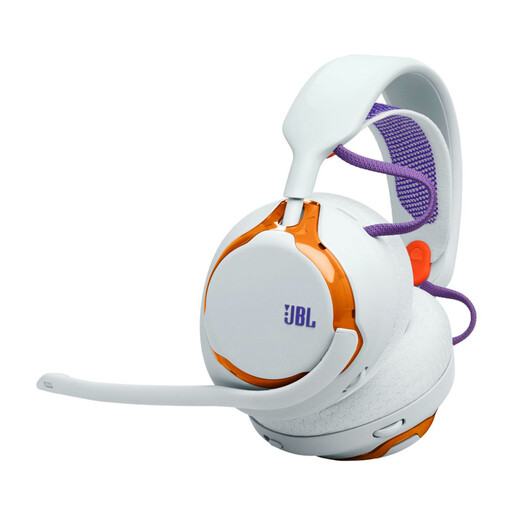
JBL Quantum 650 Wireless Over-Ear, Light Teal and Orange
For wireless listening at your desk. According to the product details, this version can only be used wirelessly and has no headphone jack.
View at Joybuy
 No image available
JBL Quantum 360P, White
The product title lists noise cancellation, Bluetooth 5, a boom microphone and up to 22 hours of battery life. Check that the connection and microphone work with your devices.
View at Joybuy
Frequently asked questions
Do I need surround sound or a particularly advanced microphone for a visual novel?
If you play alone and don’t speak, these features aren’t automatically deciding factors. First check that you enjoy listening to the dialogue and music and that the headset feels comfortable. A microphone matters more if you also use the same headset for work calls.
How can I keep an eye on the volume during long sessions?
The World Health Organization (WHO) notes that volume, listening time and how often you’re exposed to sound are all connected. As an example, it gives up to 40 hours a week at an average of 80 dB and recommends keeping the volume low and taking regular listening breaks. This isn’t a guarantee for any particular headset.
Can I listen to game audio and a call over Bluetooth at the same time?
It depends on the exact model. SteelSeries says the Arctis Nova 5 switches between 2.4 GHz and Bluetooth, while the manufacturer describes the Arctis Nova Elite as playing audio over both connections at once. Check the features of your specific model variant before setting it up.
Who should I contact if something goes wrong after buying in Germany?
For a consumer purchase in the EU, the seller is generally responsible for a minimum two-year legal guarantee from the date you receive the goods. Your Europe, the European Union’s consumer portal, makes clear that an additional manufacturer’s warranty does not replace these rights.
What markings should I look for on wireless headsets?
Wireless devices made available on the EU market are covered by the European Union’s Radio Equipment Directive. The EU also explains that CE marking is only required for products covered by relevant harmonised rules; the crossed-out wheelie bin symbol indicates that electrical and electronic waste must be collected separately. A marking alone does not confirm that a specific listing complies with the rules.


