Players talking others through a game
If you want to balance game audio, your own instructions and, where relevant, online chat, check the microphone position and make sure the mute control is easy to reach.


For gaming together in the same room, a wired headset with easy-to-reach volume and mute controls is a practical choice, provided it has the right connection for your gaming device. Wireless is a better fit if you want to get up while talking someone through the game, but you’ll need to consider the connection and charging requirements. Try the fit for yourself and keep the volume at a moderate level.
If you want to balance game audio, your own instructions and, where relevant, online chat, check the microphone position and make sure the mute control is easy to reach.
If you use, say, a PC and a console, check the connections and which features are actually available on each device.
For longer sessions, a comfortable fit and moderate volume matter. A closed-back design may be worth considering if there’s background noise, but it’s no substitute for trying the fit yourself.
A good fit if: you mainly play in one place and your device has a compatible connection.
The trade-off: You won’t need to charge a headset battery, but you will have a cable on a small desk. DTS Surround and EQ on the Logitech G432 require Windows and G HUB.
A good fit if: you want to get up while talking someone through the game and your gaming device supports your chosen wireless connection.
The trade-off: You’ll need to charge the battery and check that the specific connection is compatible. Logitech quotes up to 18 hours of playback for the G435; device support depends on the wireless technology used.
| What you need | What to look for | Who it matters to |
|---|---|---|
| Talking others through the game and chat | Check the microphone position, and make sure the mute and volume controls are easy to reach. | If you want to switch quickly between talking others through the game and chatting, simple controls are important. Around 36% of consumers prioritise this. |
| Connection to your gaming device | Check the connection and specific wireless technology against every PC or console you use; check software features separately. | If you switch between devices, you’ll want to be able to connect the headset appropriately to each one. Around 29% of consumers primarily look for device compatibility. |
| Room noise | Bear in mind that passive isolation from the earcups, the microphone’s pickup pattern and active noise cancellation do different jobs. | If other people or devices in the room distract you while listening or speaking, think about which noises you want to reduce. Around 21% of consumers put this first. |
| Fit and volume | Try the headset on your own head rather than judging comfort by weight alone. Keep the volume moderate; the German Environment Agency points out that both the intensity and duration of exposure to sound can damage your hearing. | If you’re planning longer gaming sessions, the headset should feel comfortable and have easy-to-adjust volume. Around 14% of consumers put wearing comfort first. |
DTS Surround and EQ on the Logitech G432 require Windows and Logitech G HUB software. This limitation applies to the additional features and shouldn’t be confused with whether the headset itself can be used.
Check the connection and the software features you want for each of your gaming devices separately.
Isolation from the earcups, active noise cancellation for you and the sounds picked up by the microphone all affect different parts of the audio path.
Check which features the specific model offers, and test how clear your voice sounds from your usual sitting and speaking position.
The devices listed for the Logitech G435 differ depending on whether you use LIGHTSPEED or Bluetooth. Logitech quotes up to 18 hours of playback on a full charge.
Check that the wireless technology you need is compatible with your gaming device, and allow time for charging.
The wired Cloud Stinger 2 is a PC model that focuses on on-headset controls and a swivel-to-mute microphone.
The wired Arctis Nova 1 is worth considering if you want to check how a 3.5 mm headset works with different types of device.
The G432 offers wired connections, while the G435 is a wireless option with LIGHTSPEED and Bluetooth.
The BlackShark V2 X is a closed-back headset to consider if background noise is a factor in your choice.
The wireless INZONE H9 II is another option if you specifically need active noise cancellation.
This selection includes wired and wireless gaming headsets with microphone controls for gaming together. Before buying, check that the connection or wireless technology is compatible with your devices.
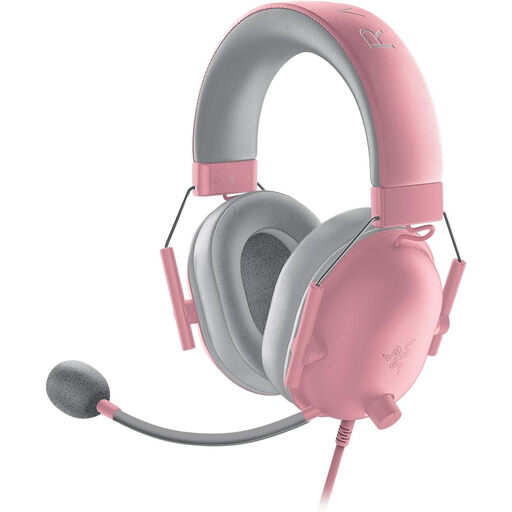 No image available
For talking others through a game from one spot, with easy-to-use microphone and volume controls and a wired connection.
Closed-back earcups with passive noise isolation; 3.5 mm connection; flexible microphone with mute and volume controls on the cable.
 No image available
A wired option if you want to control the microphone and volume using the controls on the cable.
Closed-back, over-ear design with memory foam ear cushions; detachable microphone; in-line volume and microphone mute controls; 3.5 mm connection. The device you’re using will need a compatible connection or adapter.
 No image available
A good choice if you want the option of using it wirelessly or with a cable.
Supports 2.4 GHz wireless, Bluetooth and wired use. On-headset controls include microphone mute and volume adjustment; a detachable microphone is listed. The built-in battery needs to be charged for wireless use.
 No image available
A wireless option if you want to move around while talking someone through a game and mute the microphone directly on the headset.
LIGHTSPEED wireless and USB-C charging; flip-to-mute microphone; on-headset volume control; quoted battery life of up to 33 hours. Compatible devices listed include PS5, PS4, PC and Mac. Regular charging is required.
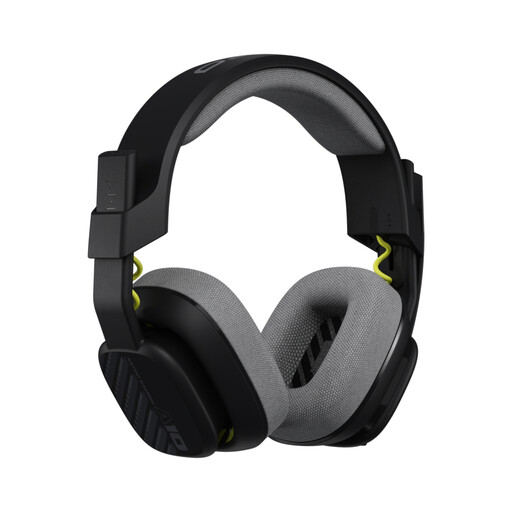 No image available
For gaming together with a wired connection and easy-to-use microphone mute and volume controls.
3.5 mm connection; unidirectional microphone with flip-to-mute function; in-line volume control; 32 mm drivers. Compatible devices listed include PS5, PS4, Nintendo Switch and PC. The description says a splitter cable may be required for PC or Mac.
Connect it using a connection supported by both the specific model and your gaming device. Then test the playback volume, microphone position and mute function separately. On the HyperX Cloud Stinger 2, the volume control and swivel-to-mute microphone are both on the headset.
It depends on the model. DTS Headphone:X 2.0 and EQ presets on the Logitech G432 require Windows and Logitech G HUB. These additional features are separate from whether the headset itself can be used with other devices.
Keep the volume at a moderate level. The German Environment Agency points out that the intensity and duration of exposure to sound can cause hearing damage; workplace exposure limits are not a general recommended volume setting for this headset.
For a qualifying distance sale from a business seller, you generally have a 14-day right to cancel, starting from the date of delivery. Your Europe, the European Union’s information portal, notes that exceptions may apply and you may have to pay return costs. Your statutory rights if goods are faulty are against the seller and are separate from any voluntary guarantee.