Team players who make frequent callouts
If you give quick position callouts in-game, focus on the microphone position and mute button, and check that you can hear important in-game cues clearly.


For team callouts, a gaming headset should have a well-positioned microphone and an easy-to-reach mute button. Also check that you can clearly make out important in-game sounds with your specific device and connection. A wired headset saves you having to plan around charging, while 2.4 GHz wireless gives you more freedom to move. An additional Bluetooth connection is most useful if you want to listen to audio from other sources alongside your game.
If you give quick position callouts in-game, focus on the microphone position and mute button, and check that you can hear important in-game cues clearly.
If you mostly play in one spot, weigh up whether avoiding the need to charge a wired headset matters more to you than the freedom to move around with a wireless one.
If you want to listen to calls or audio from your mobile phone while gaming, check that your devices support the simultaneous use you have in mind.
First, check voice transmission and support for your gaming device. Then decide whether a wired connection, 2.4 GHz wireless or an additional Bluetooth connection best suits your setup.
| What matters | What to check before buying | Who will value this most |
|---|---|---|
| Clear callouts | Position the microphone and check the mute button; record a voice sample in the chat app you normally use. | When I give quick position callouts, I want my team to understand me clearly. Around 33% of consumers say clear callouts are their top priority. |
| Identifying in-game positions | Check that the audio mode you want is supported by your gaming device; adjust the game and chat volumes to suit. | When I need to distinguish in-game sounds and work out where they’re coming from, the audio mode is crucial. Around 27% of consumers put being able to hear in-game positions first. |
| Comfort during longer sessions | Try the fit with glasses and for as long as you’d normally play; compare the ear cushion material and replacement parts available for the specific model. | When I play for longer periods, I don’t want my headset to feel uncomfortable or press too tightly. Around 20% of consumers prioritise comfort during long sessions. |
| Connectivity and freedom to move | Check the platform, connection and what’s included with the exact variant; for wireless models, check the receiver connection and charging options. | When I want more freedom to move while gaming or to use multiple audio sources, the right connection matters. Around 20% of consumers put flexible connectivity first. |
Available audio modes and how useful they are depend on the model, connection, gaming device and setup. A surround sound feature alone doesn’t prove that you’ll locate opponents more accurately in your game.
Check support for your device and compare the settings using in-game sounds you’re familiar with.
HyperX lists different connections and platform compatibility for the Cloud III and Cloud III Wireless. Features and compatibility for one version therefore won’t necessarily apply to the other.
Check the full model name, connection and included accessories against your gaming device.
Reducing distractions for you doesn’t automatically help your team understand your callouts. Microphone recording and noise cancellation serve different purposes.
Test your voice in the chat app you normally use, with the typical sounds in your room, and check how it performs on your platform.
These notes refer to the product ranges mentioned, not to every model from each brand.
The Cloud III range includes a wired version and a 2.4 GHz wireless version for desktop gaming.
The Arctis Nova 7 Wireless Gen 2 is worth considering if you want to combine game audio with audio from a mobile device.
The wired MMX 300 PRO is an analogue option if you have a compatible jack socket.
The INZONE H9 II combines wireless connectivity with active noise cancelling for players who want to reduce distractions around them.
This selection includes wired and wireless gaming headsets, as well as PlayStation and Xbox versions. For your setup, check the exact platform and connection support for each one.
 No image available
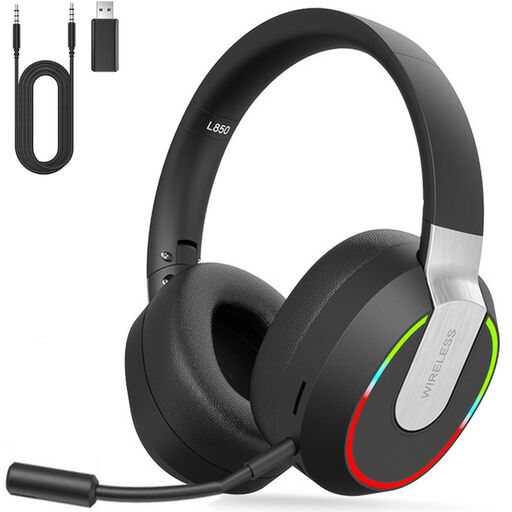
A wireless option for a dedicated gaming space if you want more freedom to move while you play.
The product name specifies 2.4 GHz wireless and compatibility with PC, PS4, PS5, Mac and Switch. Check beforehand that the receiver works with your specific device.
 No image available
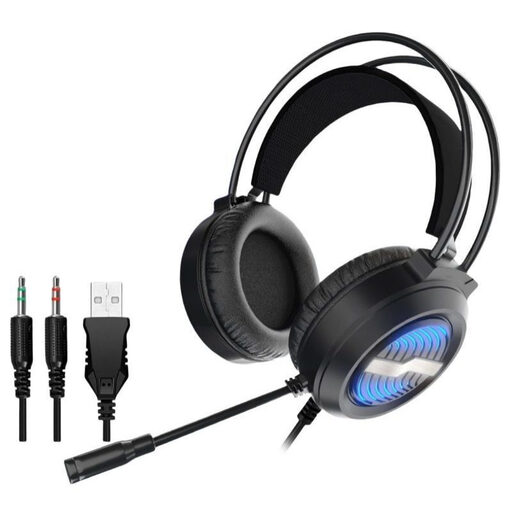
A wired option for your gaming space if you’d rather not use a wireless connection.
The product name specifies a USB cable, an over-ear design and LED lighting. Check that the connection type is compatible with your gaming device.
 No image available
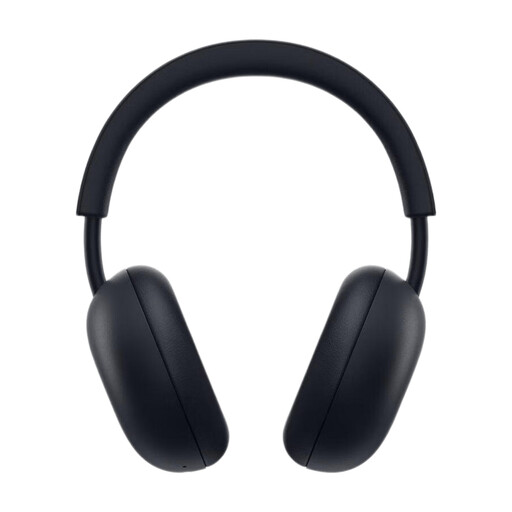
A PlayStation version for players who are also considering Bluetooth audio.
The product name specifies PS5, PlayStation Link, Bluetooth, 3D Audio and up to 30 hours of battery life. Check that the connections suit your specific setup.
 No image available
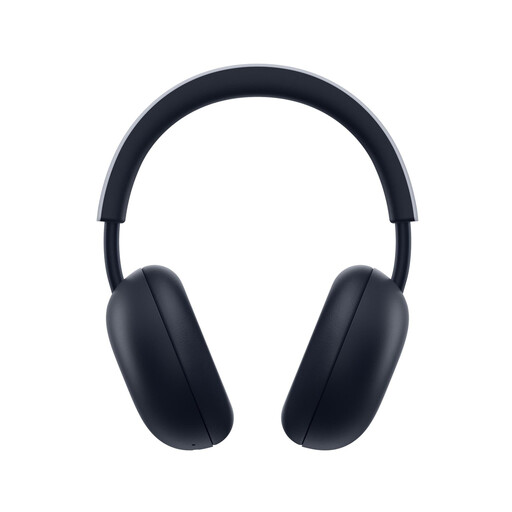
This version is worth considering if you’re looking for a headset for PS5 or PS4 and want to check Bluetooth as an additional connection.
The product name specifies PS5 and PS4 compatibility, PlayStation Link, Bluetooth and up to 30 hours of battery life. Check the connection options against your device.
 No image available
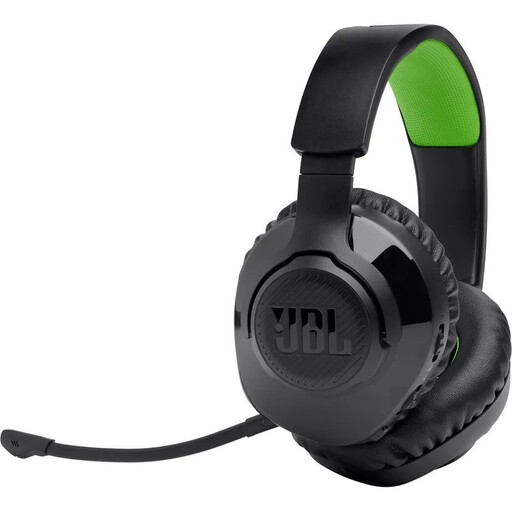
An Xbox version for players who want to choose between wireless connections.
The product name specifies 2.4 GHz wireless and Bluetooth. Check that it supports your specific setup.
Record a voice sample in the chat app you normally use while typical sounds are happening in the room. Check the mute button too; a microphone specification alone doesn’t show how your voice will sound to your team.
No, you shouldn’t assume that it does. For the exact model, check which audio modes are available through your connection and on your platform; manufacturers don’t necessarily list compatibility and extra features for the same devices.
The Verbraucherzentrale distinguishes between your statutory consumer rights and a voluntary guarantee. If there’s a fault, contact the seller and keep your proof of purchase and product information.
The Bundesnetzagentur lists CE marking, product and manufacturer details, German-language instructions and a declaration of conformity among the things it checks when monitoring the market. Check these details for the specific model; a marking alone doesn’t prove that the headset is suitable for your gaming device.
The Umweltbundesamt advises against putting old electrical equipment in household waste. Use an appropriate take-back point and, where possible, remove and dispose of any batteries separately.