If someone else is sleeping in the room, first check the specific switch variant and whether you can dim or turn off the lighting. A TKL layout gives you more space beside the keyboard, but does away with the number pad; a full-size keyboard is more practical if you need those keys close at hand. Claims such as ‘quiet’ are mostly made by manufacturers for the models covered here, and aren’t based on comparable noise measurements.
Who is this selection for?
Consideration for the person you share with
If you play while someone else is sleeping in the same room, compare the specific switch variant and lighting before focusing on extra gaming features. SteelSeries and Logitech describe certain models or keys as quiet, while CHERRY says that MX SILENT RED has integrated damping.
City-building at a small desk
If you want to leave room for your mouse beside the keyboard, a TKL layout could be a good option. It does away with the number pad; RTINGS highlights this difference when comparing the Logitech G213 with the SteelSeries Apex 3 TKL.
Quick access to lots of commands
If you want to trigger frequently used commands without extra key combinations, check the actual key layout and which keys are programmable. In RTINGS’ comparison, any key on the SteelSeries Apex 3 TKL can be remapped, while programming on the Logitech G213 is limited to the function keys.
What should you look for when buying?
| Priority |
What to check before buying |
Who is it particularly important to? |
| Keystroke noise |
Check the specific switch variant; don’t treat manufacturer claims as comparable noise measurements. |
If you play at night beside someone who is sleeping, you’ll want to avoid disruptive keystrokes as much as possible. Around 36% of consumers put consideration for sleeping people first. |
| Desk space and layout |
Measure the space available for your keyboard and mouse; consider whether you need a number pad. |
If your desk is small, every bit of free space beside the keyboard counts. Around 29% of consumers prioritise the space available. |
| Quick commands and key assignments |
Make a note of the commands you need in-game and check which keys can actually be programmed. |
If you want quick access to frequently used commands, pay attention to the layout and programmability of the keys. Around 21% of consumers prioritise quick commands and customisable key assignments. |
| Lighting and connection |
Check whether you can dim or turn off the lighting, and whether the keyboard connects to your computer in a suitable way. |
If you share a room, you’ll want to adapt the lighting and cable connection to suit sharing the space. Around 14% of consumers prioritise lighting or connection options. |
Avoiding buying pitfalls
-
Assuming ‘Red’ means the same as ‘Silent Red’
CHERRY says that MX SILENT RED has integrated noise damping. The name MX2A Red alone doesn’t tell you the same thing about the switch variant.
Before buying, check the full switch name, and don’t take manufacturer claims as measurements of the keyboard as a whole.
Key brands at a glance
SteelSeries
The Apex 3 and Apex 3 TKL are worth considering separately: the TKL version saves space but doesn’t have a number pad.
- SteelSeries describes the Apex 3 switches as reducing vibrations.
- The noise claim for the Apex 3 shouldn’t automatically be applied to other models, and it isn’t a measurement taken in your own room.
Logitech G
The G213 is a full-size keyboard with Mech-Dome keys that the manufacturer describes as quiet.
- Logitech lists adjustable lighting and an integrated wrist rest.
- According to RTINGS, programming on the G213 is limited to the function keys.
CHERRY
According to CHERRY, the MX-3.0S Wireless range offers several connection options; MX SILENT RED is a separate switch variant you’ll need to check specifically.
- CHERRY says MX SILENT RED has integrated noise damping, and that the MX 3.0S Wireless supports Bluetooth, 2.4 GHz wireless and a USB cable.
- A wireless version with standard Red switches doesn’t automatically come with MX SILENT RED.
Razer
For the BlackWidow V4, the specific mechanical switch variant matters when using it in a shared bedroom.
- Razer lists six macro keys and distinguishes clicky Green switches from Yellow switches marketed as quiet.
- ‘Quiet’ is the manufacturer’s description, not an independent measurement of keystroke noise.
Joybuy products for this topic
This selection includes keyboards with compact or full-size layouts, as well as variants listed with a German key layout or manufacturer claims about noise. For each keyboard, check the specific switch and layout variant to make sure it suits your needs.
 No image available
CHERRY MX-LP 2.1 Wireless, 65%
The compact layout and stated German key layout could be a good fit if you want to save desk space.
The product name lists low-profile MX Speed switches, RGB lighting and 2.4 GHz wireless, Bluetooth or USB-C connections. You can’t tell how noisy it is from this information alone.
View at Joybuy
 No image available
Ticktype EVO75 Custom Tri-Mode Wireless Mechanical Keyboard
The stated ISO-DE layout and 75% form factor could suit a space-saving setup with a German key layout.
The product name lists a hot-swappable layout, VIA compatibility, Creamy Rye Switches and RGB lighting. Before buying, check that the stated switch variant meets your noise requirements.
View at Joybuy
 No image available
Logitech MX Mechanical Wireless Illuminated Performance Keyboard
The stated German QWERTZ layout could work well for typing in German; the switch name is no substitute for checking how noisy it is in your own room.
The product name lists Tactile Quiet switches, Bluetooth and Logi Bolt, as well as smart illumination.
View at Joybuy
 No image available
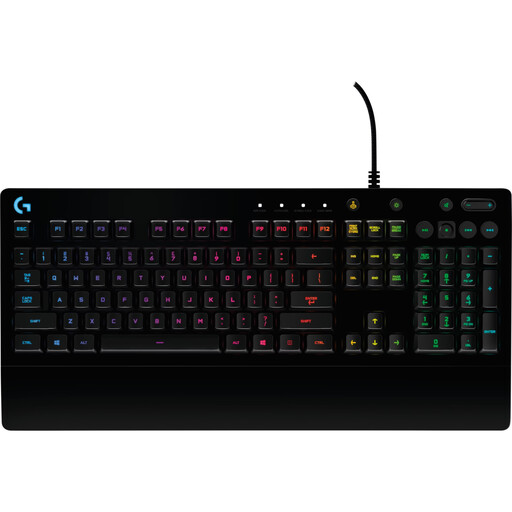
Logitech G213 Prodigy Keyboard
The G213 is worth considering if you’re looking for a full-size keyboard with a number pad and adjustable lighting; Logitech describes its Mech-Dome keys as quiet.
Logitech lists five lighting zones with adjustable brightness and an integrated wrist rest. According to RTINGS, programming is limited to the function keys.
View at Joybuy
 No image available
Ticktype DP104 Custom Tri-Mode Wireless Mechanical Keyboard
The full-size layout with a number pad could be a good fit if you want quick access to extra keys; bear in mind that it has a US layout.
The product name lists 108 keys and Silent Tactile Switches. Check that the stated layout suits your needs; the switch name isn’t a noise measurement.
View at Joybuy
Frequently asked questions
Does a mechanical gaming keyboard have to be loud in a bedroom?
No. The switch type alone doesn’t determine how noisy the whole keyboard is. CHERRY says that MX SILENT RED has integrated damping, but that doesn’t tell you for certain whether a keyboard will be quiet enough in your own room.
How can I avoid unnecessary lighting at night?
Check whether you can dim or turn off the lighting on the specific variant. Logitech lists five lighting zones with adjustable brightness for the G213.
What should I do if the keyboard is faulty or I don’t like how it feels to type on after buying it online?
For faulty goods, your statutory rights are generally against the seller and are separate from any voluntary guarantee. The Verbraucherzentrale says that, in Germany, goods ordered online can generally be returned under the 14-day right of withdrawal from the date of receipt. Check the returns policy and any exceptions before buying.
What should I know about labelling and disposal?
The Bundesnetzagentur lists CE marking and the required accompanying documents as checks for retailers handling electrical products that must carry a label. The Umweltbundesamt advises against putting old electrical equipment in household waste; dispose of it at an appropriate collection or take-back point instead.


