What to look for when choosing
First, decide how important quiet operation and easy access to in-game keys are to you. Then compare the layout and extra features with the space you have and the controls you use.
| What matters |
What to check before buying |
Who it matters most to |
| Typing noise |
Consider the switch type and how the specific keyboard sounds; take larger keys and the case into account too. |
When I play at night, I want my typing to disturb the other person in the room as little as possible. Around 31% of consumers put quiet typing first. |
| Direct access to gaming keys |
Check which function, arrow or number-pad keys you need for your setup, and whether the game lets you remap them. |
When I want quick access to important commands, I need to know which keys my game actually uses. Around 25% of consumers prioritise direct access to game commands. |
| Space for your keyboard and mouse |
Measure the available desk width and check whether you can manage without a number pad. |
When I have limited desk space, I want to keep enough room for my mouse. Around 19% of consumers put space requirements first. |
| Essential features and extras |
Only consider extra keys and features if they suit the controls you use in your games. |
I want to focus on the features I actually use. Around 13% of consumers prioritise the right essentials over extras. |
| Customisable keys and switches |
Check that your preferred layout is supported and whether the specific model offers hot-swap for compatible switches. |
If I want to customise inputs or switches, the feature needs to work with my particular model and game. Around 12% of consumers put customisation first. |
Joybuy products for this topic
This selection includes TKL and compact keyboards that leave more room beside your mouse, as well as full-size models with a number pad. Switches range from membrane to mechanical. A particular model name or “silent” label doesn't guarantee that a keyboard will be noiseless in a shared room.
 No image available
Exodus 220 TKL gaming keyboard, Black, QWERTZ DE
The TKL layout leaves out the number pad, freeing up space beside the keyboard. RTINGS generally lists membrane switches among the quieter options, but they don't guarantee quiet operation where you use the keyboard.
Features 26-key N-key rollover and 12 FN multimedia functions; wired USB-C connection.
View at Joybuy
 No image available
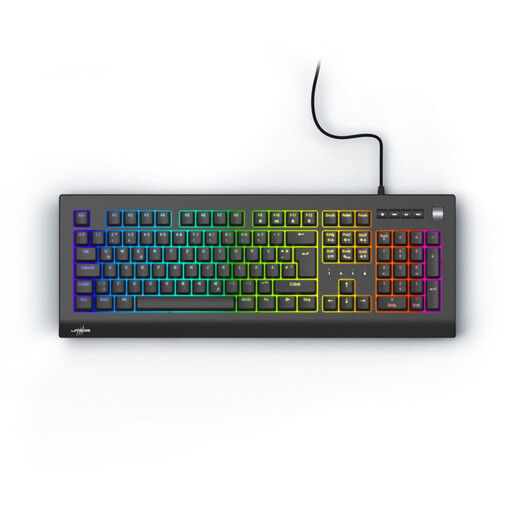
Exodus 600 gaming keyboard, Outemu Red, Black, QWERTZ DE
The full-size layout keeps the number pad but needs more desk space than TKL.
Linear mechanical Outemu Red switches, described as quiet in the product listing; programmable keys, four multimedia keys and a volume wheel.
QWERTZ DE layout and wired USB connection.
View at Joybuy
 No image available
CHERRY MX-LP 2.1 wireless gaming keyboard, 65%, German QWERTZ, White
The compact 65% layout is a good option if you have limited desk space and can work with the keys it includes.
CHERRY MX Low Profile Speed switches; connects via USB-C, 2.4 GHz or Bluetooth.
N-key rollover and anti-ghosting are listed.
View at Joybuy
 No image available
AJAZZ AK35I V4, German QWERTZ
The full-size layout includes a number pad but needs more desk space than TKL.
Hot-swap design for compatible mechanical switches; connects via Bluetooth, 2.4 GHz or USB-C.
The product description says it offers a softer typing feel that reduces noise. Check whether the specific version sounds right for your room.
View at Joybuy
 No image available
Logitech MX Mechanical Wireless, Tactile Quiet, German QWERTZ
Tactile Quiet indicates the switch type, but doesn't promise noiseless typing.
Mechanical Tactile Quiet switches; connects via Bluetooth or Logi Bolt to up to three devices.
View at Joybuy
Frequently asked questions
Does a keyboard for a management sim have to be mechanical?
No. What matters is how you prefer to use it, how it feels to type on and how it sounds in your room. RTINGS generally lists membrane switches among the quieter options. Dampened mechanical switches are available too, but no switch type guarantees silence.
Can I change in-game commands instead of buying extra macro keys?
It depends on the game. Ubisoft explains how to customise mouse and keyboard controls in Anno 1800. Check the settings in your management sim before deciding that you need extra keys.
What should I check when connecting and cleaning my keyboard?
Check that the specific keyboard has the right connection and supports your operating system, and follow its model-specific cleaning instructions. Logitech's advice to switch off and unplug its own peripherals before cleaning doesn't automatically apply to other brands or cleaning products.
Can I put an old keyboard in the household rubbish?
No. The German Environment Agency recommends disposing of electrical and electronic equipment separately from household rubbish. Recycling centres and suitable take-back points are possible disposal options; remove any batteries and dispose of them separately where possible.


