Joybuy keyboards for building virtual railway routes
This selection includes keyboards for different desk setups and key assignment needs, from full-size models to compact layouts.
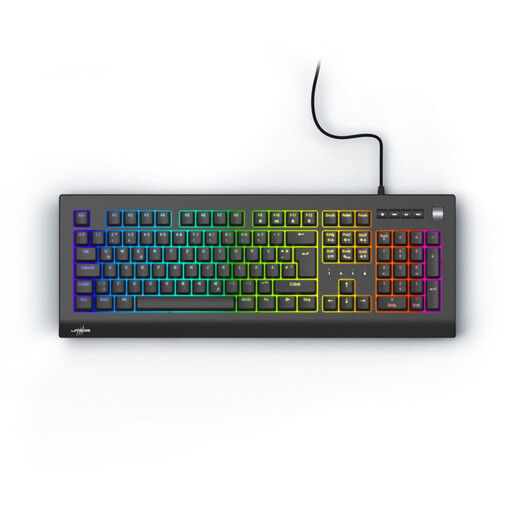 Image unavailable
Exodus 600 mechanical gaming keyboard, Red switches, QWERTZ DE
A good fit if you’re looking for a full-size German layout and programmable keys for your game commands.
Full-size with number pad; German QWERTZ layout; linear Outemu Red switches; programmable keys and macros according to the product description.
View at Joybuy
 Image unavailable
Akko 5087S V1 TKL, wired, ISO-DE
A TKL option if you’re happy to do without a number pad and want to keep more space free for your mouse.
TKL layout; ISO-DE; wired; Akko V3 Pro Cream Yellow switches; macro support according to the product details.
View at Joybuy
 Image unavailable
CHERRY MX 2.0S, German QWERTZ
This full-size model is worth considering if you prefer a German layout with a number pad.
Wired; full-size; German QWERTZ layout; CHERRY MX2A Red switches; full RGB lighting.
View at Joybuy
 Image unavailable
CHERRY MX-LP 2.1, 65%, German QWERTZ
A compact option if you want to save desk space and switch between several connection types.
65% layout with 69 keys; German QWERTZ; low-profile MX Speed switches; 2.4 GHz wireless, Bluetooth and USB-C according to the product details.
View at Joybuy
 Image unavailable
Logitech MX Mechanical, German QWERTZ
The product name specifies Tactile Quiet switches. If you’ll be using the keyboard in a shared workspace, try how the specific model feels to type on.
German QWERTZ layout; Bluetooth and Logi Bolt; Tactile Quiet switches according to the product details.
View at Joybuy
Frequently asked questions
Do I need macro keys for building railway routes?
No, macro keys aren’t a universal requirement. The Transport Fever 2 manual describes standard keyboard shortcuts and explains that you can change key bindings in the settings. Start by checking your game’s commands; dedicated macro keys are one possible customisation.
How do I set up a customisable keyboard?
Start with your game’s key bindings and check the instructions for your specific keyboard model. For the Keychron K10 Version 2, the manufacturer describes configuration through the Keychron Launcher using a wired connection and a supported browser; this won’t necessarily apply to other models.
What should I know about care and faults?
Follow the instructions for your specific keyboard when cleaning it, and keep liquids away from devices that aren’t protected against them. If a fault develops, remember that your statutory rights against the seller are different from a voluntary manufacturer’s warranty. The German consumer advice centre states that the statutory guarantee period is generally two years.
Can I return a keyboard bought online?
In Germany, consumers who buy online generally have a 14-day right to cancel. The German consumer advice centre explains that the period generally starts when the contract is concluded or the goods are received; the details and any exceptions depend on the specific contract.
What should I check for product safety in Germany?
Products covered by the relevant EU harmonisation legislation must carry a CE marking. The German Federal Network Agency explains this requirement as part of its market surveillance; this doesn’t confirm that any particular keyboard listing is compliant.


