Players who focus on movement
If you want to fine-tune repeated directional inputs, check the adjustable actuation and reset settings, as well as your game's rules. SteelSeries, Logitech G and Valve provide information on specific models or games.


For repeated movement inputs, a keyboard with adjustable actuation and Rapid Trigger may be a good fit. If keypress noise is your main concern during voice chat or in a shared room, the specific switches and case design matter more. Also check whether the layout leaves enough room for your mouse, and whether the input features are permitted in your game and on the relevant server. An advertised feature is no guarantee of an advantage in a match, nor does it mean every setting is allowed.
If you want to fine-tune repeated directional inputs, check the adjustable actuation and reset settings, as well as your game's rules. SteelSeries, Logitech G and Valve provide information on specific models or games.
If you play with a headset and microphone, or share a room, the noise made by the specific keyboard matters. CHERRY and Cooler Master describe dampening for particular switches or cases, but this is not a direct comparison of the noise levels of complete keyboards.
If you want to leave room for mouse movement beside your keyboard, compare the layout with the keys you want to reach quickly during a match. SteelSeries and Wooting offer compact formats with different key arrangements.
A good fit if: you want to adjust the actuation point and reset behaviour yourself for repeated movement inputs.
Trade-off: settings take time to get used to. Check input prioritisation separately and follow the rules of the game in question.
A good fit if: keypress noise during voice chat or in a shared room is your main concern.
Trade-off: dampening in a switch or case alone does not tell you how loud the fully assembled keyboard will sound through your microphone.
A good fit if: you want more room for your mouse and can easily reach the keys you need on the specific layout.
Trade-off: check the key arrangement against your game controls. The format name alone says nothing about noise or permitted input features.
| Buying priority | What to check before buying | Who it matters to |
|---|---|---|
| Movement inputs | Actuation point and Rapid Trigger; check input prioritisation and game rules separately. | If I want to control repeated changes of direction, I look for adjustable actuation and reset. Around 33% of consumers prioritise movement inputs. |
| Keyboard noise | Specific switch type and case; test voice chat if you use a microphone. | If I play with a headset in a shared room, the noise of the keyboard I actually use matters to me. Around 27% of consumers put keypress noise first. |
| Mouse space and keys | Compare the dimensions and actual layout with your desk and frequently used game controls. | If I need plenty of room for mouse movement, I still want to be able to reach important keys quickly. Around 20% of consumers prioritise mouse space. |
| Other uses | Compare the connections, switches, layout and software you need for the specific version. | If I also use the keyboard outside matches, I want the right features without unnecessary extras. Around 20% of consumers prioritise versatility and good value. |
The percentages give an idea of how common these priorities are; they are not measures of market share or gaming performance.
Rapid Trigger changes how a key actuates and resets. Valve says certain forms of hardware-assisted movement automation can be detected on official CS2 servers and may result in a kick. This does not mean all analogue keyboards are categorically banned.
Check the specific feature and the game's rules separately before using it.
A kick for certain forms of movement automation can end your current match.
CHERRY describes dampening for the MX Silent Red, while Cooler Master cites a case design that reduces vibration and noise for the MK770. These claims are not comparable measurements of the complete keyboards.
Check the switches fitted to the exact version and, if needed, test the keyboard with your microphone.
Corsair offers the K100 RGB with OPX and CHERRY-MX-Speed switches, among other options. The general model name does not specify which switches are fitted.
Compare the full model name, switches and language layout of the version on offer.
TKL and 80% refer to different layout approaches. Whether there is enough room for your mouse and you can easily reach all the keys you need depends on the specific design.
Check the key arrangement and dimensions against your game controls and the space available.
The Apex Pro TKL Gen 3 - DE combines a TKL format with adjustable magnetic actuation.
The 80HE is an analogue keyboard in an 80% format, with configurable actuation.
According to the manufacturer, the Huntsman V3 Pro Tenkeyless offers adjustable optical analogue inputs in a TKL format.
The MX 3.0S Wireless offers several connection options; MX Silent Red is a separate switch technology.
The PRO X TKL RAPID is a wired TKL keyboard with magnetic analogue switches and configuration profiles.
Corsair offers the K100 RGB in versions with different switches.
This selection includes keyboards with adjustable analogue or magnetic actuation for repeated movement inputs. Compare the layout with the space you have, and check that the specific key arrangement suits your game.
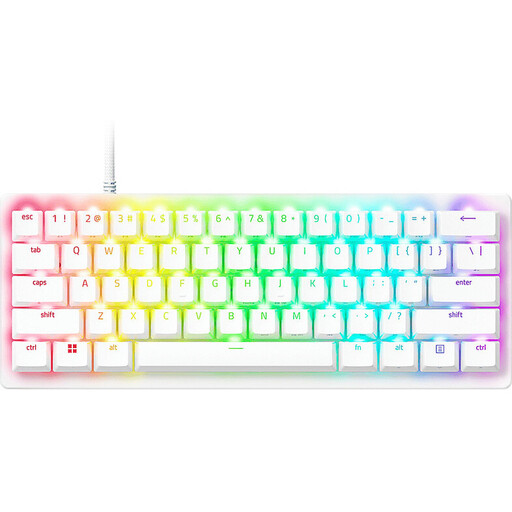 No image available
For repeated movement inputs, the product title lists adjustable actuation and Rapid Trigger.
60% format; stated actuation range: 0.1–4.0 mm. The title also specifies a German QWERTZ layout.
 No image available
For players looking for a more compact layout with magnetic switches and an RT mode.
The product title specifies a 75% layout and an aluminium case.
 No image available
For repeated inputs, the product title lists magnetic switches and Rapid Trigger.
The title also specifies an aluminium frame.
 No image available
For players looking for magnetic switches and Rapid Trigger in a compact layout.
The product title specifies 68 keys and a US layout; check that the key arrangement meets your needs.
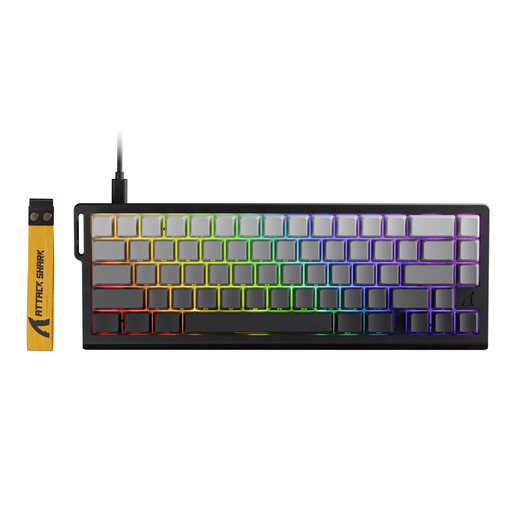 No image available
For repeated movement inputs, the product title lists magnetic switches and Rapid Trigger.
The title specifies a black gradient design. Check the rules of the relevant game before using input prioritisation features; Valve warns that certain forms of hardware-assisted movement automation may result in a kick on official CS2 servers.
No. Rapid Trigger changes how a key actuates and resets, while features such as Snap Tap prioritise inputs between keys. On 19 August 2024, Valve said that certain types of hardware-assisted movement automation can be detected on official CS2 servers and may result in a kick. This does not give a blanket answer on whether a specific setting is allowed in every game and on every server.
Change the actuation point and reset behaviour separately at first, then check whether your usual hand movements cause accidental inputs. The PRO X TKL RAPID guide describes saved profiles and adjustments made directly on the keyboard; G HUB is required for certain per-key settings.
No. A filter is no substitute for checking the keyboard’s noise or testing it with your microphone. Discord notes that Krisp can also affect voice quality in a quiet environment with a good microphone.
For a consumer purchase from a trader in the EU, the statutory minimum guarantee is generally two years from the date you receive the product; your point of contact is the seller. According to Your Europe, ordinary online purchases from a trader are also generally covered by a 14-day right to cancel from the date you receive the product, subject to legal exceptions and the applicable rules on return costs.
No. The European Commission explains that CE marking is required only for products covered by relevant harmonised rules that require it. A gaming label or switch specification is not proof of conformity; if necessary, check the information for the specific device version and the responsible supplier.