If someone else is sleeping or working in the same bedroom, the first thing to consider should be the noise made by the specific keyboard. A membrane keyboard or a mechanical model with switches explicitly designed to be dampened is a more obvious choice than a clicky model. RTINGS.com describes the differences between switch types, but manufacturers’ claims are no substitute for comparing the sound of the complete keyboard where you’ll be using it. Next, make sure the layout suits the F-keys, arrow keys and, if needed, number pad you use in your game, as TKL keyboards leave out the number pad.
Which keyboard suits which player?
Considerate night-time gamers
If you want to keep playing while someone else in the room needs peace and quiet, the actual typing noise matters more to you than flashy gaming features. RTINGS.com describes the differences between clicky and dampened switches; CORSAIR lists quiet membrane keys as a manufacturer claim for the K55 CORE TKL.
Players who use lots of shortcuts
If you want quick access to frequently used commands while building, compare the F-key row, arrow keys and, if needed, number pad with your key bindings. RTINGS.com points out that compact layouts can reduce the number of keys you can access directly, depending on the format.
Players with limited desk space
If you share your desk space, a more compact layout can free up room for your mouse next to the keyboard. At the same time, check that it doesn’t leave out keys you need. RTINGS.com discusses this trade-off between space and keys, while CORSAIR and be quiet! confirm that the TKL models mentioned do not have a number pad.
What to prioritise in a bedroom
| What matters |
What to check before buying |
Who it matters most to |
| Typing noise |
Compare the switch type and, if possible, the sound of the complete keyboard, including the space bar and larger keys. |
If someone is sleeping beside me, I want to keep disruptive typing noise to a minimum; around 33% of consumers put noise first. |
| Direct access to commands |
Compare your key bindings with the F-key row, arrow keys, number pad and Fn layers. |
If I use the same commands often in a game, I want to reach them without an extra Fn combination; around 27% of consumers prioritise direct access to keys. |
| Desk space and room for a mouse |
Compare the dimensions with your desk and check which keys the specific layout retains. RTINGS.com points out that compact formats can omit keys, depending on their design. |
If I share my desk, I want to keep room for my mouse next to the keyboard; around 20% of consumers put available space first. |
| Price and extra features |
Consider only features you actually need, such as hot-swappable switches, rather than gaming extras you won’t use. |
If I mainly play a city-building game, I don’t want to pay for features I don’t need; around 20% of consumers place the greatest weight on this value-for-money trade-off. |
Common buying mistakes
-
Assuming linear or mechanical means quiet
The switch type alone doesn’t tell you how the complete keyboard will sound. RTINGS.com lists the case and plate materials as other factors that affect noise; clicky switches can be particularly noticeable.
Compare the specific switch type and, if possible, listen to the complete keyboard. Pay attention to the space bar and larger keys too.
-
Choosing based on width alone
A compact layout may leave out the F-key row, arrow keys or number pad, making frequently used inputs less convenient.
Before you buy, compare your in-game commands with the specific layout and check which functions are only available through Fn combinations.
-
Treating the product name or CE mark as proof of suitability
Switches and layouts can vary between product versions. Germany’s Federal Network Agency explains that the manufacturer is responsible for CE marking; it says nothing about typing noise or gaming comfort.
Check the exact version and its key layout. Assess product safety separately from noise and ease of use.
Relevant brands to consider
CORSAIR
The K55 CORE TKL (DE) is a specific membrane option for buyers looking for a compact gaming layout.
- CORSAIR lists membrane keys and a German version for this model.
- The TKL format has no number pad. The noise claim comes from the manufacturer, not an independent measurement.
be quiet!
The LIGHT MOUNT TKL SILENT LINEAR (DE ISO) is aimed at buyers who want mechanical switches in a more compact design.
- For this version, the manufacturer lists Silent V2 switches, three layers of sound dampening and hot-swappable switches.
- Silent doesn’t mean noiseless; TKL leaves out the number pad, and manufacturer claims are no substitute for listening to the keyboard where you’ll use it.
Logitech G
The wired G515 TKL is a low-profile mechanical option with linear or tactile switch versions.
- Logitech lists a sound-dampening design and remapping through G HUB.
- You can’t determine how noisy it will be in a bedroom without measuring the version you choose; TKL has no number pad.
CHERRY
The MX Silent Red is a relevant option if you’re looking for dampened linear switches; the MX BOARD 3.0S is available with different switch versions.
- CHERRY describes the MX Silent Red switch as having integrated noise dampening.
- Not every MX BOARD 3.0S version includes these switches. Check the exact switch configuration before drawing conclusions about the sound of the complete keyboard.
Cooler Master
The MK770 is an option for buyers considering customisation and a design intended to reduce noise.
- Cooler Master lists hot-swappable switches and a gasket design; PC-WELT highlights the MK770’s sound insulation and connection options.
- Switches and layout depend on the version available. Sound dampening doesn’t prove that the switches themselves are silent switches.
Joybuy products
The Joybuy products below include compact TKL and 75% layouts, as well as a full-size model. In a shared bedroom, the key things to consider are the specific switch model and the keys you want to access directly.
 No image available
Akko 5087S V1 TKL, Cream Yellow, ISO-DE-QWERTZ
The TKL layout and listed ISO-DE-QWERTZ key layout could suit you if you’re looking for a more compact keyboard with a German layout.
The product name lists Akko V3 Pro Cream Yellow switches, hot-swappable switches and RGB.
View at Joybuy
 No image available
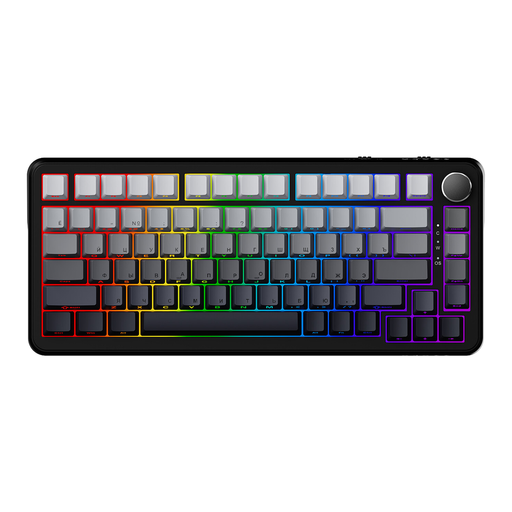
AJAZZ AK820 MAX, magnetic switches, 82 keys
The 82-key layout listed in the product name is a compact option; check that it includes the keys you need for your in-game commands.
The product name lists magnetic switches, adjustable actuation, hot-swappable switches and RGB.
View at Joybuy
 No image available
Logitech MX Mechanical, Tactile Quiet, German QWERTZ
The listed German QWERTZ layout is worth considering if you want a German layout; the switch name doesn’t measure how noisy the keyboard will be in a bedroom.
The product name lists Tactile Quiet switches, Bluetooth and Logi Bolt.
View at Joybuy
 No image available
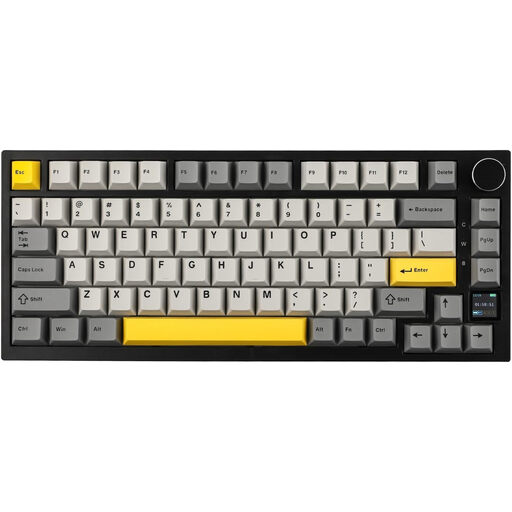
AJAZZ AK820 Pro, 75%, US QWERTY
The 75% layout is a compact option; before buying, check carefully that the US QWERTY layout suits the way you use your keyboard.
The product name lists a gasket mount, hot-swappable switches, and wired, Bluetooth and 2.4 GHz connections.
View at Joybuy
 No image available
Ticktype DP104, 108 keys, US layout
The full-size layout with a number pad could suit you if you need those keys; it takes up more desk space than a compact format.
The product name lists Silent Tactile switches, hot-swappable switches and tri-mode connections. Compare the US layout with your preferred key layout.
View at Joybuy
Frequently asked questions
Is a 60% keyboard automatically the best space-saving option for a city-building game?
No. A small layout may leave out keys you can access directly, such as the F-key row or arrow keys. Check the commands you actually use in your game. TKL leaves out the number pad but retains more directly accessible keys than some even smaller layouts.
Is one silent switch enough to make the whole keyboard quiet?
No. A dampened switch doesn’t guarantee that the complete keyboard will sound quiet in a bedroom. RTINGS.com also describes the case and plate materials as factors that affect noise, so if possible, assess the specific keyboard, including its larger keys.
What should I look for in the key layout?
Compare the specific layout with the commands you use often in your game. In particular, check whether the F-key row, arrow keys or number pad are included, and whether you’re comfortable using Fn combinations.
Does a CE mark prove that a keyboard is quiet or especially comfortable to use?
No. A CE mark is not proof of low noise or gaming comfort. Germany’s Federal Network Agency describes it as a declaration of conformity for which the manufacturer is responsible; you’ll need to assess noise and layout separately for the specific version.


