Building railway lines with limited mouse space
If you need more room for your mouse when placing and viewing your layout, compare the keyboard’s actual dimensions with your desk rather than choosing solely by its smallest format label.


For laying out a virtual railway on a small desk, a 75% or TKL keyboard is a sensible starting point if you want more room for your mouse while keeping plenty of keys within easy reach. A 75% keyboard often includes arrow and extra keys in a more compact layout; a TKL keyboard leaves out the number pad, but can be wider depending on the model. A 60% keyboard saves even more space, but relies more heavily on secondary functions for keys that aren’t available directly.
If you need more room for your mouse when placing and viewing your layout, compare the keyboard’s actual dimensions with your desk rather than choosing solely by its smallest format label.
If you often switch between building, camera and simulation commands, check which keys your particular game uses directly. The official Transport Fever 2 manual gives keyboard shortcuts as an example, not as a guide to other games.
If you use the same small space for other tasks too, you can weigh up typing feel, noise, cables and how easily you can reach the keys you need.
A good fit if: You’re short on space but want arrow keys and some extra keys within easy reach.
The trade-off: There’s no number pad, and the other keys included vary by model.
A good fit if: You can do without a number pad and prefer a larger set of keys that are all directly accessible.
The trade-off: Depending on the model, a TKL keyboard can be wider than a 75% one, so check its dimensions.
A good fit if: Desk space is very limited and you can access the commands you need using your mouse or secondary key functions.
The trade-off: The Razer Huntsman Mini doesn’t have dedicated function keys, a Home/navigation cluster or a number pad.
A good fit if: You often need direct number-pad input for your game or other tasks, and have enough room for both keyboard and mouse.
The trade-off: The extra keys take up space on a small desk that would otherwise be available for your mouse.
| What matters | What to look for when buying | Who it matters most to |
|---|---|---|
| Desk space and mouse movement | Measure the available width and depth, including the space for your mouse, and compare them with the dimensions of the specific model. | If I need room for my mouse when placing and viewing my layout, the keyboard’s size is crucial. Around 36% of consumers put available desk space first. |
| Direct access to building and camera commands | Compare the controls in your game with the keys available directly on the keyboard and its Fn functions. | If I often use building and camera commands, I want to reach the important keys without using an extra Fn layer. Around 29% of consumers prioritise direct access. |
| Typing noise and everyday use | Check the switch type and any sound dampening; don’t judge noise or typing feel based on the word “mechanical” alone. | If I also write at the same desk or share the space, I pay more attention to the feel and sound of the keys than to gaming extras. Around 21% of consumers place particular importance on a quiet, multi-purpose workspace. |
| Wireless use | Check the connection options, power supply and device switching available on the specific model. | If I want to remove a cable from my small desk or switch between devices, the available connection options matter to me. Around 14% of consumers prioritise a tidy, cable-free setup. |
On particularly compact models, function keys and other keys may not be available for direct input. When building railway lines, easy access to the keys you need can matter more than saving that last bit of desk space.
First check your game’s controls and measure the space available for your keyboard and mouse. Then compare 60%, 75% and TKL formats.
Switch and actuation-point specifications don’t prove that your game requires a particular type of keyboard. The official Transport Fever 2 manual lists specific controls and explains that they can be changed.
Prioritise the keys you need and how easy they are to use before considering switch descriptions.
Labels such as TKL don’t tell you which layout or switch variant you’ll receive.
Before buying, check the exact product variant and the keyboard layout you need.
The K65 PLUS WIRELESS (DE) is a 75% model for anyone looking to combine a more compact size with arrow and extra keys.
The wired G515 TKL combines a number-pad-free layout with a low-profile design.
The Huntsman Mini is a particularly compact 60% keyboard.
The K2 HE is another 75% option, with different connection types and a German ISO variant available.
The Apex range includes TKL and Mini options; according to the manufacturer, the Apex 3 TKL uses membrane switches.
The following Joybuy options include TKL, 60% and 75% keyboards with German layout variants, suited to compact desks.
 No image available
The TKL format leaves out the number pad, which can free up space for mouse movement.
German QWERTZ layout, wired USB connection and dedicated media keys.
The product description also lists a detachable wrist rest.
 No image available
The TKL format is an option if you can do without a number pad and want more room for your mouse.
Wired connection, ISO-DE QWERTZ layout and linear Cream Yellow switches.
The product description lists PBT keycaps, RGB lighting and hot-swap support.
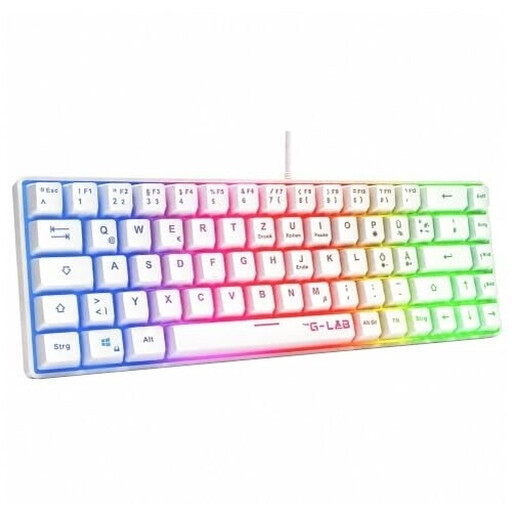 No image available
The 60% format is a compact option if you check how the missing dedicated keys are assigned in your game first.
German QWERTZ layout, wired USB connection and membrane switches.
The product description also lists RGB lighting.
 No image available
The 75% format combines a compact design with a German ISO variant.
Bluetooth, 2.4 GHz wireless and USB-C are listed as connection options.
The product description lists an 8000 mAh battery, hot-swap support and Creamy Rye switches.
 No image available
The 75% format could suit you if you’re looking for a compact keyboard with a German ISO variant.
Bluetooth, 2.4 GHz wireless and USB-C are listed as connection options.
The product description lists Cream Yellow switches and support for Windows, macOS, iOS and Android.
No, not necessarily. The official Transport Fever 2 manual shows camera and speed commands assigned to other keys or controlled with a mouse, and explains that controls can be changed. Check the controls for your own game before deciding whether you need a number pad.
In the game menu, compare the controls for the camera, building tools and game speed with the keys available directly. In Transport Fever 2, you can change the mouse and keyboard controls in the settings; check separately whether and how this works in another game.
When you buy from a trader in the EU, you’re generally entitled to a minimum two-year legal guarantee from the date you receive the goods. This is separate from a voluntary manufacturer’s warranty or any returns period offered.
Check the labelling and manufacturer’s information for the specific variant. The German Federal Network Agency’s market surveillance includes checks for CE marking, product traceability and accurate manufacturer details. Radio equipment is also subject to additional relevant requirements.
In Germany, old electrical equipment must not be put in household waste. The Federal Environment Agency lists local collection points and suitable take-back options at retailers; removable batteries should be disposed of separately.